


Latest Version
Update
November 05, 2026
November 05, 2026
Developer
Nasr for graphic
Nasr for graphic
Categories
Tools
Tools
Platforms
Android
Android
Downloads
0
0
License
Free
Free
Package Name
com.nasr.tempmailbox
com.nasr.tempmailbox
Report
Report a Problem
Report a Problem
More About Temp Mail: Temporary Email
Temp Mail gives you a temporary email address in one tap. Use it to sign up, confirm an account or grab a download link, and keep your real inbox out of it.
HOW IT WORKS
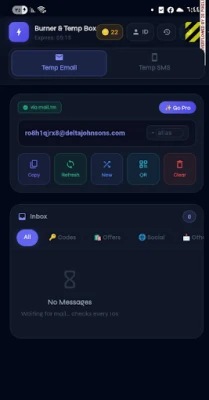
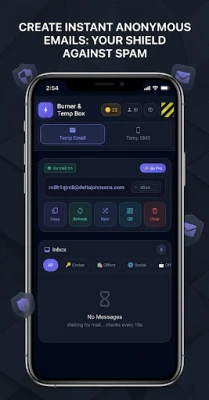
1. Open the app. A temp email address is ready to copy.
2. Paste it into the sign-up form.
3. The message lands in your temp inbox. Verification codes are picked out so you can copy them with one tap.
WHAT YOU GET
• A temporary email address, new whenever you want one
• A live temp inbox that checks for new mail by itself
• Verification codes detected and ready to copy
• Aliases: a separate disposable email for each site
• Private-domain inboxes for sites that turn away common temp mail domains
• Password generator, made on your device
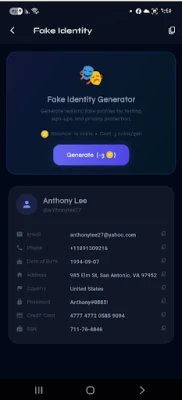
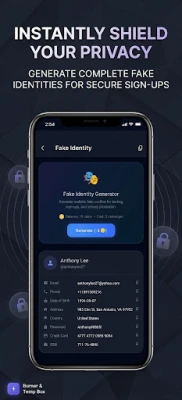
• Random identity for test sign-ups
• Home screen widget with your current address
• Inbox history, so you can go back to an address you used before
FREE TO USE
Creating temporary email addresses and reading mail costs nothing. No account, no sign-up, no personal details.
TEMP MAIL PRO
Longer-lived addresses, unlimited aliases, private-domain inboxes, a secure vault for throwaway logins, full history and no ads. Monthly, yearly or a one-time lifetime unlock.
GOOD TO KNOW
• A temp email is for receiving mail. You can't send from it.
• Some websites block well-known disposable email domains. If one does, try a private-domain inbox.
• Don't use a temporary email for an account you will need to recover later.
• English, Arabic, French, German, Italian, Portuguese and Spanish.
Keep your real email address private. Download Temp Mail.
1. Open the app. A temp email address is ready to copy.
2. Paste it into the sign-up form.
3. The message lands in your temp inbox. Verification codes are picked out so you can copy them with one tap.
WHAT YOU GET
• A temporary email address, new whenever you want one
• A live temp inbox that checks for new mail by itself
• Verification codes detected and ready to copy
• Aliases: a separate disposable email for each site
• Private-domain inboxes for sites that turn away common temp mail domains
• Password generator, made on your device
• Random identity for test sign-ups
• Home screen widget with your current address
• Inbox history, so you can go back to an address you used before
FREE TO USE
Creating temporary email addresses and reading mail costs nothing. No account, no sign-up, no personal details.
TEMP MAIL PRO
Longer-lived addresses, unlimited aliases, private-domain inboxes, a secure vault for throwaway logins, full history and no ads. Monthly, yearly or a one-time lifetime unlock.
GOOD TO KNOW
• A temp email is for receiving mail. You can't send from it.
• Some websites block well-known disposable email domains. If one does, try a private-domain inbox.
• Don't use a temporary email for an account you will need to recover later.
• English, Arabic, French, German, Italian, Portuguese and Spanish.
Keep your real email address private. Download Temp Mail.
Rate the App
Add Comment & Review
User Reviews
Based on 0 reviews
No reviews added yet.
Comments will not be approved to be posted if they are SPAM, abusive, off-topic, use profanity, contain a personal attack, or promote hate of any kind.















More »

Popular Apps

phpFoxPHPFOX LLC

Moon Chai StoryOlha Dobel

World War Heroes — WW2 PvP FPSAzur Interactive Games Limited

Govee LiteGovee

AvSeaAvionics Electronics Geeks!

Viking Clan: RagnarokKano Games

Vikings: War of ClansPlarium LLC

Build World AdventureExplore city in cube world

Asphalt 9: LegendsGameloft SE

Dawn of Zombies: Survival GameRoyal Ark
More »
Editor's Choice

Grim Soul: Dark Survival RPGBrickworks Games Ltd

Craft of Survival - Gladiators101XP LIMITED

Last Shelter: SurvivalLong Tech Network Limited
Dawn of Zombies: Survival GameRoyal Ark

Merge Survival : WastelandStickyHands Inc.

AoD Vikings: Valhalla GameRoboBot Studio
Viking Clan: RagnarokKano Games
Vikings: War of ClansPlarium LLC
Asphalt 9: LegendsGameloft SE

Modern Tanks: War Tank GamesXDEVS LTD