Latest Version
Update
November 13, 2026
November 13, 2026
Developer
NEXT SALUTION LTD
NEXT SALUTION LTD
Categories
Tools
Tools
Platforms
Android
Android
Downloads
0
0
License
Free
Free
Package Name
com.nextsalution.screen.mirror.chromecast.miracast
com.nextsalution.screen.mirror.chromecast.miracast
Report
Report a Problem
Report a Problem
More About Screen Mirroring - Miracast
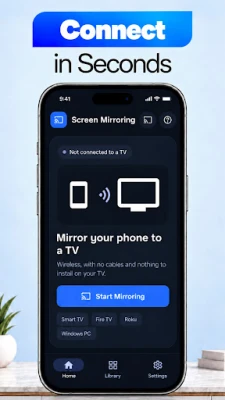
Want to enjoy your phone screen on a bigger display? Screen Mirroring: TV Cast helps you mirror your Android phone to compatible TVs and Windows PCs over the same WiFi network. Share your screen for presentations, games, photo viewing, and other activities from your phone.
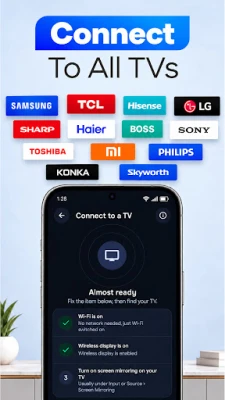
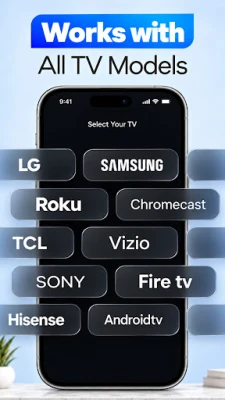
Screen mirroring works with compatible Fire TV and Roku devices, as well as Windows PCs. Use TV Cast to display what's on your phone without moving media files to another device.
KEY FEATURES
Screen Mirroring & TV Cast
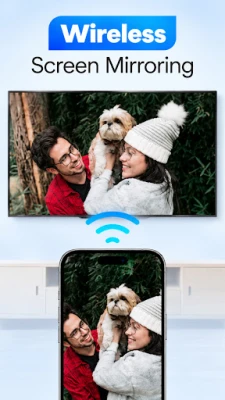
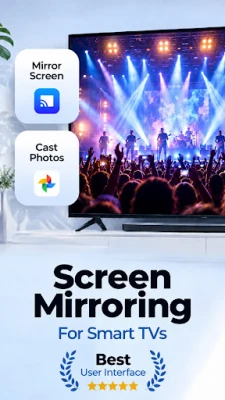
Enjoy screen mirroring on a larger display, whether you're showing family photos, following an app tutorial, or presenting information to others. TV Cast mirrors your phone's display on a compatible television, so you can continue using familiar Android apps.
Cast to TV – Mirror Screen to TV
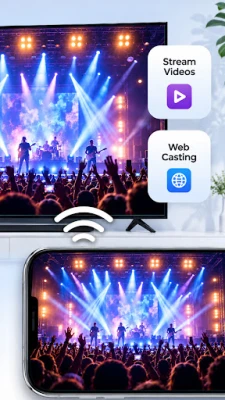
Want to cast to TV? Connect your Android phone and television to the same WiFi network. With the mirror screen to TV feature, the content on your phone appears on the receiving display. You can cast to TV for a slideshow, a video playing on your screen, or a presentation. TV Cast provides a convenient way to view these activities on a bigger screen.
Screen Share over WiFi
Use Screen Share when you want others to see what is happening on your phone. Both devices must be on the same WiFi network. Screen share a presentation at home, demonstrate an app, or show photos to friends and family.
Screen Mirroring for Fire TV
Connect your Android phone to a compatible Fire TV device using the available connection steps. Screen mirroring for Fire TV lets you view your mobile display on a larger television. To mirror screen to TV, select the available receiver and follow the on-screen instructions.
Screen Mirroring for Roku
Connect to a compatible Roku device to view your Android display on a television. With screen mirroring, you can mirror screen to TV to show photos, explore an app, or share a presentation with others.
Mirror Phone to Windows PC
Screen mirroring lets you display your phone screen on a compatible Windows PC over the same WiFi network. Screen share a mobile app demonstration or review content from your phone on a computer display.
Find My TV
Use Find My TV to discover compatible receiving devices. Select a device from the available options and follow the instructions to start screen mirroring.
Media Library
Browse photos, videos, and music stored on your phone in the built-in Media Library. For viewing on a TV, the app mirrors your phone screen rather than transferring separate media files.
20 Supported Languages
Select from 20 available app languages to use the controls and menus in your preferred language.
HOW TO USE
Connect your Android phone and compatible TV or Windows PC to the same WiFi network.
Open Screen Mirroring: TV Cast.
Use Find My TV or the available connection option to locate a compatible device.
Select your receiving device and follow the on-screen instructions.
Start screen mirroring to cast to TV or view your display on a compatible PC.
WHY CHOOSE SCREEN MIRRORING: TV CAST?
• Cast to TV to display your Android screen on a compatible television.
• Use TV Cast for videos, photos, games, and presentations visible on your phone.
• Mirror screen to TV using supported Fire TV and Roku receivers.
• Screen Share over the same WiFi network with compatible devices.
• Find supported devices through Find My TV.
• Browse your on-device media in the Media Library.
• Choose from 20 supported app languages.
Screen Mirroring: TV Cast brings your phone display to a compatible TV or PC for easier viewing and sharing. Enjoy TV Cast on a larger display while using your phone
KEY FEATURES
Screen Mirroring & TV Cast
Enjoy screen mirroring on a larger display, whether you're showing family photos, following an app tutorial, or presenting information to others. TV Cast mirrors your phone's display on a compatible television, so you can continue using familiar Android apps.
Cast to TV – Mirror Screen to TV
Want to cast to TV? Connect your Android phone and television to the same WiFi network. With the mirror screen to TV feature, the content on your phone appears on the receiving display. You can cast to TV for a slideshow, a video playing on your screen, or a presentation. TV Cast provides a convenient way to view these activities on a bigger screen.
Screen Share over WiFi
Use Screen Share when you want others to see what is happening on your phone. Both devices must be on the same WiFi network. Screen share a presentation at home, demonstrate an app, or show photos to friends and family.
Screen Mirroring for Fire TV
Connect your Android phone to a compatible Fire TV device using the available connection steps. Screen mirroring for Fire TV lets you view your mobile display on a larger television. To mirror screen to TV, select the available receiver and follow the on-screen instructions.
Screen Mirroring for Roku
Connect to a compatible Roku device to view your Android display on a television. With screen mirroring, you can mirror screen to TV to show photos, explore an app, or share a presentation with others.
Mirror Phone to Windows PC
Screen mirroring lets you display your phone screen on a compatible Windows PC over the same WiFi network. Screen share a mobile app demonstration or review content from your phone on a computer display.
Find My TV
Use Find My TV to discover compatible receiving devices. Select a device from the available options and follow the instructions to start screen mirroring.
Media Library
Browse photos, videos, and music stored on your phone in the built-in Media Library. For viewing on a TV, the app mirrors your phone screen rather than transferring separate media files.
20 Supported Languages
Select from 20 available app languages to use the controls and menus in your preferred language.
HOW TO USE
Connect your Android phone and compatible TV or Windows PC to the same WiFi network.
Open Screen Mirroring: TV Cast.
Use Find My TV or the available connection option to locate a compatible device.
Select your receiving device and follow the on-screen instructions.
Start screen mirroring to cast to TV or view your display on a compatible PC.
WHY CHOOSE SCREEN MIRRORING: TV CAST?
• Cast to TV to display your Android screen on a compatible television.
• Use TV Cast for videos, photos, games, and presentations visible on your phone.
• Mirror screen to TV using supported Fire TV and Roku receivers.
• Screen Share over the same WiFi network with compatible devices.
• Find supported devices through Find My TV.
• Browse your on-device media in the Media Library.
• Choose from 20 supported app languages.
Screen Mirroring: TV Cast brings your phone display to a compatible TV or PC for easier viewing and sharing. Enjoy TV Cast on a larger display while using your phone
Rate the App
Add Comment & Review
User Reviews
Based on 0 reviews
No reviews added yet.
Comments will not be approved to be posted if they are SPAM, abusive, off-topic, use profanity, contain a personal attack, or promote hate of any kind.







More »

Popular Apps
phpFoxPHPFOX LLC

Moon Chai StoryOlha Dobel

World War Heroes — WW2 PvP FPSAzur Interactive Games Limited
Govee LiteGovee

AvSeaAvionics Electronics Geeks!

Viking Clan: RagnarokKano Games

Vikings: War of ClansPlarium LLC

Build World AdventureExplore city in cube world

Asphalt 9: LegendsGameloft SE
Dawn of Zombies: Survival GameRoyal Ark
More »
Editor's Choice

Grim Soul: Dark Survival RPGBrickworks Games Ltd

Craft of Survival - Gladiators101XP LIMITED
Last Shelter: SurvivalLong Tech Network Limited
Dawn of Zombies: Survival GameRoyal Ark

Merge Survival : WastelandStickyHands Inc.

AoD Vikings: Valhalla GameRoboBot Studio
Viking Clan: RagnarokKano Games
Vikings: War of ClansPlarium LLC
Asphalt 9: LegendsGameloft SE

Modern Tanks: War Tank GamesXDEVS LTD