Latest Version
Update
September 22, 2026
September 22, 2026
Developer
HAX Media Partners Limited
HAX Media Partners Limited
Categories
Tools
Tools
Platforms
Android
Android
Downloads
0
0
License
Free
Free
Package Name
com.haxmedia.remotecontrolrokutv
com.haxmedia.remotecontrolrokutv
Report
Report a Problem
Report a Problem
More About Roku Remote: TV Remote Control
Lost your Roku remote? Control your Roku TV directly from your phone.
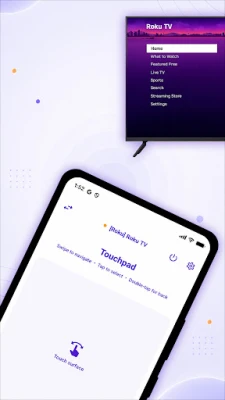
Roku Remote: TV Remote Control turns your Android phone into an easy WiFi remote for Roku TVs and Roku streaming devices. Connect your phone and TV to the same WiFi network, select your device, and start controlling your TV.
CONTROL ROKU TV FROM YOUR PHONE
Use your phone as a Roku remote control when your physical remote is lost, out of reach, or simply inconvenient.
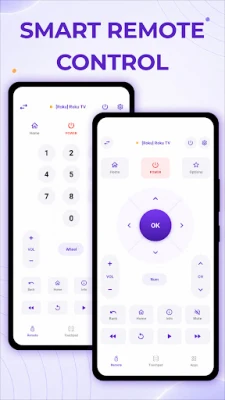
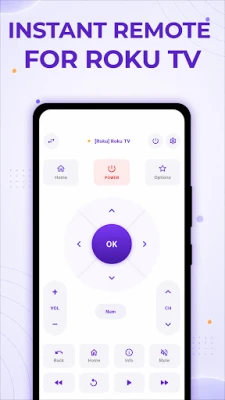
Navigate your TV with familiar remote controls including:
• Direction pad for easy navigation
• Home, Back and menu controls
• Play and media controls
• Volume and power controls on compatible Roku TVs
• Vibration feedback for remote commands
No need to keep searching the couch for your remote. Keep a Roku TV remote conveniently available on your phone.
TYPE FASTER WITH YOUR PHONE KEYBOARD
Typing a movie, show, channel or search query using a TV remote can take forever.
Use your phone's keyboard to enter text more easily on your Roku device. Search for movies, shows and other content without repeatedly pressing buttons on a physical remote.
QUICKLY OPEN YOUR CHANNELS
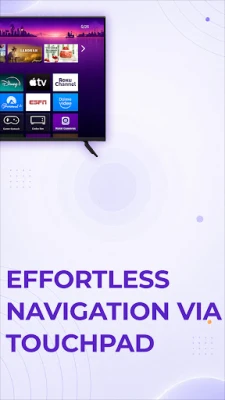
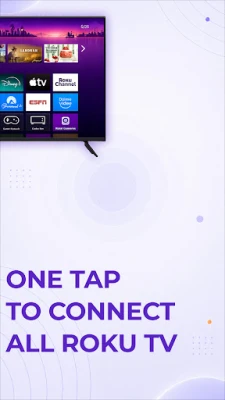
Access the channels installed on your Roku and launch them from your phone. Spend less time navigating menus and more time watching what you want.
CAST PHOTOS & VIDEOS TO ROKU
Want to see something from your phone on a bigger screen?
Cast supported photos and videos from your phone to your Roku TV or streaming device. Share memories, videos and other media on your television instead of gathering around a small phone screen.
SCREEN MIRROR TO YOUR ROKU TV
Mirror supported content from your phone to your Roku TV and enjoy it on the big screen. Screen mirroring gives you another convenient way to use your phone and television together.
PRIVATE LISTENING
Watch TV without disturbing everyone around you.
On supported devices, Private Listening lets you listen to your Roku audio through your phone or connected headphones. It is useful for late-night viewing or whenever you want a more personal listening experience.
WORKS WITH POPULAR ROKU TVS
The Roku remote app is designed to work with compatible Roku TVs from brands such as TCL, Hisense, Onn, Sharp, RCA, JVC, Philips, Insignia and Magnavox.
It also supports compatible Roku streaming devices including Roku Express, Roku Streaming Stick, Roku Premiere and Roku Ultra.
HOW DO I CONNECT MY PHONE TO ROKU?
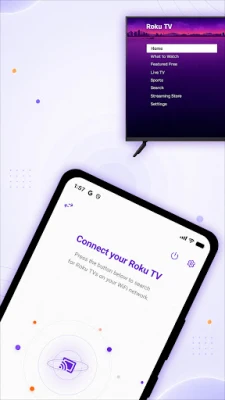
1. Connect your phone and Roku device to the same WiFi network.
2. Open the Roku remote app.
3. Select your Roku TV or streaming device.
4. Start using your phone as a remote control.
Your Roku device must be connected to the same local network and configured to allow mobile app control.
CAN I USE THIS IF I LOST MY ROKU REMOTE?
Yes. Once your phone and Roku device are connected to the same WiFi network, the app can act as a replacement remote for compatible Roku TVs and streaming devices.
CAN I CONTROL AN ONN, TCL OR HISENSE ROKU TV?
The remote supports compatible TVs running Roku OS, including popular Onn Roku TV, TCL Roku TV and Hisense Roku TV models. Compatible Sharp, RCA, JVC, Philips, Insignia and Magnavox Roku TVs are also supported.
A SMARTER WAY TO CONTROL YOUR ROKU
Whether your physical remote is missing, typing with it feels too slow, or you simply want a Roku remote available on your phone, Roku Remote: TV Remote Control gives you an easy way to control your entertainment.
Control your Roku TV, type with your phone keyboard, open channels, cast media, mirror supported content and enjoy compatible private listening—all from one app.
Download Roku Remote: TV Remote Control and turn your phone into a convenient Roku TV remote.
Privacy Policy - https://haxmediapartners.com/privacy-policy/
CONTROL ROKU TV FROM YOUR PHONE
Use your phone as a Roku remote control when your physical remote is lost, out of reach, or simply inconvenient.
Navigate your TV with familiar remote controls including:
• Direction pad for easy navigation
• Home, Back and menu controls
• Play and media controls
• Volume and power controls on compatible Roku TVs
• Vibration feedback for remote commands
No need to keep searching the couch for your remote. Keep a Roku TV remote conveniently available on your phone.
TYPE FASTER WITH YOUR PHONE KEYBOARD
Typing a movie, show, channel or search query using a TV remote can take forever.
Use your phone's keyboard to enter text more easily on your Roku device. Search for movies, shows and other content without repeatedly pressing buttons on a physical remote.
QUICKLY OPEN YOUR CHANNELS
Access the channels installed on your Roku and launch them from your phone. Spend less time navigating menus and more time watching what you want.
CAST PHOTOS & VIDEOS TO ROKU
Want to see something from your phone on a bigger screen?
Cast supported photos and videos from your phone to your Roku TV or streaming device. Share memories, videos and other media on your television instead of gathering around a small phone screen.
SCREEN MIRROR TO YOUR ROKU TV
Mirror supported content from your phone to your Roku TV and enjoy it on the big screen. Screen mirroring gives you another convenient way to use your phone and television together.
PRIVATE LISTENING
Watch TV without disturbing everyone around you.
On supported devices, Private Listening lets you listen to your Roku audio through your phone or connected headphones. It is useful for late-night viewing or whenever you want a more personal listening experience.
WORKS WITH POPULAR ROKU TVS
The Roku remote app is designed to work with compatible Roku TVs from brands such as TCL, Hisense, Onn, Sharp, RCA, JVC, Philips, Insignia and Magnavox.
It also supports compatible Roku streaming devices including Roku Express, Roku Streaming Stick, Roku Premiere and Roku Ultra.
HOW DO I CONNECT MY PHONE TO ROKU?
1. Connect your phone and Roku device to the same WiFi network.
2. Open the Roku remote app.
3. Select your Roku TV or streaming device.
4. Start using your phone as a remote control.
Your Roku device must be connected to the same local network and configured to allow mobile app control.
CAN I USE THIS IF I LOST MY ROKU REMOTE?
Yes. Once your phone and Roku device are connected to the same WiFi network, the app can act as a replacement remote for compatible Roku TVs and streaming devices.
CAN I CONTROL AN ONN, TCL OR HISENSE ROKU TV?
The remote supports compatible TVs running Roku OS, including popular Onn Roku TV, TCL Roku TV and Hisense Roku TV models. Compatible Sharp, RCA, JVC, Philips, Insignia and Magnavox Roku TVs are also supported.
A SMARTER WAY TO CONTROL YOUR ROKU
Whether your physical remote is missing, typing with it feels too slow, or you simply want a Roku remote available on your phone, Roku Remote: TV Remote Control gives you an easy way to control your entertainment.
Control your Roku TV, type with your phone keyboard, open channels, cast media, mirror supported content and enjoy compatible private listening—all from one app.
Download Roku Remote: TV Remote Control and turn your phone into a convenient Roku TV remote.
Privacy Policy - https://haxmediapartners.com/privacy-policy/
Rate the App
Add Comment & Review
User Reviews
Based on 0 reviews
No reviews added yet.
Comments will not be approved to be posted if they are SPAM, abusive, off-topic, use profanity, contain a personal attack, or promote hate of any kind.


More »

Popular Apps

phpFoxPHPFOX LLC

Moon Chai StoryOlha Dobel

World War Heroes — WW2 PvP FPSAzur Interactive Games Limited

Govee LiteGovee

Viking Clan: RagnarokKano Games

Build World AdventureExplore city in cube world

Vikings: War of ClansPlarium LLC

AvSeaAvionics Electronics Geeks!

Asphalt 9: LegendsGameloft SE

Dawn of Zombies: Survival GameRoyal Ark
More »
Editor's Choice

Grim Soul: Dark Survival RPGBrickworks Games Ltd

Craft of Survival - Gladiators101XP LIMITED

Last Shelter: SurvivalLong Tech Network Limited
Dawn of Zombies: Survival GameRoyal Ark

Merge Survival : WastelandStickyHands Inc.

AoD Vikings: Valhalla GameRoboBot Studio
Viking Clan: RagnarokKano Games
Vikings: War of ClansPlarium LLC
Asphalt 9: LegendsGameloft SE

Modern Tanks: War Tank GamesXDEVS LTD