
Latest Version
Update
November 03, 2026
November 03, 2026
Developer
SHEMSS Tech
SHEMSS Tech
Categories
Libraries & Demo
Libraries & Demo
Platforms
Android
Android
Downloads
0
0
License
Free
Free
Package Name
com.shemss.play
com.shemss.play
Report
Report a Problem
Report a Problem
More About PS Remote Game Controller
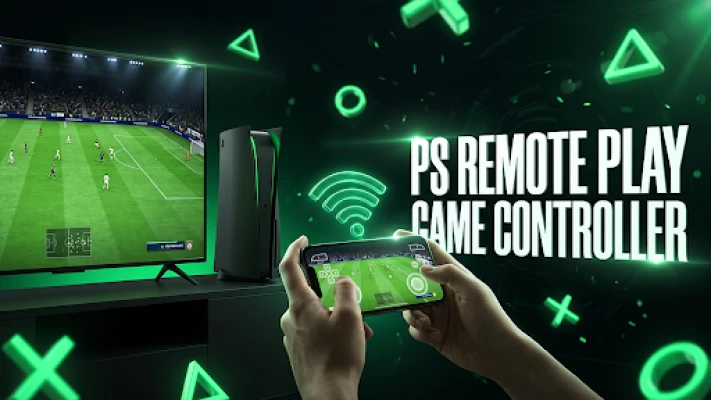
🎮 Turn your Android smartphone into a high-performance virtual game controller!
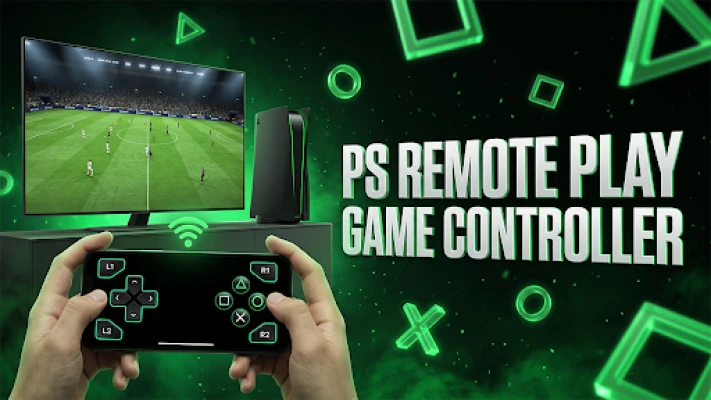
Missing a controller or want to play your favorite console games on the go? PS Controller Remote lets you transform your mobile device into a fully customizable wireless gamepad. Enjoy seamless control, ultra-responsive virtual buttons, and an intuitive layout designed for gamers.
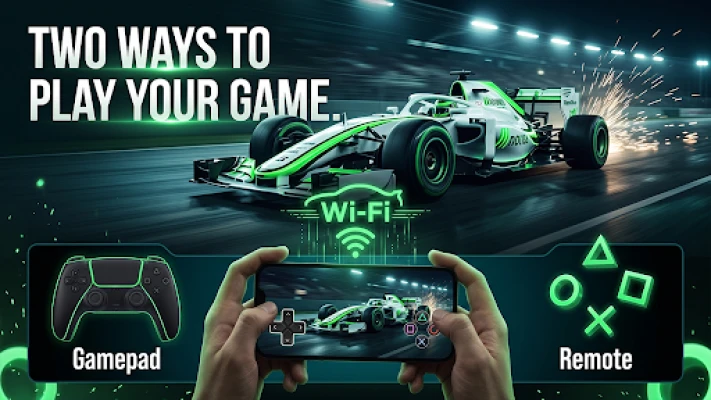
Whether you need a secondary gamepad for multiplayer sessions or a portable remote control for your console, our app delivers a smooth, low-latency gaming experience right in the palm of your hand.
🔥 KEY FEATURES:
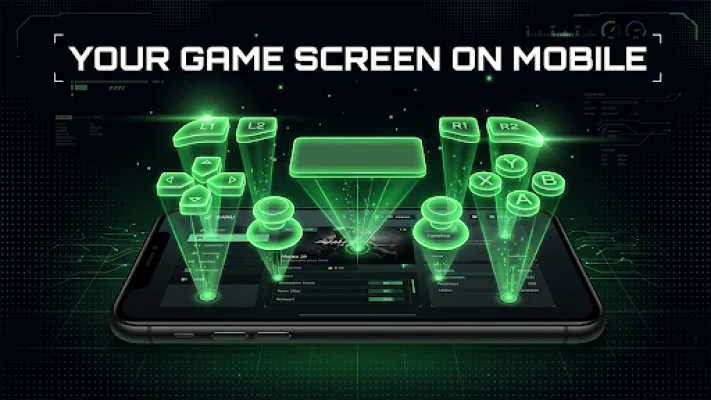
🕹️ Fully Customizable Gamepad Layout (Drag & Drop)
Personalize your button arrangement! Easily drag, reposition, and resize your D-pad, action buttons, and shoulder triggers (L1, L2, R1, R2) to fit your exact grip and finger preferences. Your layout saves automatically.
⚡ Ultra-Responsive Haptic Feedback
Feel every action with integrated vibration feedback on every button press, simulating the tactile sensation of a physical console controller.
📺 Custom Display & Streaming Settings
Optimize your visual experience with customizable Aspect Ratio options (16:9, 21:9, 4:3, 1:1) and adjustable frame rates (up to 60 FPS) for smooth visual alignment and responsive controls.
📶 Quick Wireless Connectivity
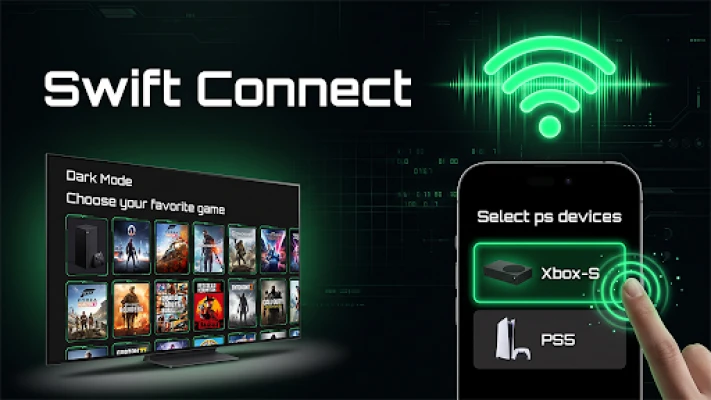
Effortlessly link your mobile device to your console setup using Wi-Fi or Bluetooth pairing in just a few simple steps.
🎮 Multi-Console Compatibility Support
Designed with versatility in mind, featuring layout support for popular gaming consoles including PlayStation 4, PlayStation 5, and Xbox systems.
🚀 HOW TO GET STARTED:
1. Ensure your smartphone and console are connected to the same Wi-Fi network or paired via Bluetooth.
2. Select your console model from the list.
3. Use the Gamepad Layout Editor to position your buttons exactly where you want them.
4. Jump into your game and enjoy portable wireless control!
💡 IDEAL FOR:
• Gamers needing an extra backup controller for couch co-op.
• Playing games comfortably without carrying heavy physical controllers.
• Customizing touch layouts for faster reactions and personalized gameplay.
Upgrade your gaming setup today with PS Controller Remote!
⚠️ DISCLAIMER & TRADEMARK NOTICE:
PS Controller Remote is an independent third-party utility application and is NOT affiliated with, sponsored, authorized, or endorsed by Sony Interactive Entertainment Inc., Microsoft Corporation, or any of their subsidiaries.
"PlayStation", "PS4", "PS5", "DualShock", and "DualSense" are registered trademarks or trademarks of Sony Interactive Entertainment Inc. "Xbox" is a registered trademark of Microsoft Corporation. All other trademarks and trade names are the property of their respective owners. This application operates solely as a remote controller/virtual gamepad utility.
Whether you need a secondary gamepad for multiplayer sessions or a portable remote control for your console, our app delivers a smooth, low-latency gaming experience right in the palm of your hand.
🔥 KEY FEATURES:
🕹️ Fully Customizable Gamepad Layout (Drag & Drop)
Personalize your button arrangement! Easily drag, reposition, and resize your D-pad, action buttons, and shoulder triggers (L1, L2, R1, R2) to fit your exact grip and finger preferences. Your layout saves automatically.
⚡ Ultra-Responsive Haptic Feedback
Feel every action with integrated vibration feedback on every button press, simulating the tactile sensation of a physical console controller.
📺 Custom Display & Streaming Settings
Optimize your visual experience with customizable Aspect Ratio options (16:9, 21:9, 4:3, 1:1) and adjustable frame rates (up to 60 FPS) for smooth visual alignment and responsive controls.
📶 Quick Wireless Connectivity
Effortlessly link your mobile device to your console setup using Wi-Fi or Bluetooth pairing in just a few simple steps.
🎮 Multi-Console Compatibility Support
Designed with versatility in mind, featuring layout support for popular gaming consoles including PlayStation 4, PlayStation 5, and Xbox systems.
🚀 HOW TO GET STARTED:
1. Ensure your smartphone and console are connected to the same Wi-Fi network or paired via Bluetooth.
2. Select your console model from the list.
3. Use the Gamepad Layout Editor to position your buttons exactly where you want them.
4. Jump into your game and enjoy portable wireless control!
💡 IDEAL FOR:
• Gamers needing an extra backup controller for couch co-op.
• Playing games comfortably without carrying heavy physical controllers.
• Customizing touch layouts for faster reactions and personalized gameplay.
Upgrade your gaming setup today with PS Controller Remote!
⚠️ DISCLAIMER & TRADEMARK NOTICE:
PS Controller Remote is an independent third-party utility application and is NOT affiliated with, sponsored, authorized, or endorsed by Sony Interactive Entertainment Inc., Microsoft Corporation, or any of their subsidiaries.
"PlayStation", "PS4", "PS5", "DualShock", and "DualSense" are registered trademarks or trademarks of Sony Interactive Entertainment Inc. "Xbox" is a registered trademark of Microsoft Corporation. All other trademarks and trade names are the property of their respective owners. This application operates solely as a remote controller/virtual gamepad utility.
Rate the App
Add Comment & Review
User Reviews
Based on 0 reviews
No reviews added yet.
Comments will not be approved to be posted if they are SPAM, abusive, off-topic, use profanity, contain a personal attack, or promote hate of any kind.









More »

Popular Apps

phpFoxPHPFOX LLC

Moon Chai StoryOlha Dobel

World War Heroes — WW2 PvP FPSAzur Interactive Games Limited

Govee LiteGovee

AvSeaAvionics Electronics Geeks!

Viking Clan: RagnarokKano Games

Vikings: War of ClansPlarium LLC

Build World AdventureExplore city in cube world

Asphalt 9: LegendsGameloft SE
Dawn of Zombies: Survival GameRoyal Ark
More »
Editor's Choice

Grim Soul: Dark Survival RPGBrickworks Games Ltd

Craft of Survival - Gladiators101XP LIMITED
Last Shelter: SurvivalLong Tech Network Limited
Dawn of Zombies: Survival GameRoyal Ark

Merge Survival : WastelandStickyHands Inc.

AoD Vikings: Valhalla GameRoboBot Studio
Viking Clan: RagnarokKano Games
Vikings: War of ClansPlarium LLC
Asphalt 9: LegendsGameloft SE

Modern Tanks: War Tank GamesXDEVS LTD