
Latest Version
Update
October 17, 2026
October 17, 2026
Developer
HG Studios Inc.
HG Studios Inc.
Categories
Photography
Photography
Platforms
Android
Android
Downloads
0
0
License
Free
Free
Package Name
clockvault.hidephotosvideos.gallerylockapp
clockvault.hidephotosvideos.gallerylockapp
Report
Report a Problem
Report a Problem
More About Clock Vault - Gallery Lock App
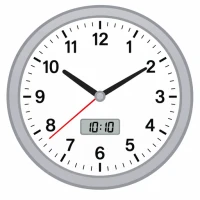
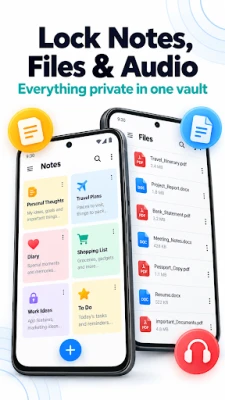
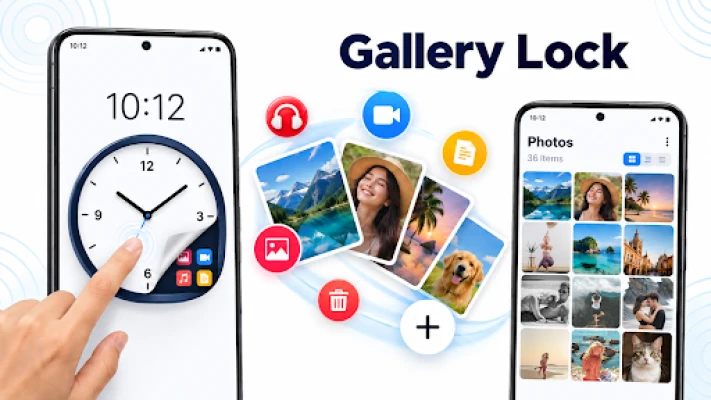
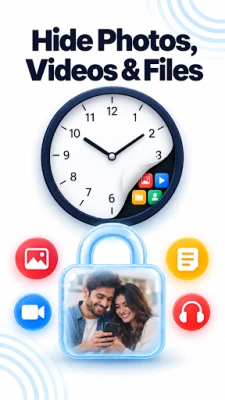
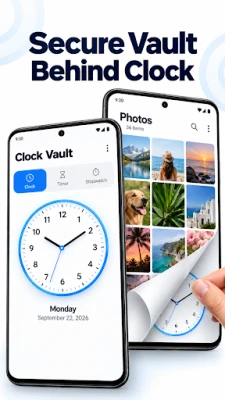
Not everything needs to be visible. Keep your private photos and videos in a secure space by locking your gallery and hiding them. Your private memories and moments deserve real protection and private space. Clock Vault - Gallery Lock App disguises your personal media behind a fully working clock interface app. Set your own secret time as the password, and everyone else just sees a regular clock.
VAULT BUILT FOR REAL PRIVACY
Not every privacy app is easy to spot for what it is. Clock Vault blends security with everyday disguise, so your personal files are protected without drawing attention.
Clock Vault Features
📸 Hide Photos Inside the Vault
Move Photos Out of Sight by Pulling images straight from your gallery into the vault and hide in a few taps. Crop, rotate, and zoom right inside the built-in viewer — no need for a separate editing app.
🎥 Hide Videos Inside the Vault
Your Private Video Storage facilitates you to store videos across common formats and watch them whenever you like, either through the app's own player or one you already use.
📁 Your Own Folders
Sort files into custom albums, pick your own cover images, and keep everything arranged the way that makes sense to you.
🎭 Change App Icon To Stay Private
Swap the app's home-screen icon for a clock, calculator, weather widget, or another everyday look — the vault stays out of sight before anyone even opens it.
🔐 Intruder Selfie Detection
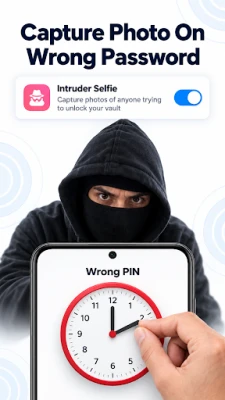
If someone enters the wrong password, the front camera quietly captures their photo so you know an attempt was made.
▶️ Watch Media Without Leaving the App
Videos play back smoothly through the built-in player, no exporting or switching apps required.
👆 Unlock With a Fingerprint
Skip re-entering your time password every visit — fingerprint unlock gets you in faster on supported devices.
📱⬇️ Face Down Exit
Exit the vault instantly by enabling this feature. Simply tilt your phone face down to immediately exit the vault when you need to leave quickly.
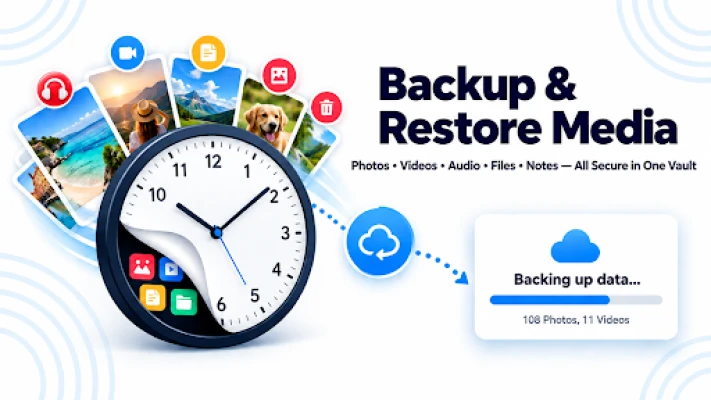
☁️ Back Up to the Cloud / Restore From Cloud
- Upload your files online so they're recoverable even if you lose or replace your phone.
- Only what's actually backed up to the cloud can be restored.
🔑 FOR SETTING IT UP CLOCK VAULT
Choosing Your Password
1. Launch the app — the clock starts at 00:00
2. Tap Center Rounded Button In Clock Middle.
3. Move the hands to whatever time you want as your password
4. Set that same time again to confirm it
5. Your Private vault is unlocked
Set Up Password Recovery
1) Choose either Pattern Password Protection or Security Questions & Answers.
2) If you select Pattern Password Protection, draw your desired pattern and draw the same pattern again to confirm.
3) If you select Security Questions & Answers, choose a question from the provided list.
4) Enter your answer and save your recovery settings.
Getting Back In Vault
1. Tap the middle of the clock face
2. Dial in your saved time
3. Tap once more to open your files
Forgot your password?
1) Set the clock to 12:59 and tap the center of the clock to open password recovery.
2) Enter the recovery password you set during the recovery setup.
3) After entering the recovery password, set a new vault password.
Disclaimer:
- Without cloud backup turned on, files live only on your device
- Back up before you uninstall the app or move to a new phone
- Anything not backed up can't be brought back if it's lost - Please keep your saved password/pattern somewhere safe. If you forget your Clock Vault password, you will need it to recover access.
Clock Vault - Gallery Lock puts you in charge of what stays private hidden behind something as ordinary as the time.
Download Clock Vault - Gallery Lock App and keep your personal files private.
Not every privacy app is easy to spot for what it is. Clock Vault blends security with everyday disguise, so your personal files are protected without drawing attention.
Clock Vault Features
📸 Hide Photos Inside the Vault
Move Photos Out of Sight by Pulling images straight from your gallery into the vault and hide in a few taps. Crop, rotate, and zoom right inside the built-in viewer — no need for a separate editing app.
🎥 Hide Videos Inside the Vault
Your Private Video Storage facilitates you to store videos across common formats and watch them whenever you like, either through the app's own player or one you already use.
📁 Your Own Folders
Sort files into custom albums, pick your own cover images, and keep everything arranged the way that makes sense to you.
🎭 Change App Icon To Stay Private
Swap the app's home-screen icon for a clock, calculator, weather widget, or another everyday look — the vault stays out of sight before anyone even opens it.
🔐 Intruder Selfie Detection
If someone enters the wrong password, the front camera quietly captures their photo so you know an attempt was made.
▶️ Watch Media Without Leaving the App
Videos play back smoothly through the built-in player, no exporting or switching apps required.
👆 Unlock With a Fingerprint
Skip re-entering your time password every visit — fingerprint unlock gets you in faster on supported devices.
📱⬇️ Face Down Exit
Exit the vault instantly by enabling this feature. Simply tilt your phone face down to immediately exit the vault when you need to leave quickly.
☁️ Back Up to the Cloud / Restore From Cloud
- Upload your files online so they're recoverable even if you lose or replace your phone.
- Only what's actually backed up to the cloud can be restored.
🔑 FOR SETTING IT UP CLOCK VAULT
Choosing Your Password
1. Launch the app — the clock starts at 00:00
2. Tap Center Rounded Button In Clock Middle.
3. Move the hands to whatever time you want as your password
4. Set that same time again to confirm it
5. Your Private vault is unlocked
Set Up Password Recovery
1) Choose either Pattern Password Protection or Security Questions & Answers.
2) If you select Pattern Password Protection, draw your desired pattern and draw the same pattern again to confirm.
3) If you select Security Questions & Answers, choose a question from the provided list.
4) Enter your answer and save your recovery settings.
Getting Back In Vault
1. Tap the middle of the clock face
2. Dial in your saved time
3. Tap once more to open your files
Forgot your password?
1) Set the clock to 12:59 and tap the center of the clock to open password recovery.
2) Enter the recovery password you set during the recovery setup.
3) After entering the recovery password, set a new vault password.
Disclaimer:
- Without cloud backup turned on, files live only on your device
- Back up before you uninstall the app or move to a new phone
- Anything not backed up can't be brought back if it's lost - Please keep your saved password/pattern somewhere safe. If you forget your Clock Vault password, you will need it to recover access.
Clock Vault - Gallery Lock puts you in charge of what stays private hidden behind something as ordinary as the time.
Download Clock Vault - Gallery Lock App and keep your personal files private.
Rate the App
Add Comment & Review
User Reviews
Based on 0 reviews
No reviews added yet.
Comments will not be approved to be posted if they are SPAM, abusive, off-topic, use profanity, contain a personal attack, or promote hate of any kind.











More »

Popular Apps

phpFoxPHPFOX LLC

Moon Chai StoryOlha Dobel

World War Heroes — WW2 PvP FPSAzur Interactive Games Limited

Govee LiteGovee

AvSeaAvionics Electronics Geeks!

Viking Clan: RagnarokKano Games

Build World AdventureExplore city in cube world

Vikings: War of ClansPlarium LLC

Asphalt 9: LegendsGameloft SE

Dawn of Zombies: Survival GameRoyal Ark
More »
Editor's Choice

Grim Soul: Dark Survival RPGBrickworks Games Ltd

Craft of Survival - Gladiators101XP LIMITED

Last Shelter: SurvivalLong Tech Network Limited
Dawn of Zombies: Survival GameRoyal Ark

Merge Survival : WastelandStickyHands Inc.

AoD Vikings: Valhalla GameRoboBot Studio
Viking Clan: RagnarokKano Games
Vikings: War of ClansPlarium LLC
Asphalt 9: LegendsGameloft SE

Modern Tanks: War Tank GamesXDEVS LTD