

Latest Version
Update
July 20, 2026
July 20, 2026
Developer
ACHIEVEDTECH
ACHIEVEDTECH
Categories
Tools
Tools
Platforms
Android
Android
Downloads
0
0
License
Free
Free
Package Name
com.international.carefree
com.international.carefree
Report
Report a Problem
Report a Problem
More About Auto Clicker Pro - Smart Tap
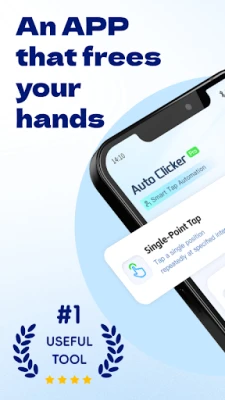
Auto-clicker: Hands-free helps you automate repeated touch actions on your device.
Create custom tap points, set swipe paths, adjust timing, and run repeated actions automatically — all with an easy-to-use interface.
Whether you need repeated tapping, continuous clicking, timed swiping, or custom gesture sequences, this app gives you flexible tools to reduce repetitive manual operations and improve efficiency.
Main Features
Automatic Tapping
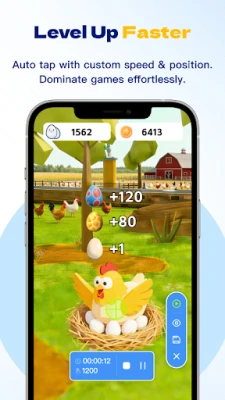
Set one or multiple tap points anywhere on the screen and let the app perform repeated taps automatically.
Custom Swipe Gestures
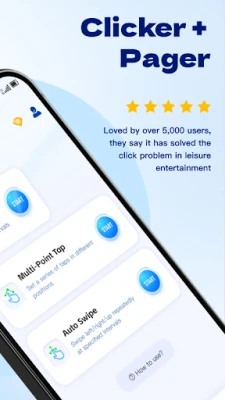
Create swipe paths with adjustable start and end points, duration, and interval timing.
Multi-Point Actions
Run multiple tap points in sequence or at the same time for more advanced automation tasks.
Flexible Timing Controls
Customize delay, interval, press duration, repeat count, and execution speed to fit different needs.
Floating Control Panel
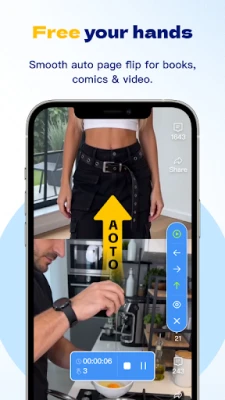
Start, pause, resume, or stop your automation quickly through an easy floating control interface.
Simple Setup
Add action points visually and configure each step without complicated operations.
Repeat Tasks Automatically
Useful for repeated screen interactions that would otherwise require constant manual tapping.
Why Choose Auto-clicker: Hands-free
• Easy to use for beginners
• Supports tap and swipe automation
• Adjustable intervals and durations
• Multi-action support
• Lightweight and efficient
• Designed for hands-free repeated screen interaction
Typical Use Cases
• Repeating tap actions
• Simulating swipe gestures
• Running simple repeated screen tasks
• Reducing manual repetitive operations
• Improving convenience for repeated interactions
Important Notes
• This app uses Accessibility Service to perform automated tap and swipe actions on your behalf.
• Accessibility permission is required for the core automation features to work properly.
• The Accessibility Service is used only to enable automation features such as clicking, swiping, and gesture execution.
• This app does not collect personal text input, passwords, or sensitive personal data through the Accessibility Service.
• Please use this app responsibly and only in ways that comply with the terms of service of any apps or platforms you use.
Permission Information
To provide automatic tapping and gesture automation, the app may require:
• Accessibility Service permission
• Overlay / display over other apps permission
These permissions are used only to support the app’s automation controls and on-screen operation tools.
Friendly Reminder
Before starting automation, please configure your tap points, swipe paths, timing, and repeat settings carefully to ensure the actions behave as expected.
Auto-clicker: Hands-free is built to make repeated touch actions easier, faster, and more convenient.
Whether you need repeated tapping, continuous clicking, timed swiping, or custom gesture sequences, this app gives you flexible tools to reduce repetitive manual operations and improve efficiency.
Main Features
Automatic Tapping
Set one or multiple tap points anywhere on the screen and let the app perform repeated taps automatically.
Custom Swipe Gestures
Create swipe paths with adjustable start and end points, duration, and interval timing.
Multi-Point Actions
Run multiple tap points in sequence or at the same time for more advanced automation tasks.
Flexible Timing Controls
Customize delay, interval, press duration, repeat count, and execution speed to fit different needs.
Floating Control Panel
Start, pause, resume, or stop your automation quickly through an easy floating control interface.
Simple Setup
Add action points visually and configure each step without complicated operations.
Repeat Tasks Automatically
Useful for repeated screen interactions that would otherwise require constant manual tapping.
Why Choose Auto-clicker: Hands-free
• Easy to use for beginners
• Supports tap and swipe automation
• Adjustable intervals and durations
• Multi-action support
• Lightweight and efficient
• Designed for hands-free repeated screen interaction
Typical Use Cases
• Repeating tap actions
• Simulating swipe gestures
• Running simple repeated screen tasks
• Reducing manual repetitive operations
• Improving convenience for repeated interactions
Important Notes
• This app uses Accessibility Service to perform automated tap and swipe actions on your behalf.
• Accessibility permission is required for the core automation features to work properly.
• The Accessibility Service is used only to enable automation features such as clicking, swiping, and gesture execution.
• This app does not collect personal text input, passwords, or sensitive personal data through the Accessibility Service.
• Please use this app responsibly and only in ways that comply with the terms of service of any apps or platforms you use.
Permission Information
To provide automatic tapping and gesture automation, the app may require:
• Accessibility Service permission
• Overlay / display over other apps permission
These permissions are used only to support the app’s automation controls and on-screen operation tools.
Friendly Reminder
Before starting automation, please configure your tap points, swipe paths, timing, and repeat settings carefully to ensure the actions behave as expected.
Auto-clicker: Hands-free is built to make repeated touch actions easier, faster, and more convenient.
Rate the App
Add Comment & Review
User Reviews
Based on 0 reviews
No reviews added yet.
Comments will not be approved to be posted if they are SPAM, abusive, off-topic, use profanity, contain a personal attack, or promote hate of any kind.















More »

Popular Apps

phpFoxPHPFOX LLC

Moon Chai StoryOlha Dobel

World War Heroes — WW2 PvP FPSAzur Interactive Games Limited

Govee LiteGovee

Build World AdventureExplore city in cube world

Viking Clan: RagnarokKano Games

Vikings: War of ClansPlarium LLC

Asphalt 9: LegendsGameloft SE

Submarine Car Diving SimulatorSwim with dolphins & penguins

Dawn of Zombies: Survival GameRoyal Ark
More »
Editor's Choice

Grim Soul: Dark Survival RPGBrickworks Games Ltd

Craft of Survival - Gladiators101XP LIMITED

Last Shelter: SurvivalLong Tech Network Limited
Dawn of Zombies: Survival GameRoyal Ark

Merge Survival : WastelandStickyHands Inc.

AoD Vikings: Valhalla GameRoboBot Studio
Viking Clan: RagnarokKano Games
Vikings: War of ClansPlarium LLC
Asphalt 9: LegendsGameloft SE

Modern Tanks: War Tank GamesXDEVS LTD