
Latest Version
Version
1.5.2
1.5.2
Update
August 22, 2026
August 22, 2026
Developer
Idrisi
Idrisi
Categories
Tools
Tools
Platforms
Android
Android
Downloads
1
1
License
Free
Free
Package Name
app.zcontroller.mobile
app.zcontroller.mobile
Report
Report a Problem
Report a Problem
More About zController - Game Controller
Turn your Android phone into a gamepad, mouse, keyboard, steering wheel, or motion controller for PC games. You can also use zController to control another Android device or navigate compatible Android TV devices.
🎮 PHONE-TO-PC: GAME CONTROLLER
Play PC games without a physical controller. Connect your phone to your PC and choose from multiple controller modes.
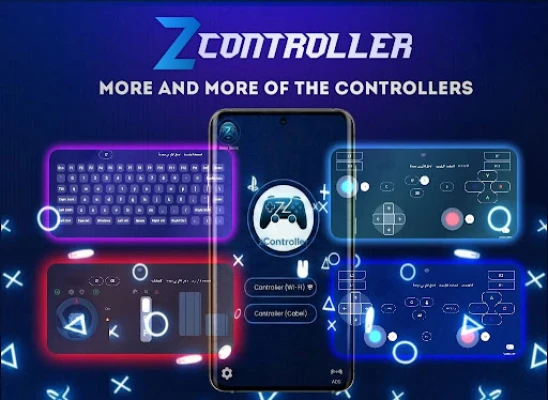
• Xbox-style controller
• PlayStation-style controller
• GameCube controller
• Wii controller
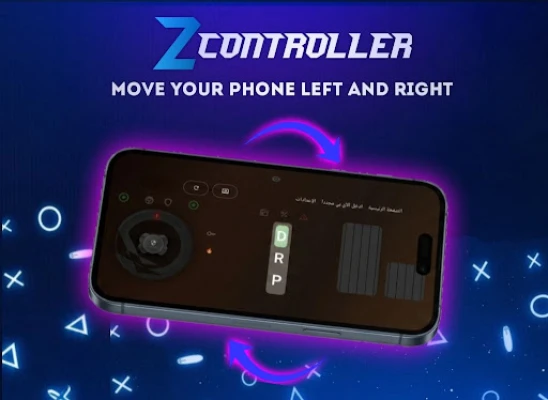
• Steering wheel using your phone's gyroscope
• Mouse and keyboard
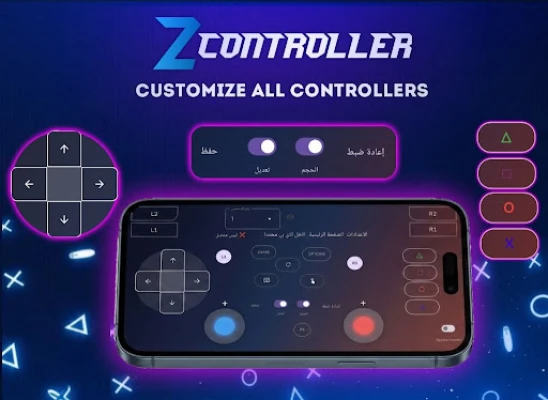
• Custom controller layouts
• Motion and gyroscope controls
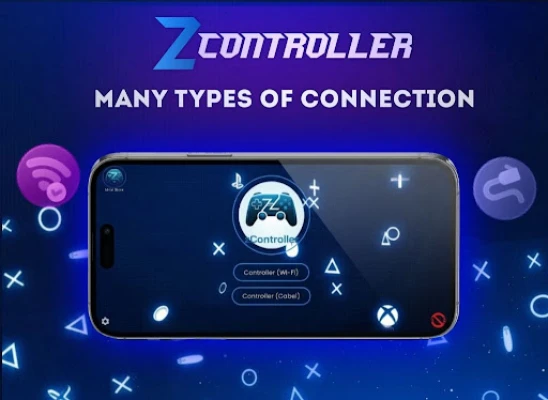
Connect using USB, Wi-Fi, or Bluetooth and customize your virtual controls to match your games.
zController also works with popular PC emulators such as Dolphin, PCSX2, and RPCS3.
📱 PHONE-TO-PHONE: REMOTE-TO-TOUCH
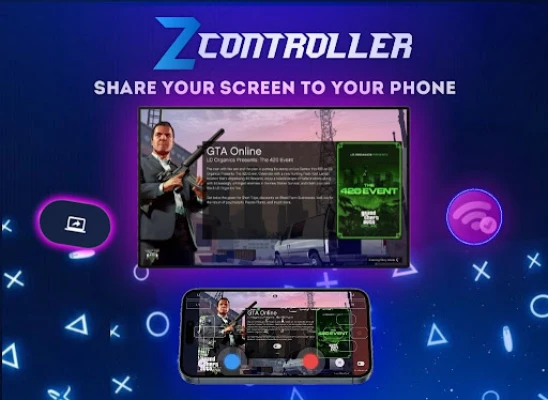
Use one Android device as a controller for another Android device.
• Touch Mapping: Map controller buttons and joystick movements to touch actions and screen coordinates. This lets you control games that do not natively support external controllers.
• High-Speed Look Mode: Designed for smooth camera movement in 3D games.
• Multi-Button Input: Use joystick and button inputs simultaneously.
• Custom Layouts: Move, resize, or remove controls to create your preferred layout.
The Remote-to-Touch feature uses Android's Accessibility Service to perform the touch actions required on the controlled device.
zController does not collect, store, or share personal data or screen content through the Accessibility Service.
📺 PHONE-TO-TV: ANDROID TV REMOTE
Use your phone to navigate compatible Android TV devices and Android TV boxes.
• Bluetooth HID: Use your phone as a hardware input device.
• Wireless Keyboard: Use your phone's keyboard for searches, logins, and text input.
• Air Mouse: Use your phone as a touchpad or motion-controlled mouse for navigation.
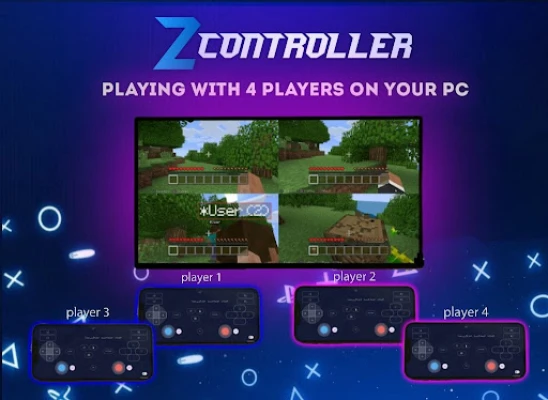
👥 UP TO 4 CONTROLLERS
Connect up to 4 phones simultaneously and use them as separate controllers for local multiplayer gaming.
🛠️ CONNECTION & CONTROL
• USB connection
• Wi-Fi connection
• Bluetooth HID
• Customizable controller layouts
• Gyroscope and motion controls
• Mouse and keyboard controls
• Volume and media controls
• System shortcuts
• Optimized battery and background performance
🔒 ACCESSIBILITY SERVICE & PRIVACY
zController uses Android's Accessibility Service only for the Remote-to-Touch feature. It allows controller inputs from another device to be converted into touch actions and gestures on the controlled Android device.
The Accessibility Service is not used to collect, store, or share personal data or screen content.
You can disable the Accessibility Service at any time through Android system settings.
Turn your phone into the controller you need for PC games, Android devices, Android TV, emulators, and more.
Play PC games without a physical controller. Connect your phone to your PC and choose from multiple controller modes.
• Xbox-style controller
• PlayStation-style controller
• GameCube controller
• Wii controller
• Steering wheel using your phone's gyroscope
• Mouse and keyboard
• Custom controller layouts
• Motion and gyroscope controls
Connect using USB, Wi-Fi, or Bluetooth and customize your virtual controls to match your games.
zController also works with popular PC emulators such as Dolphin, PCSX2, and RPCS3.
📱 PHONE-TO-PHONE: REMOTE-TO-TOUCH
Use one Android device as a controller for another Android device.
• Touch Mapping: Map controller buttons and joystick movements to touch actions and screen coordinates. This lets you control games that do not natively support external controllers.
• High-Speed Look Mode: Designed for smooth camera movement in 3D games.
• Multi-Button Input: Use joystick and button inputs simultaneously.
• Custom Layouts: Move, resize, or remove controls to create your preferred layout.
The Remote-to-Touch feature uses Android's Accessibility Service to perform the touch actions required on the controlled device.
zController does not collect, store, or share personal data or screen content through the Accessibility Service.
📺 PHONE-TO-TV: ANDROID TV REMOTE
Use your phone to navigate compatible Android TV devices and Android TV boxes.
• Bluetooth HID: Use your phone as a hardware input device.
• Wireless Keyboard: Use your phone's keyboard for searches, logins, and text input.
• Air Mouse: Use your phone as a touchpad or motion-controlled mouse for navigation.
👥 UP TO 4 CONTROLLERS
Connect up to 4 phones simultaneously and use them as separate controllers for local multiplayer gaming.
🛠️ CONNECTION & CONTROL
• USB connection
• Wi-Fi connection
• Bluetooth HID
• Customizable controller layouts
• Gyroscope and motion controls
• Mouse and keyboard controls
• Volume and media controls
• System shortcuts
• Optimized battery and background performance
🔒 ACCESSIBILITY SERVICE & PRIVACY
zController uses Android's Accessibility Service only for the Remote-to-Touch feature. It allows controller inputs from another device to be converted into touch actions and gestures on the controlled Android device.
The Accessibility Service is not used to collect, store, or share personal data or screen content.
You can disable the Accessibility Service at any time through Android system settings.
Turn your phone into the controller you need for PC games, Android devices, Android TV, emulators, and more.
Rate the App
Add Comment & Review
User Reviews
Based on 0 reviews
No reviews added yet.
Comments will not be approved to be posted if they are SPAM, abusive, off-topic, use profanity, contain a personal attack, or promote hate of any kind.




More »

Popular Apps

phpFoxPHPFOX LLC

Moon Chai StoryOlha Dobel

World War Heroes — WW2 PvP FPSAzur Interactive Games Limited

Govee LiteGovee

Viking Clan: RagnarokKano Games

Build World AdventureExplore city in cube world

Vikings: War of ClansPlarium LLC

Asphalt 9: LegendsGameloft SE

Submarine Car Diving SimulatorSwim with dolphins & penguins

Dawn of Zombies: Survival GameRoyal Ark
More »
Editor's Choice

Grim Soul: Dark Survival RPGBrickworks Games Ltd

Craft of Survival - Gladiators101XP LIMITED

Last Shelter: SurvivalLong Tech Network Limited
Dawn of Zombies: Survival GameRoyal Ark

Merge Survival : WastelandStickyHands Inc.

AoD Vikings: Valhalla GameRoboBot Studio
Viking Clan: RagnarokKano Games
Vikings: War of ClansPlarium LLC
Asphalt 9: LegendsGameloft SE

Modern Tanks: War Tank GamesXDEVS LTD