

Latest Version
Update
July 06, 2026
July 06, 2026
Developer
PODEI
PODEI
Categories
Personalization
Personalization
Platforms
Android
Android
Downloads
1
1
License
Free
Free
Package Name
com.video.wallpaperlive
com.video.wallpaperlive
Report
Report a Problem
Report a Problem
More About Video to Wallpaper
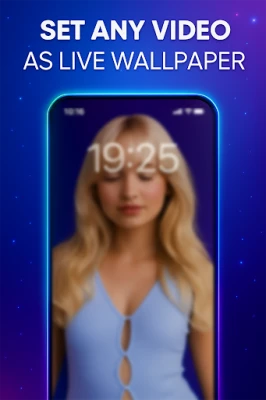
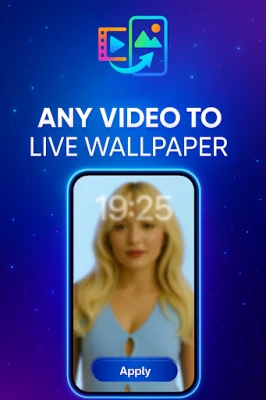
Any Video to Live Wallpaper – Set Your Videos as Live Wallpapers Instantly!
Transform your favorite videos, memories, reels, or clips into stunning live wallpapers with one tap!
✨ Simple.
✨ Fast.
✨ Smooth.
✨ Battery-friendly.
“Any Video to Live Wallpaper” lets you turn any video from your gallery into a beautiful live wallpaper for your Home Screen or Lock Screen. Personalize your Android phone like never before!
---
🌟 Key Features
🎥 Set Any Video as Live Wallpaper
Use videos from your gallery, camera, downloads, reels, or status and turn them into live wallpapers instantly.
🔄 Looping & Smooth Playback
Your live wallpaper plays smoothly and loops automatically without glitches.
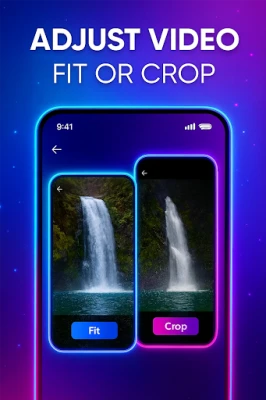
✂️ Crop, Fit & Adjust
Choose how your video should appear:
Fit to screen
Crop to fullscreen
Adjust frame position
Preview before applying
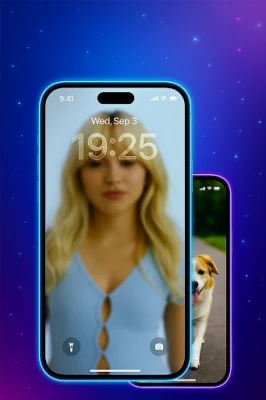
📱 Home Screen & Lock Screen Support
Apply live wallpapers to:
Home Screen only
Lock Screen only
Or both together
⚡ Lightweight & Battery Optimized
Built with efficient rendering to ensure low battery usage and zero lag.
🚀 Fast setup
Turn any video to an HD live wallpaper in just a few seconds.
🎵 Sound Handling
Your video wallpaper automatically mutes for a distraction-free experience.
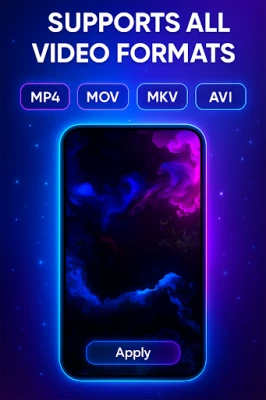
📂 Supports All Video Formats
MP4, MOV, MKV, AVI, 3GP, and more.
---
🔥 Why Choose Any Video to Live Wallpaper?
✔ Clean & modern UI
✔ Super easy to use
✔ Works on almost all Android devices
✔ No watermark
✔ No quality loss
✔ Perfect for aesthetic home screens
✔ Daily wallpapers using your own videos
---
🌈 Perfect For
Aesthetic edits
Travel videos
Slow-motion clips
Nature & fire animations
Pet videos
Special moments + memories
Gaming clips
Animated backgrounds
⭐ How to Use
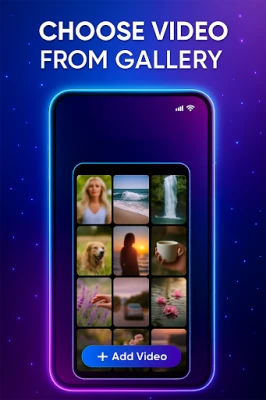
1. Tap Add Video
2. Choose a video from your gallery
3. Adjust Fit or Crop
4. Tap Apply Wallpaper
5. Enjoy your new live wallpaper!
🌟 Make Your Phone Truly Yours
With Any Video to Live Wallpaper, your wallpaper becomes more than an image — it becomes a memory, a vibe, a story.
Download now and create your own dynamic live wallpaper in seconds!
✨ Simple.
✨ Fast.
✨ Smooth.
✨ Battery-friendly.
“Any Video to Live Wallpaper” lets you turn any video from your gallery into a beautiful live wallpaper for your Home Screen or Lock Screen. Personalize your Android phone like never before!
---
🌟 Key Features
🎥 Set Any Video as Live Wallpaper
Use videos from your gallery, camera, downloads, reels, or status and turn them into live wallpapers instantly.
🔄 Looping & Smooth Playback
Your live wallpaper plays smoothly and loops automatically without glitches.
✂️ Crop, Fit & Adjust
Choose how your video should appear:
Fit to screen
Crop to fullscreen
Adjust frame position
Preview before applying
📱 Home Screen & Lock Screen Support
Apply live wallpapers to:
Home Screen only
Lock Screen only
Or both together
⚡ Lightweight & Battery Optimized
Built with efficient rendering to ensure low battery usage and zero lag.
🚀 Fast setup
Turn any video to an HD live wallpaper in just a few seconds.
🎵 Sound Handling
Your video wallpaper automatically mutes for a distraction-free experience.
📂 Supports All Video Formats
MP4, MOV, MKV, AVI, 3GP, and more.
---
🔥 Why Choose Any Video to Live Wallpaper?
✔ Clean & modern UI
✔ Super easy to use
✔ Works on almost all Android devices
✔ No watermark
✔ No quality loss
✔ Perfect for aesthetic home screens
✔ Daily wallpapers using your own videos
---
🌈 Perfect For
Aesthetic edits
Travel videos
Slow-motion clips
Nature & fire animations
Pet videos
Special moments + memories
Gaming clips
Animated backgrounds
⭐ How to Use
1. Tap Add Video
2. Choose a video from your gallery
3. Adjust Fit or Crop
4. Tap Apply Wallpaper
5. Enjoy your new live wallpaper!
🌟 Make Your Phone Truly Yours
With Any Video to Live Wallpaper, your wallpaper becomes more than an image — it becomes a memory, a vibe, a story.
Download now and create your own dynamic live wallpaper in seconds!
Rate the App
Add Comment & Review
User Reviews
Based on 0 reviews
No reviews added yet.
Comments will not be approved to be posted if they are SPAM, abusive, off-topic, use profanity, contain a personal attack, or promote hate of any kind.









![[69D] Retro WF7](https://apkstore.app/images/17930904159163974.webp)


More »

Popular Apps

phpFoxPHPFOX LLC

Moon Chai StoryOlha Dobel

World War Heroes — WW2 PvP FPSAzur Interactive Games Limited

Govee LiteGovee

AvSeaAvionics Electronics Geeks!

Viking Clan: RagnarokKano Games

Build World AdventureExplore city in cube world

Vikings: War of ClansPlarium LLC

Asphalt 9: LegendsGameloft SE

Dawn of Zombies: Survival GameRoyal Ark
More »
Editor's Choice

Grim Soul: Dark Survival RPGBrickworks Games Ltd

Craft of Survival - Gladiators101XP LIMITED

Last Shelter: SurvivalLong Tech Network Limited
Dawn of Zombies: Survival GameRoyal Ark

Merge Survival : WastelandStickyHands Inc.

AoD Vikings: Valhalla GameRoboBot Studio
Viking Clan: RagnarokKano Games
Vikings: War of ClansPlarium LLC
Asphalt 9: LegendsGameloft SE

Modern Tanks: War Tank GamesXDEVS LTD