
Latest Version
Update
October 24, 2026
October 24, 2026
Developer
West Flint Studios
West Flint Studios
Categories
Personalization
Personalization
Platforms
Android
Android
Downloads
0
0
License
Free
Free
Package Name
com.video.wallpaper.live.wallpaper.maker
com.video.wallpaper.live.wallpaper.maker
Report
Report a Problem
Report a Problem
More About Video to Live Wallpaper Maker
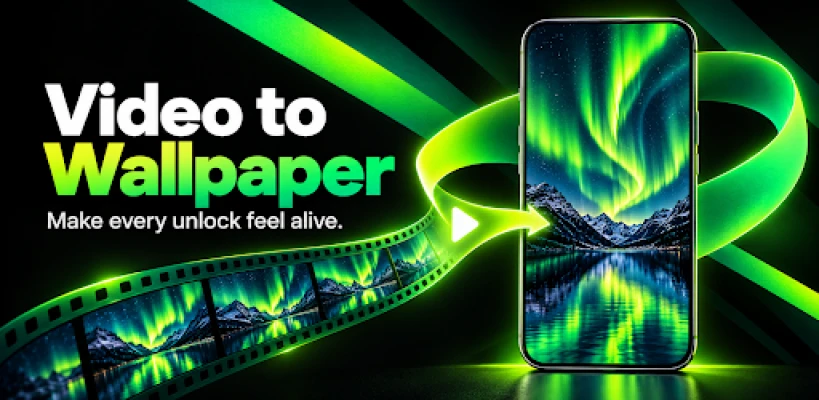
Turn your favorite moments into a video live wallpaper that fits your screen.
Video to Live Wallpaper Maker gives you a simple, private way to choose a video from your device, trim the part you love, preview the result, and set it as a moving background. Whether it is a travel memory, a relaxing nature clip, city lights, an animation, or a special moment, your video can become a live wallpaper in just a few steps.
MAKE ANY VIDEO YOUR WALLPAPER
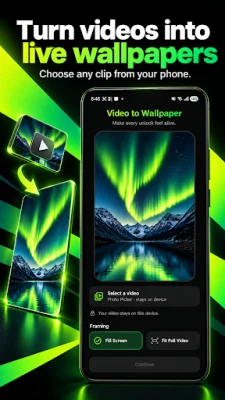
Choose a video with Android's system photo picker and turn it into a live wallpaper. The focused editor keeps the process quick and easy from selection to setup.
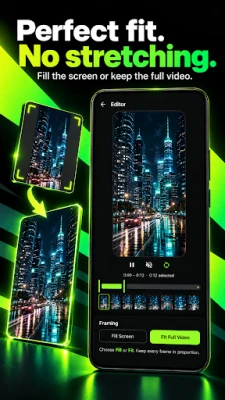
PERFECT FRAMING — NO STRETCHING
Keep every frame in its correct proportions. Choose Fill Screen for an edge-to-edge result or Fit Full Video to keep the complete frame visible. Your video is cropped or fitted—never unnaturally stretched.
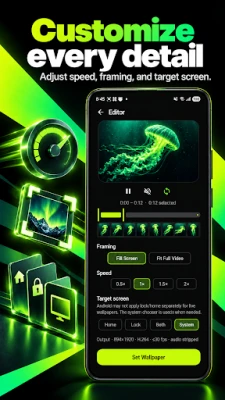
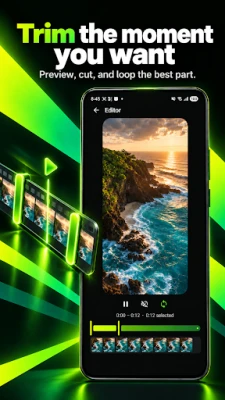
EDIT THE MOMENT
• Preview your video before applying it
• Trim the section you want to use
• Loop the clip for continuous playback
• Choose 0.5×, 1×, 1.5×, or 2× playback speed
• Create a silent, distraction-free wallpaper
PRIVATE BY DESIGN
Your selected video and wallpaper processing stay on your device. The app does not require an account or upload your personal videos to a server.
SET IT YOUR WAY
Use Android's live wallpaper chooser to apply your creation to the destinations supported by your device. Depending on your phone model and Android version, this may include the Home screen, Lock screen, or both.
HOW IT WORKS
1. Select a video from your device.
2. Preview and trim your favorite part.
3. Choose Fill Screen or Fit Full Video.
4. Adjust the playback speed.
5. Open the system wallpaper chooser and apply it.
Create a personal video wallpaper from the moments that matter to you. Fast controls, smooth previews, correct aspect ratios, and on-device processing make it easy to bring your screen to life.
Compatibility note: Available wallpaper destinations depend on the device manufacturer and Android version. Video compatibility may depend on formats supported by your device.
MAKE ANY VIDEO YOUR WALLPAPER
Choose a video with Android's system photo picker and turn it into a live wallpaper. The focused editor keeps the process quick and easy from selection to setup.
PERFECT FRAMING — NO STRETCHING
Keep every frame in its correct proportions. Choose Fill Screen for an edge-to-edge result or Fit Full Video to keep the complete frame visible. Your video is cropped or fitted—never unnaturally stretched.
EDIT THE MOMENT
• Preview your video before applying it
• Trim the section you want to use
• Loop the clip for continuous playback
• Choose 0.5×, 1×, 1.5×, or 2× playback speed
• Create a silent, distraction-free wallpaper
PRIVATE BY DESIGN
Your selected video and wallpaper processing stay on your device. The app does not require an account or upload your personal videos to a server.
SET IT YOUR WAY
Use Android's live wallpaper chooser to apply your creation to the destinations supported by your device. Depending on your phone model and Android version, this may include the Home screen, Lock screen, or both.
HOW IT WORKS
1. Select a video from your device.
2. Preview and trim your favorite part.
3. Choose Fill Screen or Fit Full Video.
4. Adjust the playback speed.
5. Open the system wallpaper chooser and apply it.
Create a personal video wallpaper from the moments that matter to you. Fast controls, smooth previews, correct aspect ratios, and on-device processing make it easy to bring your screen to life.
Compatibility note: Available wallpaper destinations depend on the device manufacturer and Android version. Video compatibility may depend on formats supported by your device.
Rate the App
Add Comment & Review
User Reviews
Based on 0 reviews
No reviews added yet.
Comments will not be approved to be posted if they are SPAM, abusive, off-topic, use profanity, contain a personal attack, or promote hate of any kind.







More »

Popular Apps

phpFoxPHPFOX LLC

Moon Chai StoryOlha Dobel

World War Heroes — WW2 PvP FPSAzur Interactive Games Limited

Govee LiteGovee

AvSeaAvionics Electronics Geeks!

Viking Clan: RagnarokKano Games

Build World AdventureExplore city in cube world

Vikings: War of ClansPlarium LLC

Asphalt 9: LegendsGameloft SE

Dawn of Zombies: Survival GameRoyal Ark
More »
Editor's Choice

Grim Soul: Dark Survival RPGBrickworks Games Ltd

Craft of Survival - Gladiators101XP LIMITED

Last Shelter: SurvivalLong Tech Network Limited
Dawn of Zombies: Survival GameRoyal Ark

Merge Survival : WastelandStickyHands Inc.

AoD Vikings: Valhalla GameRoboBot Studio
Viking Clan: RagnarokKano Games
Vikings: War of ClansPlarium LLC
Asphalt 9: LegendsGameloft SE

Modern Tanks: War Tank GamesXDEVS LTD