Latest Version
Update
August 14, 2026
August 14, 2026
Developer
Simulations Spots
Simulations Spots
Categories
House & Home
House & Home
Platforms
Android
Android
Downloads
1
1
License
Free
Free
Package Name
com.tv.remotecontrol.universal.roku.fire.cast.tv
com.tv.remotecontrol.universal.roku.fire.cast.tv
Report
Report a Problem
Report a Problem
More About TV Remote: Control For All TV
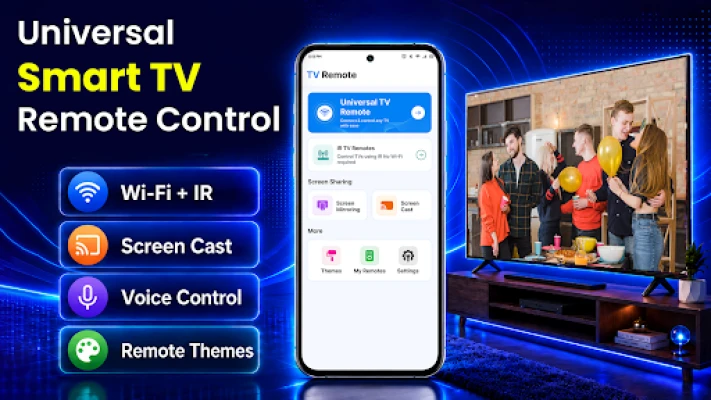
Turn your Android phone into a TV remote and access casting tools from one app. TV Remote: Control For All TV lets you control compatible smart televisions, share your phone screen, and cast content using WiFi, infrared, or web-based casting.
The app supports different TV setups, including WiFi-enabled Smart TVs, traditional televisions with IR support, and devices with a modern web browser.
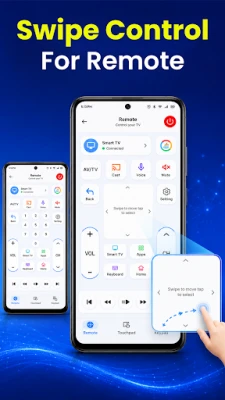
TV Remote Control
Use your phone to control compatible TVs. Access commonly used remote functions, including:
• Power controls
• Volume adjustment
• Channel navigation
• Input selection
• Menu and playback controls
Available controls may vary depending on the connected TV model.
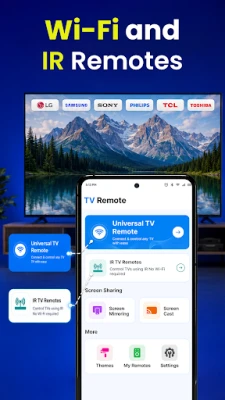
WiFi TV Remote
Connect your phone and supported Smart TV to the same WiFi network. The app searches for compatible devices available on your local network and lets you control them after connection or pairing.
IR TV Remote
Use the built-in infrared blaster available on supported Android phones to control compatible televisions. IR functionality requires a phone with infrared hardware and does not require a WiFi connection.
Web Cast
Share your phone screen with a TV, computer, or laptop through a web browser.
Web Cast creates a local network address that can be opened on another device connected to the same WiFi network. This can be useful when the receiving device does not support standard screen-casting protocols.
Web Cast may be used with:
• Smart TVs with a web browser
• Desktop computers
• Laptops
• Other browser-enabled devices
No additional application is required on the receiving device. Both devices must remain connected to the same local WiFi network.
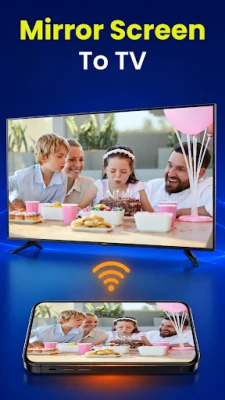
Screen Mirroring
Mirror your Android phone screen on supported televisions to view photos, videos, presentations, apps, and other visible phone content on a larger display.
Screen-mirroring availability and performance depend on supported protocols, network quality, phone capability, and TV model.
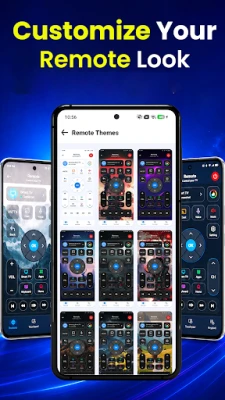
Simple Remote Interface
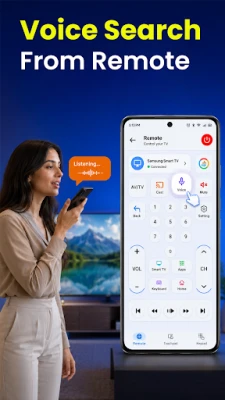
The interface keeps frequently used remote controls easy to access. Switch between remote, casting, mirroring, and connection tools based on your device setup.
Supported Connection Options
• WiFi connection for compatible Smart TVs
• Infrared connection for supported TVs and phones
• Browser-based Web Cast over a local network
• Screen mirroring for compatible devices
Permissions
TV Remote: Control For All TV may request permissions needed to provide its features, including:
• Local Wifi network access for TV discovery
• Screen-capture permission for screen sharing and mirroring
• Infrared access for supported IR remote features
Screen-capture access starts only after user confirmation through the system prompt.
Important Information
• Your phone and receiving device must usually be connected to the same WiFi network.
• VPN, hotspot, router isolation, or firewall settings may affect device discovery and Web Cast.
• IR remote features require a phone with a built-in IR blaster.
• Screen-sharing quality depends on network conditions and device performance.
• Available remote buttons and connection methods vary by television model.
• Casting and screen mirroring may not be supported by every TV.
Disclaimer
TV Remote: Control For All TV is an independent application and is not affiliated with, endorsed by, or an official remote application of any television manufacturer or brand. Product names and trademarks belong to their respective owners.
TV Remote Control
Use your phone to control compatible TVs. Access commonly used remote functions, including:
• Power controls
• Volume adjustment
• Channel navigation
• Input selection
• Menu and playback controls
Available controls may vary depending on the connected TV model.
WiFi TV Remote
Connect your phone and supported Smart TV to the same WiFi network. The app searches for compatible devices available on your local network and lets you control them after connection or pairing.
IR TV Remote
Use the built-in infrared blaster available on supported Android phones to control compatible televisions. IR functionality requires a phone with infrared hardware and does not require a WiFi connection.
Web Cast
Share your phone screen with a TV, computer, or laptop through a web browser.
Web Cast creates a local network address that can be opened on another device connected to the same WiFi network. This can be useful when the receiving device does not support standard screen-casting protocols.
Web Cast may be used with:
• Smart TVs with a web browser
• Desktop computers
• Laptops
• Other browser-enabled devices
No additional application is required on the receiving device. Both devices must remain connected to the same local WiFi network.
Screen Mirroring
Mirror your Android phone screen on supported televisions to view photos, videos, presentations, apps, and other visible phone content on a larger display.
Screen-mirroring availability and performance depend on supported protocols, network quality, phone capability, and TV model.
Simple Remote Interface
The interface keeps frequently used remote controls easy to access. Switch between remote, casting, mirroring, and connection tools based on your device setup.
Supported Connection Options
• WiFi connection for compatible Smart TVs
• Infrared connection for supported TVs and phones
• Browser-based Web Cast over a local network
• Screen mirroring for compatible devices
Permissions
TV Remote: Control For All TV may request permissions needed to provide its features, including:
• Local Wifi network access for TV discovery
• Screen-capture permission for screen sharing and mirroring
• Infrared access for supported IR remote features
Screen-capture access starts only after user confirmation through the system prompt.
Important Information
• Your phone and receiving device must usually be connected to the same WiFi network.
• VPN, hotspot, router isolation, or firewall settings may affect device discovery and Web Cast.
• IR remote features require a phone with a built-in IR blaster.
• Screen-sharing quality depends on network conditions and device performance.
• Available remote buttons and connection methods vary by television model.
• Casting and screen mirroring may not be supported by every TV.
Disclaimer
TV Remote: Control For All TV is an independent application and is not affiliated with, endorsed by, or an official remote application of any television manufacturer or brand. Product names and trademarks belong to their respective owners.
Rate the App
Add Comment & Review
User Reviews
Based on 0 reviews
No reviews added yet.
Comments will not be approved to be posted if they are SPAM, abusive, off-topic, use profanity, contain a personal attack, or promote hate of any kind.










More »

Popular Apps

phpFoxPHPFOX LLC

Moon Chai StoryOlha Dobel

World War Heroes — WW2 PvP FPSAzur Interactive Games Limited

Govee LiteGovee

Viking Clan: RagnarokKano Games

Build World AdventureExplore city in cube world

Vikings: War of ClansPlarium LLC

AvSeaAvionics Electronics Geeks!

Asphalt 9: LegendsGameloft SE

Dawn of Zombies: Survival GameRoyal Ark
More »
Editor's Choice

Grim Soul: Dark Survival RPGBrickworks Games Ltd

Craft of Survival - Gladiators101XP LIMITED

Last Shelter: SurvivalLong Tech Network Limited
Dawn of Zombies: Survival GameRoyal Ark

Merge Survival : WastelandStickyHands Inc.

AoD Vikings: Valhalla GameRoboBot Studio
Viking Clan: RagnarokKano Games
Vikings: War of ClansPlarium LLC
Asphalt 9: LegendsGameloft SE

Modern Tanks: War Tank GamesXDEVS LTD