Latest Version
Update
November 18, 2026
November 18, 2026
Developer
Momin Apps
Momin Apps
Categories
Productivity
Productivity
Platforms
Android
Android
Downloads
0
0
License
Free
Free
Package Name
phoneclone.smart.datatransfer.backuprestore.phoneswitch
phoneclone.smart.datatransfer.backuprestore.phoneswitch
Report
Report a Problem
Report a Problem
More About Smart Switch: File Transfer
Smart Switch: File Transfer - Easy file sharing for photos, videos, and more
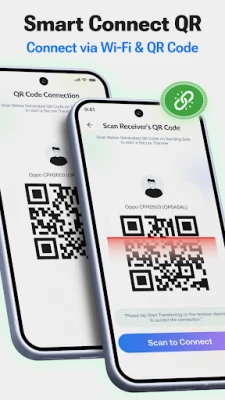
File sharing has now become more easy, simple and secure. Smart Switch app has a smooth transfer to send any files and also switch from an Old Phone to a new phone.
Smart Phone Clone File Transfer App helps you move contacts, photos, videos, apps, and other important data together when switching phones.
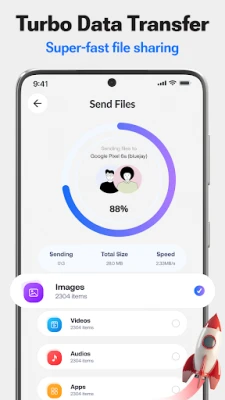
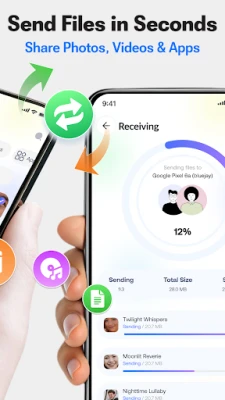
Send and receive photos, videos, music, documents, and apps between phones with just a few taps. Whether you’re moving everything to a new device or using it to transfer files, the process stays smooth from start to finish.
📁
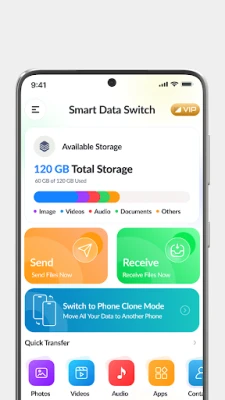
Quick share and Transfer your any data type: photos, Videos, audio, Documents, Contacts, apps, and Games. Send and receive big files easily.
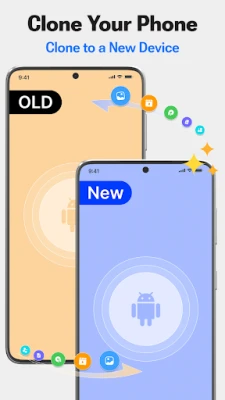
🔄 Clone Phone - Phone Switch
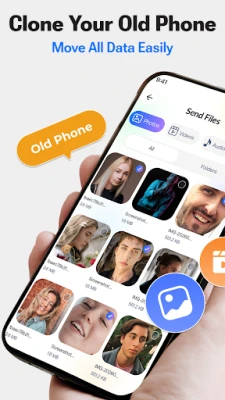
Smart switch my phone App is a more convenient way to Switch Phone. Clone your Old Phone and switch content to another Smartphone.
🔒 Secure Data Transfer
Your personal files stay private throughout the transfer. Smart Switch: File Transfer app provides secure file transfer while moving your data between devices.
How to Use Smart Switch?
• Connect both devices and open Smart Switch.
• Select the files, photos, videos, contacts, or apps you want to move.
• Start the transfer and keep both phones connected until complete.
Supported File Types
✓ Photos
✓ Videos
✓ Audio files
✓ Documents
✓ Apps & APKs
✓ Contacts
Why Choose Smart Switch: File Transfer?
◆ Phone clone for moving your data to a new device
◆ Secure file transfer between phones
◆ Send files, photos, videos, and documents easily
◆ Transfer contacts, apps, and important data
◆ Simple phone-to-phone transfer experience
Disclaimer
Smart Switch: File Transfer does not access, read, store, or upload the contents of your personal files. Required permissions are used only to enable file selection, device connection, and data transfer features within the app.
Switch phones with confidence, transfer your data, and start fresh on your new device.
Smart Phone Clone File Transfer App helps you move contacts, photos, videos, apps, and other important data together when switching phones.
Send and receive photos, videos, music, documents, and apps between phones with just a few taps. Whether you’re moving everything to a new device or using it to transfer files, the process stays smooth from start to finish.
📁
Quick share and Transfer your any data type: photos, Videos, audio, Documents, Contacts, apps, and Games. Send and receive big files easily.
🔄 Clone Phone - Phone Switch
Smart switch my phone App is a more convenient way to Switch Phone. Clone your Old Phone and switch content to another Smartphone.
🔒 Secure Data Transfer
Your personal files stay private throughout the transfer. Smart Switch: File Transfer app provides secure file transfer while moving your data between devices.
How to Use Smart Switch?
• Connect both devices and open Smart Switch.
• Select the files, photos, videos, contacts, or apps you want to move.
• Start the transfer and keep both phones connected until complete.
Supported File Types
✓ Photos
✓ Videos
✓ Audio files
✓ Documents
✓ Apps & APKs
✓ Contacts
Why Choose Smart Switch: File Transfer?
◆ Phone clone for moving your data to a new device
◆ Secure file transfer between phones
◆ Send files, photos, videos, and documents easily
◆ Transfer contacts, apps, and important data
◆ Simple phone-to-phone transfer experience
Disclaimer
Smart Switch: File Transfer does not access, read, store, or upload the contents of your personal files. Required permissions are used only to enable file selection, device connection, and data transfer features within the app.
Switch phones with confidence, transfer your data, and start fresh on your new device.
Rate the App
Add Comment & Review
User Reviews
Based on 0 reviews
No reviews added yet.
Comments will not be approved to be posted if they are SPAM, abusive, off-topic, use profanity, contain a personal attack, or promote hate of any kind.












More »

Popular Apps
phpFoxPHPFOX LLC

Moon Chai StoryOlha Dobel

World War Heroes — WW2 PvP FPSAzur Interactive Games Limited
Govee LiteGovee

AvSeaAvionics Electronics Geeks!

Viking Clan: RagnarokKano Games

Vikings: War of ClansPlarium LLC

Build World AdventureExplore city in cube world

Asphalt 9: LegendsGameloft SE
Dawn of Zombies: Survival GameRoyal Ark
More »
Editor's Choice

Grim Soul: Dark Survival RPGBrickworks Games Ltd

Craft of Survival - Gladiators101XP LIMITED
Last Shelter: SurvivalLong Tech Network Limited
Dawn of Zombies: Survival GameRoyal Ark

Merge Survival : WastelandStickyHands Inc.

AoD Vikings: Valhalla GameRoboBot Studio
Viking Clan: RagnarokKano Games
Vikings: War of ClansPlarium LLC
Asphalt 9: LegendsGameloft SE

Modern Tanks: War Tank GamesXDEVS LTD