
Latest Version
Update
June 30, 2026
June 30, 2026
Developer
Hatisoft
Hatisoft
Categories
Productivity
Productivity
Platforms
Android
Android
Downloads
0
0
License
Free
Free
Package Name
com.hatisoft.slidepilot
com.hatisoft.slidepilot
Report
Report a Problem
Report a Problem
More About SlidePilot: Remote & Timer
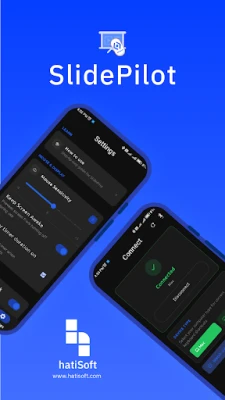
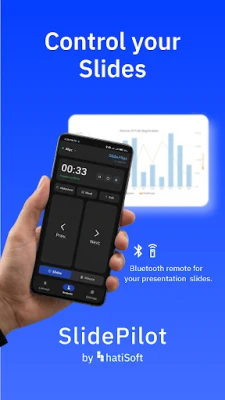
Turn your phone into a professional presentation remote/clicker.
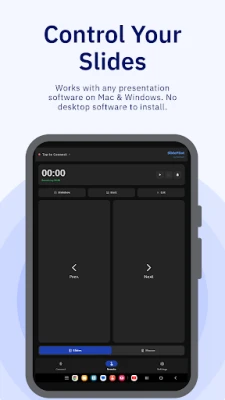
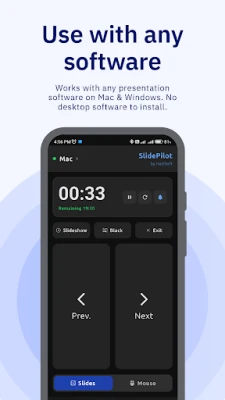
SlidePilot connects via Bluetooth and works instantly with PowerPoint, Keynote, or Google Slides on your Mac or Windows PC. No software setup required on your computer.
KEY FEATURES:
✓ Control slides on all software - PowerPoint, Keynote, Good Slides, Canva, or any other.
✓ Works immediately - No software installation required on your computer.
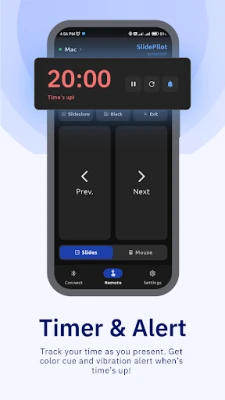
✓ Built-in timer with vibration alerts - track your time as you present
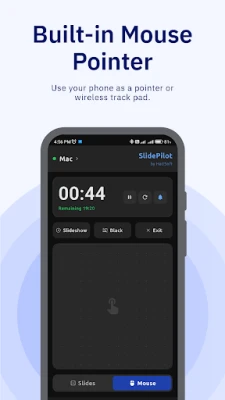
✓ Mouse mode included - Use your phone as a pointer or wireless track pad
HOW TO USE:
• Open Bluetooth Settings on your phone and pair with your computer.
• Open SlidePilot, tap your computer name from the list, and you're ready.
• Tap 'Next' and 'Prev' buttons to move through your presentation. Use additional buttons for slideshow start/stop and other controls.
• Set your presentation duration in the Timer. Watch as the timer changes color: Green (You're on track), Yellow (50% time remaining), Red (80% time passed)
• Tap 'Mouse' to use your phone as a wireless track pad.
• Visit Settings to customize controls to your preference.
Download now, and take control of your presentations wirelessly.
KEY FEATURES:
✓ Control slides on all software - PowerPoint, Keynote, Good Slides, Canva, or any other.
✓ Works immediately - No software installation required on your computer.
✓ Built-in timer with vibration alerts - track your time as you present
✓ Mouse mode included - Use your phone as a pointer or wireless track pad
HOW TO USE:
• Open Bluetooth Settings on your phone and pair with your computer.
• Open SlidePilot, tap your computer name from the list, and you're ready.
• Tap 'Next' and 'Prev' buttons to move through your presentation. Use additional buttons for slideshow start/stop and other controls.
• Set your presentation duration in the Timer. Watch as the timer changes color: Green (You're on track), Yellow (50% time remaining), Red (80% time passed)
• Tap 'Mouse' to use your phone as a wireless track pad.
• Visit Settings to customize controls to your preference.
Download now, and take control of your presentations wirelessly.
Rate the App
Add Comment & Review
User Reviews
Based on 0 reviews
No reviews added yet.
Comments will not be approved to be posted if they are SPAM, abusive, off-topic, use profanity, contain a personal attack, or promote hate of any kind.












More »

Popular Apps

phpFoxPHPFOX LLC

Moon Chai StoryOlha Dobel

World War Heroes — WW2 PvP FPSAzur Interactive Games Limited

Govee LiteGovee

Viking Clan: RagnarokKano Games

Build World AdventureExplore city in cube world

Vikings: War of ClansPlarium LLC

Asphalt 9: LegendsGameloft SE

AvSeaAvionics Electronics Geeks!

Dawn of Zombies: Survival GameRoyal Ark
More »
Editor's Choice

Grim Soul: Dark Survival RPGBrickworks Games Ltd

Craft of Survival - Gladiators101XP LIMITED

Last Shelter: SurvivalLong Tech Network Limited
Dawn of Zombies: Survival GameRoyal Ark

Merge Survival : WastelandStickyHands Inc.

AoD Vikings: Valhalla GameRoboBot Studio
Viking Clan: RagnarokKano Games
Vikings: War of ClansPlarium LLC
Asphalt 9: LegendsGameloft SE

Modern Tanks: War Tank GamesXDEVS LTD