

Latest Version
Version
9.7
9.7
Update
September 06, 2026
September 06, 2026
Developer
Fsoft Production
Fsoft Production
Categories
ART & Design
ART & Design
Platforms
Android
Android
Downloads
0
0
License
Free
Free
Package Name
com.fsoft.FP_sDraw
com.fsoft.FP_sDraw
Report
Report a Problem
Report a Problem
More About sDraw | Easy Drawing App
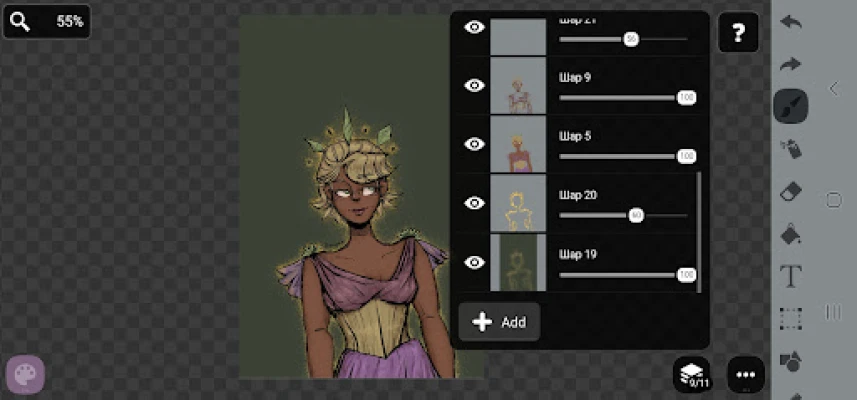
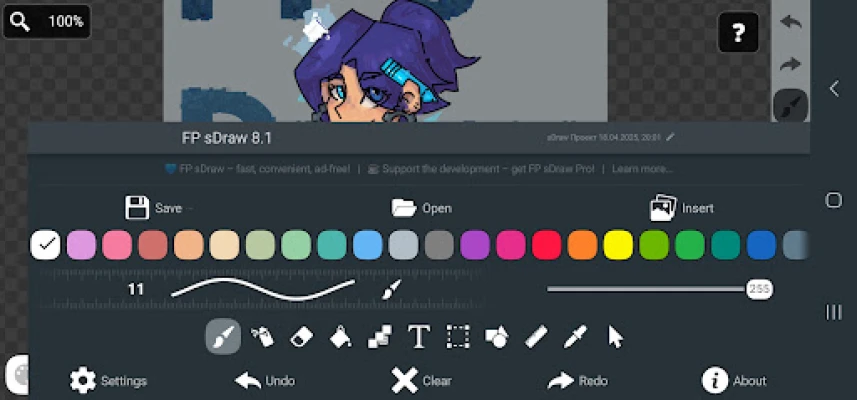
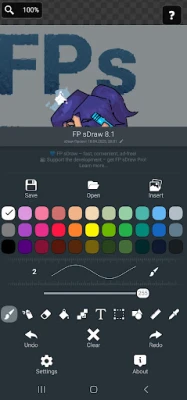
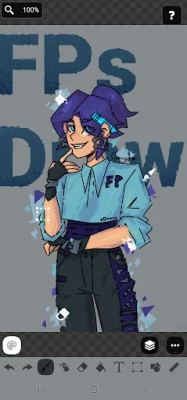
sDraw is a tiny and fast drawing, painting and image editing app for sketching, pixel art, photo markup and quick edits. Supports stylus input, layers, blur, shapes, text and more - works offline without ads or clutter.
✅ Designed for people who need a fast and simple tool that opens instantly and stays out of the way.
Perfect for:
🎭 Creating memes or adding text to photos.
🧠 Sketching diagrams, notes and quick ideas.
🖼️ Marking or highlighting images.
🎨 Drawing pixel art, concepts and simple illustrations.
⚡ Making quick edits without opening heavy editors.
Why sDraw is worth having:
📦 Less than 1 MB.
⚡ Starts instantly.
🛑 No ads or distractions.
📱 Works even on very old phones.
✍️ Stylus support: sPen, Active Pen and more.
🧩 Flexible customizable UI.
🎨 Quick color shortcuts.
🛟 Automatic backup keeps drawings safe.
🔊 Volume buttons can trigger quick actions.
🚫 Doesn’t run in the background or waste resources.
Drawing tools:
🪄 Layers.
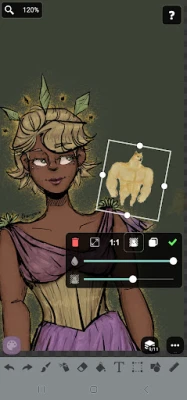
🖼️ Insert from gallery.
🖍 Brush and eraser.
🌬 Airbrush.
🌫 Blur.
🌀 Liquify.
🏺 Fill and lasso fill.
🅰️ Text.
✂️ Selection tools.
🔳 Shapes and arrows.
📏 Ruler.
🎨 Eyedropper.
🧩 Mosaic.
🖱 Precision brush.
🎞 Speedpaint recording.
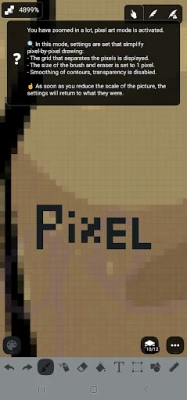
🎨 Pixel art support.
The free version is fully functional with no essential features locked.
Pro version adds a few extras:
💛 Support the developer.
🖼️ Option to remove the “sDraw” label from saved images.
🚫 Removes menu reminders about Pro.
⚡️ Full compatibility between free and Pro projects.
🍞 Tiny, fast and always ready when you need it 😊
Perfect for:
🎭 Creating memes or adding text to photos.
🧠 Sketching diagrams, notes and quick ideas.
🖼️ Marking or highlighting images.
🎨 Drawing pixel art, concepts and simple illustrations.
⚡ Making quick edits without opening heavy editors.
Why sDraw is worth having:
📦 Less than 1 MB.
⚡ Starts instantly.
🛑 No ads or distractions.
📱 Works even on very old phones.
✍️ Stylus support: sPen, Active Pen and more.
🧩 Flexible customizable UI.
🎨 Quick color shortcuts.
🛟 Automatic backup keeps drawings safe.
🔊 Volume buttons can trigger quick actions.
🚫 Doesn’t run in the background or waste resources.
Drawing tools:
🪄 Layers.
🖼️ Insert from gallery.
🖍 Brush and eraser.
🌬 Airbrush.
🌫 Blur.
🌀 Liquify.
🏺 Fill and lasso fill.
🅰️ Text.
✂️ Selection tools.
🔳 Shapes and arrows.
📏 Ruler.
🎨 Eyedropper.
🧩 Mosaic.
🖱 Precision brush.
🎞 Speedpaint recording.
🎨 Pixel art support.
The free version is fully functional with no essential features locked.
Pro version adds a few extras:
💛 Support the developer.
🖼️ Option to remove the “sDraw” label from saved images.
🚫 Removes menu reminders about Pro.
⚡️ Full compatibility between free and Pro projects.
🍞 Tiny, fast and always ready when you need it 😊
Rate the App
Add Comment & Review
User Reviews
Based on 0 reviews
No reviews added yet.
Comments will not be approved to be posted if they are SPAM, abusive, off-topic, use profanity, contain a personal attack, or promote hate of any kind.









More »

Popular Apps

phpFoxPHPFOX LLC

Moon Chai StoryOlha Dobel

World War Heroes — WW2 PvP FPSAzur Interactive Games Limited

Govee LiteGovee

Viking Clan: RagnarokKano Games

Build World AdventureExplore city in cube world

Vikings: War of ClansPlarium LLC

AvSeaAvionics Electronics Geeks!

Asphalt 9: LegendsGameloft SE

Dawn of Zombies: Survival GameRoyal Ark
More »
Editor's Choice

Grim Soul: Dark Survival RPGBrickworks Games Ltd

Craft of Survival - Gladiators101XP LIMITED

Last Shelter: SurvivalLong Tech Network Limited
Dawn of Zombies: Survival GameRoyal Ark

Merge Survival : WastelandStickyHands Inc.

AoD Vikings: Valhalla GameRoboBot Studio
Viking Clan: RagnarokKano Games
Vikings: War of ClansPlarium LLC
Asphalt 9: LegendsGameloft SE

Modern Tanks: War Tank GamesXDEVS LTD