
Latest Version
Update
August 16, 2026
August 16, 2026
Developer
RACCOON TECH
RACCOON TECH
Categories
Video Players
Video Players
Platforms
Android
Android
Downloads
1
1
License
Free
Free
Package Name
com.screenrecorder.audiovideoeditor.hdrecorder.facecamrecorder.screenshot.videorecorder
com.screenrecorder.audiovideoeditor.hdrecorder.facecamrecorder.screenshot.videorecorder
Report
Report a Problem
Report a Problem
More About Screen Recorder Video Facecam
Screen Recorder Video Facecam is a mobile utility built for capturing display activity with synchronized audio and camera input. The screen capture toolkit delivers recordings suited for software documentation and tutorial recorder workflows with audio captured automatically alongside every session. A facecam overlay component integrates front camera input into the active recording without requiring secondary hardware. Users who need to record screen activity across varied interface environments will find the technical configuration options suited to their requirements.
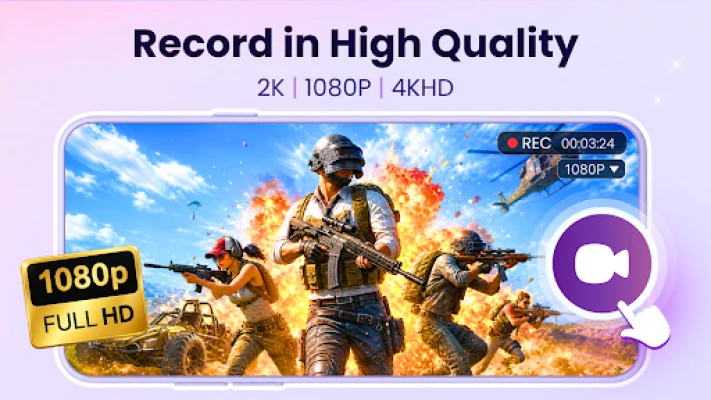
Core Functional Features Screen Recording- Capture display output at resolutions up to 2K with configurable bitrates and frame rates for consistent playback quality across devices
➱ Video Configuration: Select resolution quality up to 2K and set orientation to auto portrait or landscape based on the active display environment
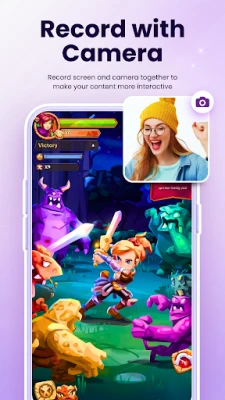
➱ Facecam Overlay: Position a scalable camera window within the recording frame to maintain visual presence during interface demonstrations and reaction videos
➱ Audio Options: Choose from internal audio only internal audio with microphone or mute mode to match the sound requirement of each session
➱ Magic Button: Use the invisible control option to pause resume or stop recording without leaving any visible mark on the captured video output
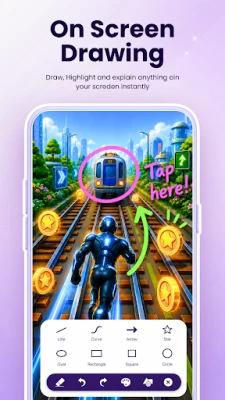
➱ Annotation Tools: Mark and highlight active regions of the display during a session to provide contextual reference without post-production editing
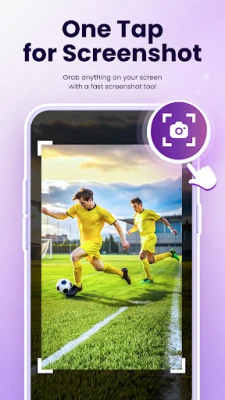
➱ Quick Screenshot: Generate static display images independently from the video recording workflow as a secondary capture mode
➱ Media Library: Organize and manage screen recorder video files within a structured local directory for retrieval export and deletion management.
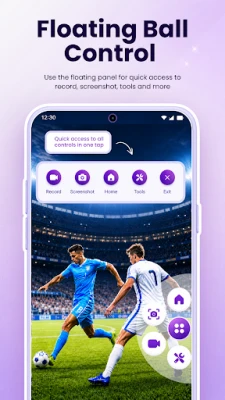
Video Facecam Screen Recorder sessions operate without time limits making the application suited for extended documentation projects and multi-step tutorial recorder workflows. The hide floating bubble option keeps the display output completely clean during active sessions while the countdown timer from 3 to 10 seconds allows preparation time before recording begins. Show touches functionality highlights interaction points on screen making it a practical addition for walkthrough recorder and tutorial recorder use cases.
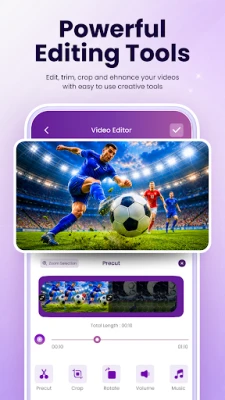
Content creators use the screen capture toolkit to produce reaction videos and interface demonstrations with facecam overlay presence and capture screen audio delivered automatically throughout every session. Custom watermark support allows branding to be applied consistently across all recorded output while the merge video tool combines multiple screen recorder video clips into a single file without requiring external software.
The video to GIF conversion feature allows captured segments to be exported in a lightweight format suited for sharing across platforms. Edit photo tools and trash management give users direct control over screenshots and unwanted files from within the media library. Language settings allow the application interface to be configured for regional preferences across supported languages.
Screen Recorder Video Facecam consolidates resolution control orientation settings audio configuration and editing tools into one environment allowing users to effortlessly capture screen activity without interruption or time limits. Faceman Video Screen Recorder functionality delivers a reliable walkthrough recorder experience designed for consistent mobile productivity with all assets stored locally and no background data transfer to external servers.
Disclaimer: The developer is not responsible for any misuse of recorded content and users must ensure compliance with local privacy and consent laws before recording
➱ Video Configuration: Select resolution quality up to 2K and set orientation to auto portrait or landscape based on the active display environment
➱ Facecam Overlay: Position a scalable camera window within the recording frame to maintain visual presence during interface demonstrations and reaction videos
➱ Audio Options: Choose from internal audio only internal audio with microphone or mute mode to match the sound requirement of each session
➱ Magic Button: Use the invisible control option to pause resume or stop recording without leaving any visible mark on the captured video output
➱ Annotation Tools: Mark and highlight active regions of the display during a session to provide contextual reference without post-production editing
➱ Quick Screenshot: Generate static display images independently from the video recording workflow as a secondary capture mode
➱ Media Library: Organize and manage screen recorder video files within a structured local directory for retrieval export and deletion management.
Video Facecam Screen Recorder sessions operate without time limits making the application suited for extended documentation projects and multi-step tutorial recorder workflows. The hide floating bubble option keeps the display output completely clean during active sessions while the countdown timer from 3 to 10 seconds allows preparation time before recording begins. Show touches functionality highlights interaction points on screen making it a practical addition for walkthrough recorder and tutorial recorder use cases.
Content creators use the screen capture toolkit to produce reaction videos and interface demonstrations with facecam overlay presence and capture screen audio delivered automatically throughout every session. Custom watermark support allows branding to be applied consistently across all recorded output while the merge video tool combines multiple screen recorder video clips into a single file without requiring external software.
The video to GIF conversion feature allows captured segments to be exported in a lightweight format suited for sharing across platforms. Edit photo tools and trash management give users direct control over screenshots and unwanted files from within the media library. Language settings allow the application interface to be configured for regional preferences across supported languages.
Screen Recorder Video Facecam consolidates resolution control orientation settings audio configuration and editing tools into one environment allowing users to effortlessly capture screen activity without interruption or time limits. Faceman Video Screen Recorder functionality delivers a reliable walkthrough recorder experience designed for consistent mobile productivity with all assets stored locally and no background data transfer to external servers.
Disclaimer: The developer is not responsible for any misuse of recorded content and users must ensure compliance with local privacy and consent laws before recording
Rate the App
Add Comment & Review
User Reviews
Based on 0 reviews
No reviews added yet.
Comments will not be approved to be posted if they are SPAM, abusive, off-topic, use profanity, contain a personal attack, or promote hate of any kind.














More »

Popular Apps

phpFoxPHPFOX LLC

Moon Chai StoryOlha Dobel

World War Heroes — WW2 PvP FPSAzur Interactive Games Limited

Govee LiteGovee

AvSeaAvionics Electronics Geeks!

Viking Clan: RagnarokKano Games

Vikings: War of ClansPlarium LLC

Build World AdventureExplore city in cube world

Asphalt 9: LegendsGameloft SE

Dawn of Zombies: Survival GameRoyal Ark
More »
Editor's Choice

Grim Soul: Dark Survival RPGBrickworks Games Ltd

Craft of Survival - Gladiators101XP LIMITED

Last Shelter: SurvivalLong Tech Network Limited
Dawn of Zombies: Survival GameRoyal Ark

Merge Survival : WastelandStickyHands Inc.

AoD Vikings: Valhalla GameRoboBot Studio
Viking Clan: RagnarokKano Games
Vikings: War of ClansPlarium LLC
Asphalt 9: LegendsGameloft SE

Modern Tanks: War Tank GamesXDEVS LTD