Latest Version
Update
March 24, 2026
March 24, 2026
Developer
NoLag Australia
NoLag Australia
Categories
Tools
Tools
Platforms
Android
Android
Downloads
0
0
License
Free
Free
Package Name
remotecontrollerforps.psplaygameconrol
remotecontrollerforps.psplaygameconrol
Report
Report a Problem
Report a Problem
More About Remote Game Controller for PS
🎮 Remote Game Controller for PS
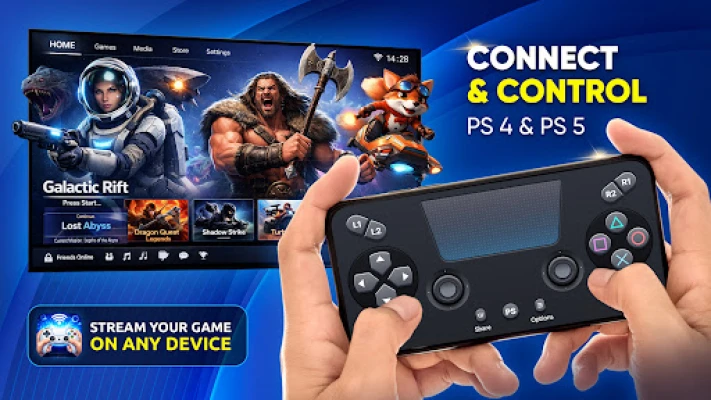
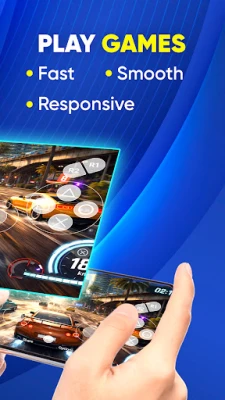
Remote Game Controller for PS lets you use your phone as a PS controller for remote play gaming. Enjoy your favorite console games anywhere with a responsive on-screen remote controller for PS when a physical controller is not available.
Whether you want an alternative PS controller or a convenient way to access remote play, this app provides a simple and flexible solution for mobile gaming.
🎮 KEY FEATURES of Remote Play Game Controller
📱 Remote Play Game Controller
✔ Use your phone as a remote play game controller
✔ Control gameplay with an on-screen PS controller interface
✔ Play games remotely without a physical controller
🎯 PS4 & PS5 Controller Support
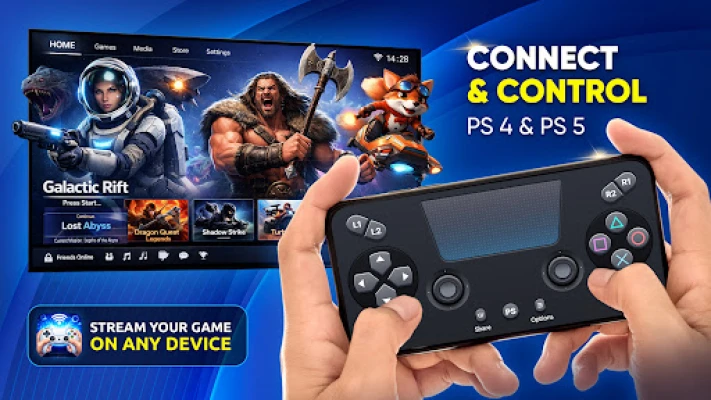
✔ Works with PS4 and PS5 remote play sessions
✔ Controller layouts inspired by PS4 controller and PS5 controller
✔ Designed for familiar and intuitive controls
📱 REMOTE PLAY MODE
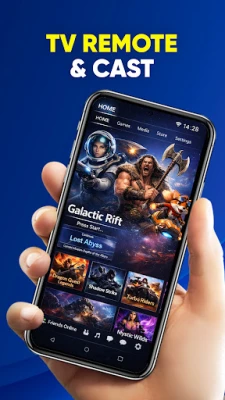
✔ Dual-Screen Experience: Use your phone as a second screen during remote play. View maps, stats, or guides while playing on your console.
✔ Play Without a TV: Access remote play on your phone and enjoy gaming in supported setups without using a TV.
🎮 GAMEPAD CONTROLLER MODE
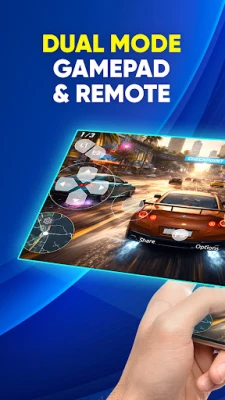
✔ On-Screen PS Controller: Use a virtual gamepad designed for remote play gaming when a physical controller is not available.
✔ Comfortable Mobile Gameplay: Play using an intuitive touch controller layout optimized for handheld use.
🌐 SHARE PLAY
✔ Play Together: Connect and enjoy shared gaming experiences with others during supported remote play sessions.
✔ Flexible Multiplayer: Stay connected with friends and continue playing from different locations.
⚡ Responsive & Clean Interface
✔ Optimized touch controls for smooth gameplay
✔ Clean and simple remote controller PS layout
✔ Built for stable performance over Wi-Fi connections
🕹 HOW TO USE
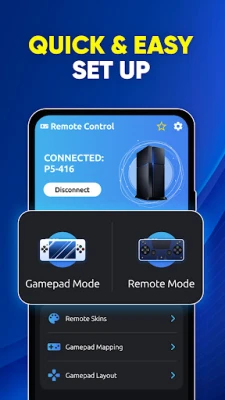
1. Connect your phone and console to the same Wi-Fi network
2. Launch the app and select your console
3. Sign in to your PlayStation account via remote play
4. Start playing using the on-screen game controller
🌐 COMPATIBILITY
✔ Supports remote play gaming on mobile devices
✔ Works as an alternative PS controller
✔ Designed for everyday gaming sessions
Whether you need a PS controller alternative, extra gamepads for friends, or want to play on your phone, Remote Game Controller for PS lets you enjoy remote play gaming with a flexible on-screen controller experience.
🚀 WHY CHOOSE THIS APP?
✔ Convenient: Use your phone as a remote controller for PS anytime
✔ Flexible: Play without a physical controller when needed
✔ Simple: Easy setup and intuitive interface
✔ Reliable: Stable performance in supported conditions
Remote Game Controller for PS is a convenient solution for remote play gaming on mobile devices. Use your phone as a PS controller with an on-screen game controller interface and play without a TV in supported scenarios. Enjoy a flexible and reliable remote controller PS experience for everyday use.
📌 DISCLAIMER
This app is a third-party application designed to work with PlayStation Remote Play.
It is not affiliated with, endorsed by, or officially connected to Sony Interactive Entertainment.
📄 LEGAL
Terms of Service: https://www.psremoteandoridcontroller.work/terms-of-service/
Privacy Policy: https://www.psremoteandoridcontroller.work/privacy-policy/
GNU AGPL v3 License: https://www.psremoteandoridcontroller.work/gnu-affero-general-public-license-ver-3/
Download now and enjoy remote play gaming with your PS controller anytime, anywhere.
Whether you want an alternative PS controller or a convenient way to access remote play, this app provides a simple and flexible solution for mobile gaming.
🎮 KEY FEATURES of Remote Play Game Controller
📱 Remote Play Game Controller
✔ Use your phone as a remote play game controller
✔ Control gameplay with an on-screen PS controller interface
✔ Play games remotely without a physical controller
🎯 PS4 & PS5 Controller Support
✔ Works with PS4 and PS5 remote play sessions
✔ Controller layouts inspired by PS4 controller and PS5 controller
✔ Designed for familiar and intuitive controls
📱 REMOTE PLAY MODE
✔ Dual-Screen Experience: Use your phone as a second screen during remote play. View maps, stats, or guides while playing on your console.
✔ Play Without a TV: Access remote play on your phone and enjoy gaming in supported setups without using a TV.
🎮 GAMEPAD CONTROLLER MODE
✔ On-Screen PS Controller: Use a virtual gamepad designed for remote play gaming when a physical controller is not available.
✔ Comfortable Mobile Gameplay: Play using an intuitive touch controller layout optimized for handheld use.
🌐 SHARE PLAY
✔ Play Together: Connect and enjoy shared gaming experiences with others during supported remote play sessions.
✔ Flexible Multiplayer: Stay connected with friends and continue playing from different locations.
⚡ Responsive & Clean Interface
✔ Optimized touch controls for smooth gameplay
✔ Clean and simple remote controller PS layout
✔ Built for stable performance over Wi-Fi connections
🕹 HOW TO USE
1. Connect your phone and console to the same Wi-Fi network
2. Launch the app and select your console
3. Sign in to your PlayStation account via remote play
4. Start playing using the on-screen game controller
🌐 COMPATIBILITY
✔ Supports remote play gaming on mobile devices
✔ Works as an alternative PS controller
✔ Designed for everyday gaming sessions
Whether you need a PS controller alternative, extra gamepads for friends, or want to play on your phone, Remote Game Controller for PS lets you enjoy remote play gaming with a flexible on-screen controller experience.
🚀 WHY CHOOSE THIS APP?
✔ Convenient: Use your phone as a remote controller for PS anytime
✔ Flexible: Play without a physical controller when needed
✔ Simple: Easy setup and intuitive interface
✔ Reliable: Stable performance in supported conditions
Remote Game Controller for PS is a convenient solution for remote play gaming on mobile devices. Use your phone as a PS controller with an on-screen game controller interface and play without a TV in supported scenarios. Enjoy a flexible and reliable remote controller PS experience for everyday use.
📌 DISCLAIMER
This app is a third-party application designed to work with PlayStation Remote Play.
It is not affiliated with, endorsed by, or officially connected to Sony Interactive Entertainment.
📄 LEGAL
Terms of Service: https://www.psremoteandoridcontroller.work/terms-of-service/
Privacy Policy: https://www.psremoteandoridcontroller.work/privacy-policy/
GNU AGPL v3 License: https://www.psremoteandoridcontroller.work/gnu-affero-general-public-license-ver-3/
Download now and enjoy remote play gaming with your PS controller anytime, anywhere.
Rate the App
Add Comment & Review
User Reviews
Based on 0 reviews
No reviews added yet.
Comments will not be approved to be posted if they are SPAM, abusive, off-topic, use profanity, contain a personal attack, or promote hate of any kind.







More »

Popular Apps

phpFoxPHPFOX LLC

Moon Chai StoryOlha Dobel

World War Heroes — WW2 PvP FPSAzur Interactive Games Limited

Govee LiteGovee

Build World AdventureExplore city in cube world

Viking Clan: RagnarokKano Games

Vikings: War of ClansPlarium LLC

Submarine Car Diving SimulatorSwim with dolphins & penguins

Asphalt 9: LegendsGameloft SE

Dawn of Zombies: Survival GameRoyal Ark
More »
Editor's Choice

Grim Soul: Dark Survival RPGBrickworks Games Ltd

Craft of Survival - Gladiators101XP LIMITED

Last Shelter: SurvivalLong Tech Network Limited
Dawn of Zombies: Survival GameRoyal Ark

Merge Survival : WastelandStickyHands Inc.

AoD Vikings: Valhalla GameRoboBot Studio
Viking Clan: RagnarokKano Games
Vikings: War of ClansPlarium LLC
Asphalt 9: LegendsGameloft SE

Modern Tanks: War Tank GamesXDEVS LTD