
Latest Version
Update
November 27, 2026
Developer
Tongrun Tech
Categories
Tools
Platforms
Android
Downloads
0
License
Free
Package Name
com.tongrun.planets.livewallpaper
Report
Report a Problem
More About Planets Live Wallpaper 3D
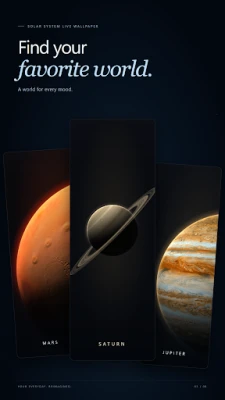
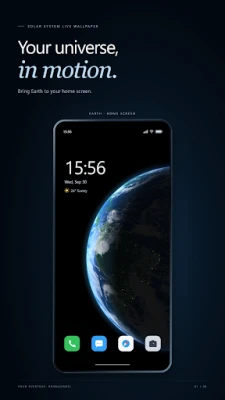
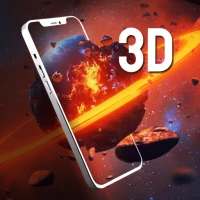
Bring your screen to life with 3D planet live wallpapers. Explore detailed worlds, choose a composition you love, and make your home and lock screens feel like two views of the same universe.
EXPLORE THE PLANETS AND THE MOON
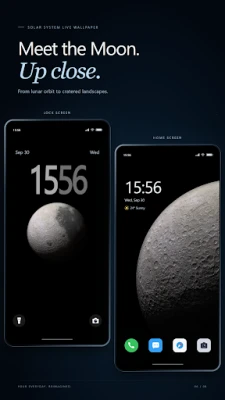
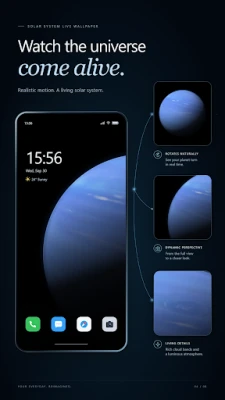
Discover Mercury, Venus, Earth, Mars, Jupiter, Saturn, Uranus, Neptune, and the Moon. Get closer to rocky terrain, follow Jupiter's cloud bands, or frame Saturn's rings against the stars. Browse different compositions, from close-up surfaces to distant planetary views.
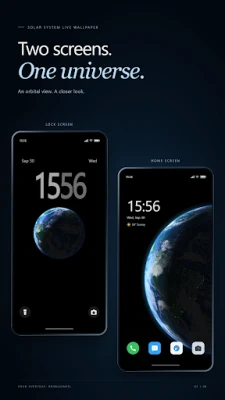
TWO SCREENS. ONE UNIVERSE.
Preview the home and lock screen views before applying a wallpaper. Choose a coordinated pair, keep their settings matched, or customize each view separately. Move between close-up and distant compositions to find the balance that suits your screen.
MAKE EACH VIEW YOUR OWN
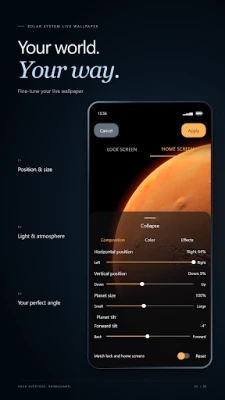
Adjust planet size, position, and tilt to leave room for your clock and icons. Change brightness, saturation, light direction, and shadow brightness. Fine-tune atmosphere glow, surface detail, cloud motion, and ring effects on supported planets. Available controls vary by wallpaper.
SEE YOUR CHANGES LIVE
Use the animated preview to check your composition as you edit. Save your custom wallpapers in My Wallpapers, revisit your favorite designs, and adjust them whenever you want a different look.
CHOOSE YOUR ANIMATION SETTINGS
Select Battery saver, Balanced, or High quality mode to adjust the animation frame rate to your preference.
FROM A QUIET MOON TO SATURN'S RINGS
Choose a subtle crescent, a dramatic planetary close-up, or a full world floating in space. Build a home and lock screen combination that feels personal, with the planets as your backdrop.
Home and lock screen wallpaper options depend on your Android version, device, and launcher. Animation can affect battery use, and visual performance varies by device.
Rate the App
Add Comment & Review
User Reviews
Based on 0 reviews
No reviews added yet.
Comments will not be approved to be posted if they are SPAM, abusive, off-topic, use profanity, contain a personal attack, or promote hate of any kind.







More »

Popular Apps

phpFoxPHPFOX LLC

Moon Chai StoryOlha Dobel

World War Heroes — WW2 PvP FPSAzur Interactive Games Limited
Govee LiteGovee

AvSeaAvionics Electronics Geeks!
Viking Clan: RagnarokKano Games
Vikings: War of ClansPlarium LLC
Build World AdventureExplore city in cube world

Asphalt 9: LegendsGameloft SE
Dawn of Zombies: Survival GameRoyal Ark
More »
Editor's Choice
Grim Soul: Dark Survival RPGBrickworks Games Ltd

Craft of Survival - Gladiators101XP LIMITED
Last Shelter: SurvivalLong Tech Network Limited
Dawn of Zombies: Survival GameRoyal Ark
Merge Survival : WastelandStickyHands Inc.

AoD Vikings: Valhalla GameRoboBot Studio
Viking Clan: RagnarokKano Games
Vikings: War of ClansPlarium LLC
Asphalt 9: LegendsGameloft SE
Modern Tanks: War Tank GamesXDEVS LTD