

Latest Version
Update
May 06, 2026
May 06, 2026
Developer
Flores
Flores
Categories
Tools
Tools
Platforms
Android
Android
Downloads
0
0
License
Free
Free
Package Name
file.rescue.photorecovery.pro
file.rescue.photorecovery.pro
Report
Report a Problem
Report a Problem
More About Photo Recovery Pro
Photo Recovery Pro - File Recovery Utility
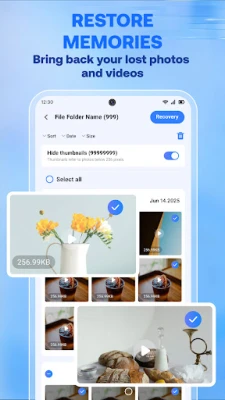
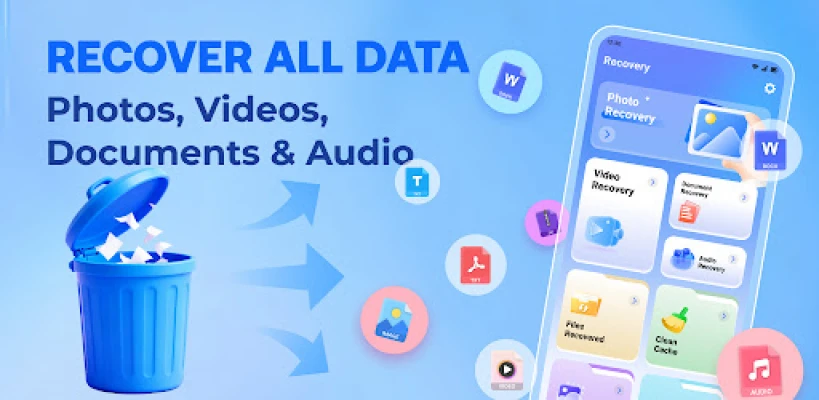
Photo Recovery Pro is a specialized utility designed to scan device storage and retrieve deleted files. The application employs scanning algorithms to identify and restore various data formats, including images, videos, and professional documents.
Primary Functions:
• Media Recovery: Scans for deleted image formats (JPEG, PNG, WEBP, BMP, GIF) and video formats (MP4, MOV, AVI, MKV).
• Document Restoration: Identifies and restores office-related files, including PDF, DOCX, XLSX, and PPTX.
• Audio Retrieval: Capable of scanning for lost audio files in formats such as MP3, WAV, and M4A.
• Broad File Support: Compatible with standard Android file systems and a wide range of digital extensions.
Technical Features:
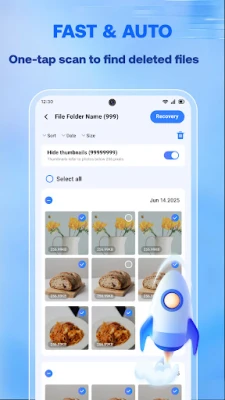
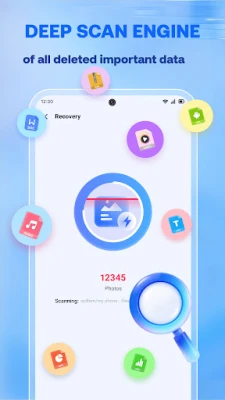
• Dual Scanning Modes: Includes a Quick Scan for recently deleted items and a Deep Scan for a more comprehensive analysis of the device's internal storage.
• File Preview: Allows users to examine identified files before initiating the restoration process to ensure data accuracy.
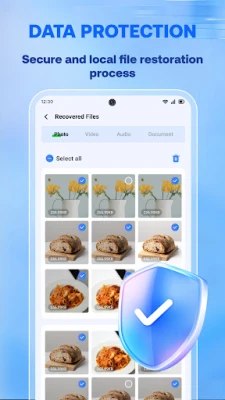
• Local Operation: All scanning and recovery processes are executed locally on the mobile device.
• No Root Required: Standard recovery functions operate on non-rooted devices for most common file types.
Privacy and Data Handling:
• On-Device Processing: Photo Recovery Pro does not transmit or upload user files to external servers or cloud storage.
• Data Collection: The application does not collect, store, or share personal user information or usage metadata.
• Permissions: Requires "All Files Access" or storage permissions to perform deep scanning and file restoration tasks.
Operational Steps:
1. Select the relevant data category (Photos, Videos, or Documents) for the scan.
2. Initiate the scanning process.
3. Review the list of identified files generated by the scan.
4. Select the specific files required and confirm the restoration to the device storage.
Technical Notes and Requirements:
• Data Integrity: The probability of successful recovery depends on whether the storage sectors occupied by the deleted files have been overwritten by new data. It is recommended to limit device activity immediately after data loss occurs.
• Compatibility: Requires Android 7.0 or later for optimal performance.
• Storage Efficiency: The application is designed with a minimal installation footprint to reduce resource consumption on the host device.
Primary Functions:
• Media Recovery: Scans for deleted image formats (JPEG, PNG, WEBP, BMP, GIF) and video formats (MP4, MOV, AVI, MKV).
• Document Restoration: Identifies and restores office-related files, including PDF, DOCX, XLSX, and PPTX.
• Audio Retrieval: Capable of scanning for lost audio files in formats such as MP3, WAV, and M4A.
• Broad File Support: Compatible with standard Android file systems and a wide range of digital extensions.
Technical Features:
• Dual Scanning Modes: Includes a Quick Scan for recently deleted items and a Deep Scan for a more comprehensive analysis of the device's internal storage.
• File Preview: Allows users to examine identified files before initiating the restoration process to ensure data accuracy.
• Local Operation: All scanning and recovery processes are executed locally on the mobile device.
• No Root Required: Standard recovery functions operate on non-rooted devices for most common file types.
Privacy and Data Handling:
• On-Device Processing: Photo Recovery Pro does not transmit or upload user files to external servers or cloud storage.
• Data Collection: The application does not collect, store, or share personal user information or usage metadata.
• Permissions: Requires "All Files Access" or storage permissions to perform deep scanning and file restoration tasks.
Operational Steps:
1. Select the relevant data category (Photos, Videos, or Documents) for the scan.
2. Initiate the scanning process.
3. Review the list of identified files generated by the scan.
4. Select the specific files required and confirm the restoration to the device storage.
Technical Notes and Requirements:
• Data Integrity: The probability of successful recovery depends on whether the storage sectors occupied by the deleted files have been overwritten by new data. It is recommended to limit device activity immediately after data loss occurs.
• Compatibility: Requires Android 7.0 or later for optimal performance.
• Storage Efficiency: The application is designed with a minimal installation footprint to reduce resource consumption on the host device.
Rate the App
Add Comment & Review
User Reviews
Based on 0 reviews
No reviews added yet.
Comments will not be approved to be posted if they are SPAM, abusive, off-topic, use profanity, contain a personal attack, or promote hate of any kind.












More »

Popular Apps

phpFoxPHPFOX LLC

Moon Chai StoryOlha Dobel

World War Heroes — WW2 PvP FPSAzur Interactive Games Limited

Govee LiteGovee

Build World AdventureExplore city in cube world

Viking Clan: RagnarokKano Games

Vikings: War of ClansPlarium LLC

Submarine Car Diving SimulatorSwim with dolphins & penguins

Asphalt 9: LegendsGameloft SE

Dawn of Zombies: Survival GameRoyal Ark
More »
Editor's Choice

Grim Soul: Dark Survival RPGBrickworks Games Ltd

Craft of Survival - Gladiators101XP LIMITED

Last Shelter: SurvivalLong Tech Network Limited
Dawn of Zombies: Survival GameRoyal Ark

Merge Survival : WastelandStickyHands Inc.

AoD Vikings: Valhalla GameRoboBot Studio
Viking Clan: RagnarokKano Games
Vikings: War of ClansPlarium LLC
Asphalt 9: LegendsGameloft SE

Modern Tanks: War Tank GamesXDEVS LTD