

Latest Version
Update
November 27, 2026
Developer
Bell Cuber
Categories
Photography
Platforms
Android
Downloads
0
License
Free
Package Name
photoeditor.layout.collagemaker1
Report
Report a Problem
More About Photo Grid & Collage Maker
Photo grid and collage maker — build a layout, add filters, stickers, and fonts, and edit everything on one canvas.
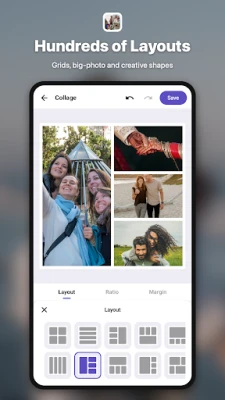
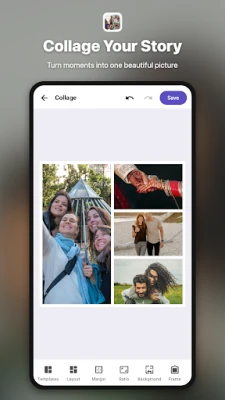
Photo Grid & Collage Maker turns your camera roll into share-ready layouts. Pick a photo grid, drop in pictures, and adjust spacing, borders, and backgrounds until the layout feels right. Photo editor tools stay close while you work: crop, rotate, and swap images without leaving the collage canvas.
WHAT YOU CAN DO
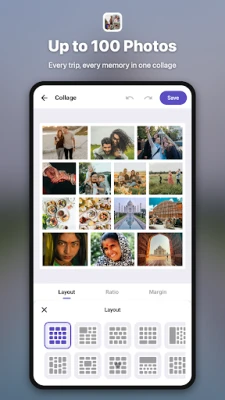
• Many photo grid templates and collage maker layouts
• Photo collage editing with crop, swap, and border controls
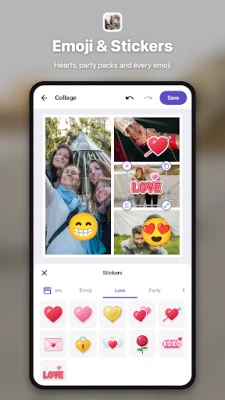
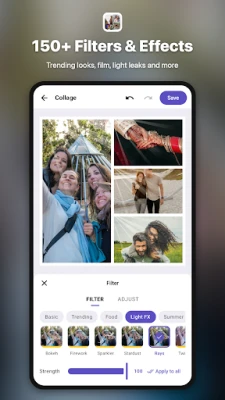
• Filters, stickers, and fonts for finishing touches
• Fast export so you can save the collage or share it
• Photo editor controls on a single canvas
• Layouts from a simple two-photo grid to a denser photo grid
HOW TO CREATE A COLLAGE
Choose a photo grid, add your pictures, then tweak spacing and borders. Use the photo editor tools to crop or swap a shot. Add a filter, sticker, or font only if you want a finished look, then export.
This collage maker is for everyday photo grid layouts — travel, family, and everyday albums. It does not require a design background. Some listings show ads. Export quality depends on the photos you start with.
WHO IT IS FOR
Anyone who wants a photo grid or collage maker for everyday pictures — trips, family groups, and simple layouts — without a heavy desktop editor.
GOOD TO KNOW
The quality of the export follows the quality of the photos you add. A dense photo grid looks cleaner when every cell is a sharp shot. Filters and stickers are optional finishing tools. This photo editor does not claim to match a professional retouching studio.
Rate the App
Add Comment & Review
User Reviews
Based on 0 reviews
No reviews added yet.
Comments will not be approved to be posted if they are SPAM, abusive, off-topic, use profanity, contain a personal attack, or promote hate of any kind.













More »

Popular Apps

phpFoxPHPFOX LLC

Moon Chai StoryOlha Dobel

World War Heroes — WW2 PvP FPSAzur Interactive Games Limited

Govee LiteGovee

AvSeaAvionics Electronics Geeks!
Viking Clan: RagnarokKano Games

Vikings: War of ClansPlarium LLC

Build World AdventureExplore city in cube world

Asphalt 9: LegendsGameloft SE
Dawn of Zombies: Survival GameRoyal Ark
More »
Editor's Choice
Grim Soul: Dark Survival RPGBrickworks Games Ltd

Craft of Survival - Gladiators101XP LIMITED

Last Shelter: SurvivalLong Tech Network Limited
Dawn of Zombies: Survival GameRoyal Ark

Merge Survival : WastelandStickyHands Inc.

AoD Vikings: Valhalla GameRoboBot Studio
Viking Clan: RagnarokKano Games
Vikings: War of ClansPlarium LLC
Asphalt 9: LegendsGameloft SE

Modern Tanks: War Tank GamesXDEVS LTD