
Latest Version
Update
November 02, 2026
November 02, 2026
Developer
AppixoStudio
AppixoStudio
Categories
Personalization
Personalization
Platforms
Android
Android
Downloads
0
0
License
$1.09
$1.09
Package Name
com.nine.oneui.icon.pack
com.nine.oneui.icon.pack
Report
Report a Problem
Report a Problem
More About OneUI 9.5: Dark Icon Pack
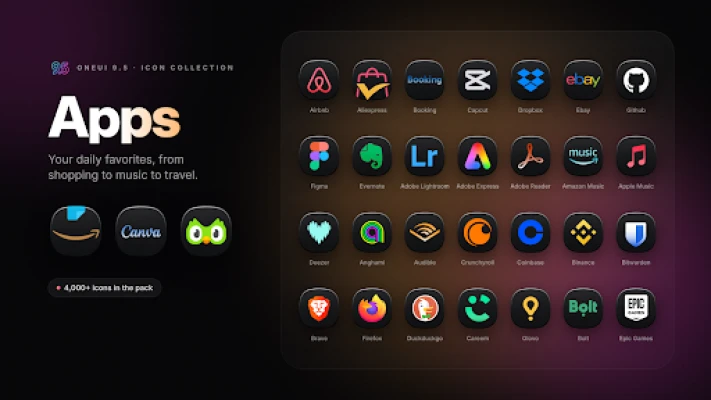
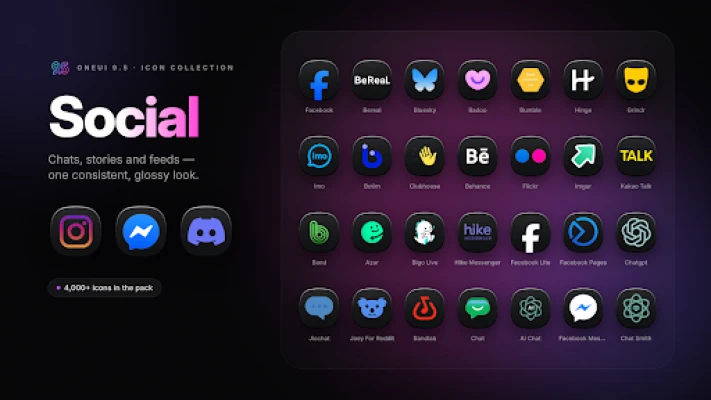
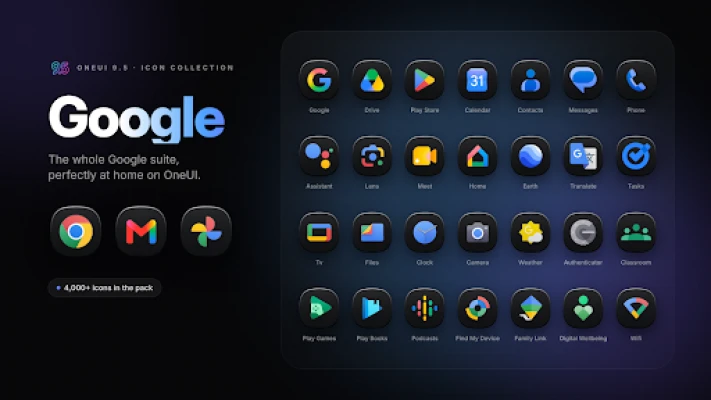
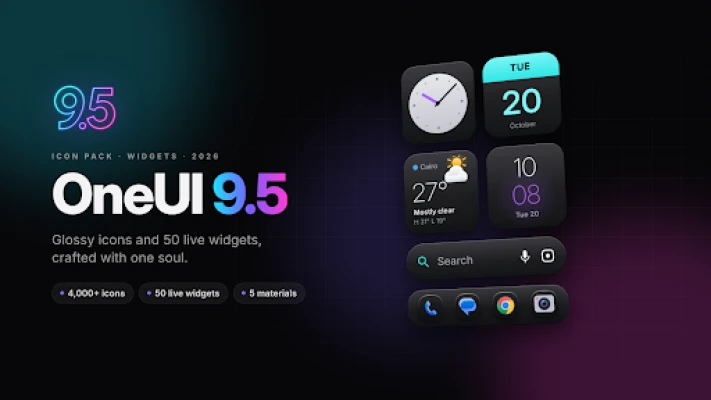
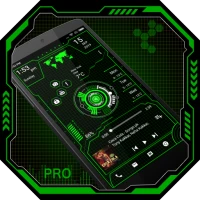
OneUI 9.5 Icons & Widgets brings a premium, glossy look to your home screen — over 4,000 handcrafted icons and 50 live widgets, all designed with one consistent soul.
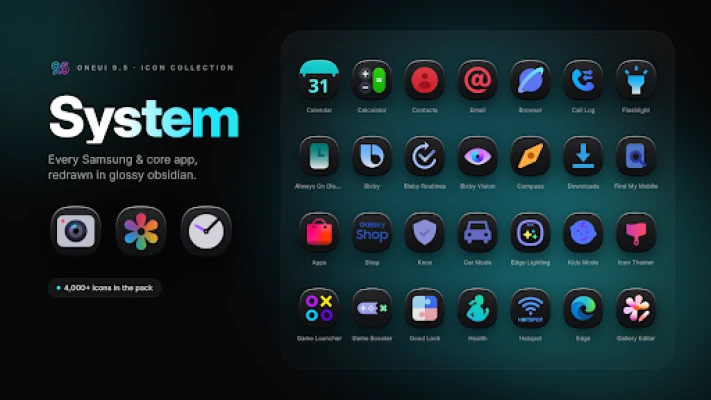
Every icon sits on a deep obsidian squircle with a soft top light and vivid, colorful glyphs. The widgets are built from the same design language, so your icons and widgets finally look like they belong together.
━━━━━━━━━━━━━━━━━━━━
✦ 4,000+ HANDCRAFTED ICONS
━━━━━━━━━━━━━━━━━━━━
• Glossy dark squircles with vivid, recognizable glyphs
• System, Google, social, games, banking, tools and much more
• Alternative icons for popular apps (calendars, browsers, cameras and more)
• Regular updates with new icons
• Smart search, categories and favorites in the Icon Library
━━━━━━━━━━━━━━━━━━━━
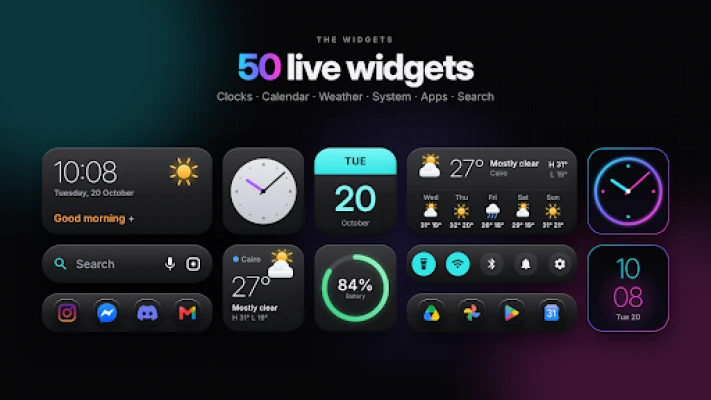
✦ 50 LIVE HOME-SCREEN WIDGETS
━━━━━━━━━━━━━━━━━━━━
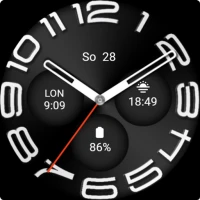
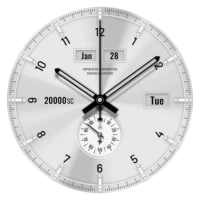
• Clocks — analog dials, stacked time, dual clock, day ring and more
• Calendar — date tile, month view, week strip, agenda, countdown, year progress
• Weather — current conditions, hourly, 5-day forecast, sunrise & sunset
• System — battery, storage, memory, next alarm, torch and quick controls
• Apps — docks and grids that use the pack's own icons
• Search & more — search bar, daily quote and memo
Clocks run live, and weather, battery and calendar refresh automatically in the background. No third-party widget app needed.
━━━━━━━━━━━━━━━━━━━━
✦ MAKE EVERY WIDGET YOURS
━━━━━━━━━━━━━━━━━━━━
• 5 materials: Obsidian, Neon, Glass, Frosted and Light
• 8 accent colors, adjustable transparency and corner radius
• Choose the apps inside every dock widget
• Restyle any widget after placing it on your home screen
• Add widgets to your home screen with one tap, right from the app
━━━━━━━━━━━━━━━━━━━━
✦ A PREMIUM APP EXPERIENCE
━━━━━━━━━━━━━━━━━━━━
• Clean dashboard with live widget previews
• Icon Coverage — see how many of your apps are themed
• Icon Requests — 5 free requests, plus Premium requests for priority
• Light, Dark and AMOLED themes, with Dynamic Color support
━━━━━━━━━━━━━━━━━━━━
✦ SUPPORTED LAUNCHERS
━━━━━━━━━━━━━━━━━━━━
One UI Home (via Theme Park), Nova, Lawnchair, Smart Launcher, Action, Niagara, Apex, ADW and most launchers that support icon packs.
━━━━━━━━━━━━━━━━━━━━
✦ HOW TO APPLY
━━━━━━━━━━━━━━━━━━━━
1. Open the app and tap "Apply Icon Pack"
2. Choose your launcher
3. Add widgets from the Widgets tab or from your home screen widget list
Samsung users: install Theme Park from the Galaxy Store, then go to Icon → Create new and select this pack.
━━━━━━━━━━━━━━━━━━━━
Missing an icon? Send a request from the app and we'll add it in a future update.
Questions or feedback: [email protected]
Note: This is an independent icon pack inspired by One UI design. It is not affiliated with or endorsed by Samsung. All brand names and logos belong to their respective owners.
━━━━━━━━━━━━━━━━━━━━
✦ 4,000+ HANDCRAFTED ICONS
━━━━━━━━━━━━━━━━━━━━
• Glossy dark squircles with vivid, recognizable glyphs
• System, Google, social, games, banking, tools and much more
• Alternative icons for popular apps (calendars, browsers, cameras and more)
• Regular updates with new icons
• Smart search, categories and favorites in the Icon Library
━━━━━━━━━━━━━━━━━━━━
✦ 50 LIVE HOME-SCREEN WIDGETS
━━━━━━━━━━━━━━━━━━━━
• Clocks — analog dials, stacked time, dual clock, day ring and more
• Calendar — date tile, month view, week strip, agenda, countdown, year progress
• Weather — current conditions, hourly, 5-day forecast, sunrise & sunset
• System — battery, storage, memory, next alarm, torch and quick controls
• Apps — docks and grids that use the pack's own icons
• Search & more — search bar, daily quote and memo
Clocks run live, and weather, battery and calendar refresh automatically in the background. No third-party widget app needed.
━━━━━━━━━━━━━━━━━━━━
✦ MAKE EVERY WIDGET YOURS
━━━━━━━━━━━━━━━━━━━━
• 5 materials: Obsidian, Neon, Glass, Frosted and Light
• 8 accent colors, adjustable transparency and corner radius
• Choose the apps inside every dock widget
• Restyle any widget after placing it on your home screen
• Add widgets to your home screen with one tap, right from the app
━━━━━━━━━━━━━━━━━━━━
✦ A PREMIUM APP EXPERIENCE
━━━━━━━━━━━━━━━━━━━━
• Clean dashboard with live widget previews
• Icon Coverage — see how many of your apps are themed
• Icon Requests — 5 free requests, plus Premium requests for priority
• Light, Dark and AMOLED themes, with Dynamic Color support
━━━━━━━━━━━━━━━━━━━━
✦ SUPPORTED LAUNCHERS
━━━━━━━━━━━━━━━━━━━━
One UI Home (via Theme Park), Nova, Lawnchair, Smart Launcher, Action, Niagara, Apex, ADW and most launchers that support icon packs.
━━━━━━━━━━━━━━━━━━━━
✦ HOW TO APPLY
━━━━━━━━━━━━━━━━━━━━
1. Open the app and tap "Apply Icon Pack"
2. Choose your launcher
3. Add widgets from the Widgets tab or from your home screen widget list
Samsung users: install Theme Park from the Galaxy Store, then go to Icon → Create new and select this pack.
━━━━━━━━━━━━━━━━━━━━
Missing an icon? Send a request from the app and we'll add it in a future update.
Questions or feedback: [email protected]
Note: This is an independent icon pack inspired by One UI design. It is not affiliated with or endorsed by Samsung. All brand names and logos belong to their respective owners.
Rate the App
Add Comment & Review
User Reviews
Based on 0 reviews
No reviews added yet.
Comments will not be approved to be posted if they are SPAM, abusive, off-topic, use profanity, contain a personal attack, or promote hate of any kind.



More »

Popular Apps

phpFoxPHPFOX LLC

Moon Chai StoryOlha Dobel

World War Heroes — WW2 PvP FPSAzur Interactive Games Limited
Govee LiteGovee

AvSeaAvionics Electronics Geeks!
Viking Clan: RagnarokKano Games
Vikings: War of ClansPlarium LLC

Build World AdventureExplore city in cube world

Asphalt 9: LegendsGameloft SE
Dawn of Zombies: Survival GameRoyal Ark
More »
Editor's Choice
Grim Soul: Dark Survival RPGBrickworks Games Ltd
Craft of Survival - Gladiators101XP LIMITED

Last Shelter: SurvivalLong Tech Network Limited
Dawn of Zombies: Survival GameRoyal Ark

Merge Survival : WastelandStickyHands Inc.

AoD Vikings: Valhalla GameRoboBot Studio
Viking Clan: RagnarokKano Games
Vikings: War of ClansPlarium LLC
Asphalt 9: LegendsGameloft SE
Modern Tanks: War Tank GamesXDEVS LTD