
Latest Version
Update
December 29, 2025
December 29, 2025
Developer
Unlock Tech Vision
Unlock Tech Vision
Categories
Tools
Tools
Platforms
Android
Android
Downloads
0
0
License
Free
Free
Package Name
com.simunlock.unlocks360
com.simunlock.unlocks360
Report
Report a Problem
Report a Problem
More About Network Unlock – Unlocks360
This app is not affiliated with Apple Inc., AT&T, Verizon, T-Mobile, or any mobile carrier. “iPhone” is a trademark of Apple Inc., registered in the U.S. and other countries. All other brand names mentioned (including Motorola, Nokia, LG, BLU, Wiko, ZTE, and TCL) are trademarks of their respective owners and are used only to indicate device compatibility. This app is a third-party service and is not endorsed by any brand or carrier. Unlocking is subject to carrier policies and local laws.
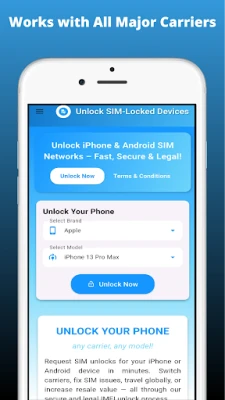
Network Unlock – Unlocks360 helps users request SIM unlock services for network-locked phones using a secure, IMEI-based method. Whether you're looking for an AT&T unlock, need to unlock a Verizon phone, or request a T-Mobile device unlock, our app offers a safe and legal solution.
Unlock SIM-locked iPhones, Android devices, dual SIM phones, and even network-locked 5G smartphones with ease. Compatible with a wide range of carriers including Tracfone, MetroPCS, Cricket Wireless, Straight Talk, and more.
Key Features:
IMEI-Based Unlock Requests
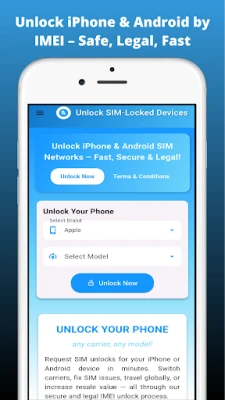
Submit your IMEI to request a SIM unlock for iPhones, Android devices, or phones showing SIM errors like "SIM not supported" or "network locked".
Request Unlock for iPhones
Works with iPhone models including iPhone 11, 12, 13, 14 Pro Max, 15 Pro Max, and more.
Request Unlock for Android Devices
Compatible with Motorola, Nokia, LG, BLU, Wiko, ZTE, TCL, and other popular brands.
Carrier Compatibility
Unlock phones locked to AT&T, T-Mobile, Verizon, Sprint, MetroPCS, Cricket, and other global carriers.
Fix Common SIM Issues
Resolve problems such as “SIM card locked”, “network SIM lock code”, “iPhone SIM chip error”, or “SIM lock code”.
Safe, Permanent Unlocks
Your device remains secure and your warranty intact. No jailbreaks or hacks required.
How It Works:
Install the app.
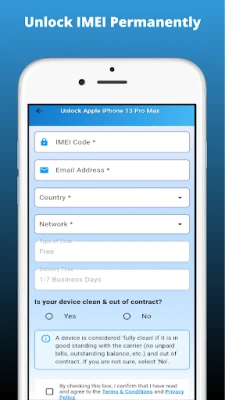
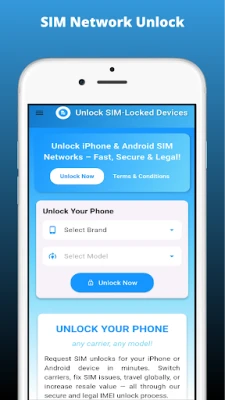
Select your phone model and original carrier.
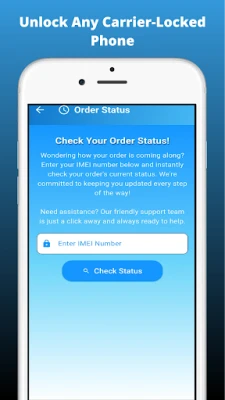
Enter your IMEI number.
Receive unlock instructions by email (if eligible).
Supported Scenarios:
Request unlock for SIM-locked iPhones
Fix “SIM not supported on iPhone” issues
Unlock dual SIM mobile phones
Resolve “network locked SIM card” messages
Use on devices previously locked to Cricket, MetroPCS, or Sprint
Request unlocks for T-Mobile IMEI devices
Unlock GSM phones and dual SIM card devices
Solve SIM lock-related issues on 5G smartphones
Legal Use Only:
We do not unlock stolen, blacklisted, or contract-bound devices. We do not support illegal unlocking of any phones. By using our service, you confirm that your device is legally eligible for unlocking under your carrier’s terms and applicable regional laws. Always read our Privacy Policy and Terms & Conditions within the app before submitting an unlock request.
Download Network Unlock – Unlocks360 app today and enjoy secure, legal, and flexible mobile freedom.
Unlock SIM-locked iPhones, Android devices, dual SIM phones, and even network-locked 5G smartphones with ease. Compatible with a wide range of carriers including Tracfone, MetroPCS, Cricket Wireless, Straight Talk, and more.
Key Features:
IMEI-Based Unlock Requests
Submit your IMEI to request a SIM unlock for iPhones, Android devices, or phones showing SIM errors like "SIM not supported" or "network locked".
Request Unlock for iPhones
Works with iPhone models including iPhone 11, 12, 13, 14 Pro Max, 15 Pro Max, and more.
Request Unlock for Android Devices
Compatible with Motorola, Nokia, LG, BLU, Wiko, ZTE, TCL, and other popular brands.
Carrier Compatibility
Unlock phones locked to AT&T, T-Mobile, Verizon, Sprint, MetroPCS, Cricket, and other global carriers.
Fix Common SIM Issues
Resolve problems such as “SIM card locked”, “network SIM lock code”, “iPhone SIM chip error”, or “SIM lock code”.
Safe, Permanent Unlocks
Your device remains secure and your warranty intact. No jailbreaks or hacks required.
How It Works:
Install the app.
Select your phone model and original carrier.
Enter your IMEI number.
Receive unlock instructions by email (if eligible).
Supported Scenarios:
Request unlock for SIM-locked iPhones
Fix “SIM not supported on iPhone” issues
Unlock dual SIM mobile phones
Resolve “network locked SIM card” messages
Use on devices previously locked to Cricket, MetroPCS, or Sprint
Request unlocks for T-Mobile IMEI devices
Unlock GSM phones and dual SIM card devices
Solve SIM lock-related issues on 5G smartphones
Legal Use Only:
We do not unlock stolen, blacklisted, or contract-bound devices. We do not support illegal unlocking of any phones. By using our service, you confirm that your device is legally eligible for unlocking under your carrier’s terms and applicable regional laws. Always read our Privacy Policy and Terms & Conditions within the app before submitting an unlock request.
Download Network Unlock – Unlocks360 app today and enjoy secure, legal, and flexible mobile freedom.
Rate the App
Add Comment & Review
User Reviews
Based on 0 reviews
No reviews added yet.
Comments will not be approved to be posted if they are SPAM, abusive, off-topic, use profanity, contain a personal attack, or promote hate of any kind.














More »

Popular Apps

Moon Chai StoryOlha Dobel

phpFoxPHPFOX LLC

Govee LiteGovee

World War Heroes — WW2 PvP FPSAzur Interactive Games Limited

Build World AdventureExplore city in cube world

Viking Clan: RagnarokKano Games

Vikings: War of ClansPlarium LLC

Asphalt 9: LegendsGameloft SE

Submarine Car Diving SimulatorSwim with dolphins & penguins
Union VPN - Secure VPN ProxyPureBrowser
More »
Editor's Choice

Grim Soul: Dark Survival RPGBrickworks Games Ltd

Craft of Survival - Gladiators101XP LIMITED

Last Shelter: SurvivalLong Tech Network Limited

Dawn of Zombies: Survival GameRoyal Ark

Merge Survival : WastelandStickyHands Inc.

AoD Vikings: Valhalla GameRoboBot Studio
Viking Clan: RagnarokKano Games
Vikings: War of ClansPlarium LLC
Asphalt 9: LegendsGameloft SE

Modern Tanks: War Tank GamesXDEVS LTD