
Latest Version
Update
February 02, 2026
February 02, 2026
Developer
DevIncMagic
DevIncMagic
Categories
Music & Audio
Music & Audio
Platforms
Android
Android
Downloads
0
0
License
Free
Free
Package Name
com.ringtonemakermp3cutter.superringtoneapp
com.ringtonemakermp3cutter.superringtoneapp
Report
Report a Problem
Report a Problem
More About MP3 Cutter & Ringtone Maker
Super Ringtone Maker: MP3 Cutter
Powerful free MP3 cutter, audio trimmer, audio mixer and ringtone maker application.
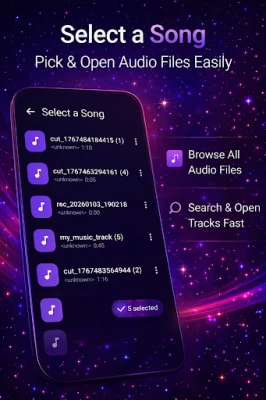
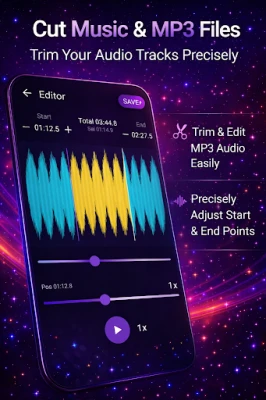
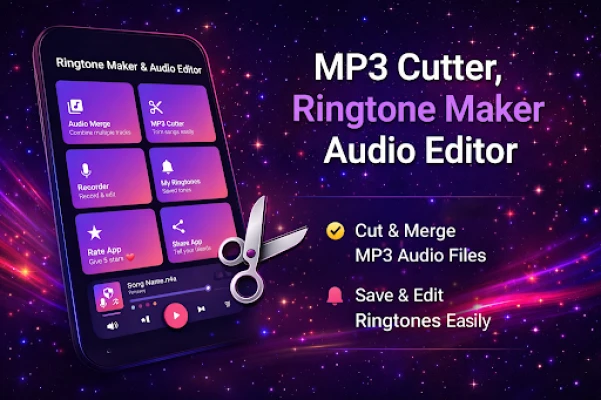
Super Ringtone Maker – MP3 Cutter, Audio Merger & Recorder lets you create a custom ringtone in seconds. Trim songs easily by selecting any audio file, view waveform for precise cutting, control volume, mix multiple clips and convert audio formats when needed. All edits use safe editing methods and happen directly on your device.
✂️ MP3 Cutter & Audio Trimmer
- Trim and cut any part of songs with millisecond precision
- Select audio files and edit easily using waveform view
- Fade in and fade out effects with volume control
- Save results as ringtone, alarm or notification tone
🔥 Audio Merger & Mixer
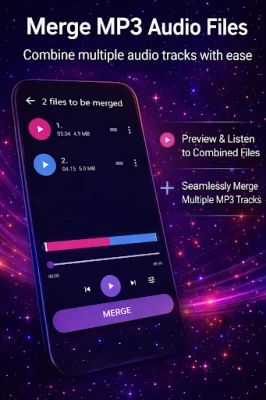
- Merge, mix and join multiple audio files
- Create simple audio mixer workflows
- High-quality export with safe editing processing
🎤 Voice Recorder
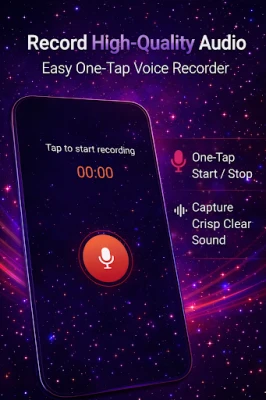
- Record clear, high-quality audio
- Edit recordings instantly
- Save recordings as ringtones or notification sounds
🔔 Ringtone Manager
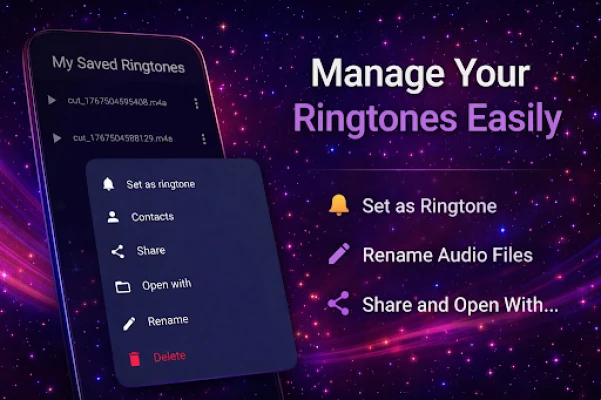
- Play, rename, delete and share sounds
- Set ringtones directly from the app
- Assign ringtones to contacts
🎶 Supported Formats
MP3, WAV, AAC, M4A, AMR, OGG, FLAC and more formats supported.
📱 Perfect for
- Creating custom ringtone and tone files
- Making alarm and notification sounds
- Cutting, trimming and mixing songs safely
- Merging multiple audio clips
- Editing TikTok and YouTube audio
- Recording voice notes
📢 Ads & Privacy
This app may display ads to support development. Ads are served by trusted partners such as Google AdMob and its mediation networks. Ad services may use device or other identifiers to serve ads in accordance with user consent and regional privacy requirements.
Crash logs and diagnostic data may be collected to improve app stability, performance and reliability. This information is used strictly for analytics and troubleshooting purposes and is not used to identify individual users.
Users can manage ad preferences through Google’s ad settings. The app does not sell personal data, and all audio editing is performed locally on the device using safe editing practices.
🔒 Offline & Secure Editing
All audio editing, trimming and merging is performed offline on your device. Audio files are never uploaded to external servers.
Cut it. Mix it. Record it. Make it yours.
Super Ringtone Maker – MP3 Cutter, Audio Merger & Recorder lets you create a custom ringtone in seconds. Trim songs easily by selecting any audio file, view waveform for precise cutting, control volume, mix multiple clips and convert audio formats when needed. All edits use safe editing methods and happen directly on your device.
✂️ MP3 Cutter & Audio Trimmer
- Trim and cut any part of songs with millisecond precision
- Select audio files and edit easily using waveform view
- Fade in and fade out effects with volume control
- Save results as ringtone, alarm or notification tone
🔥 Audio Merger & Mixer
- Merge, mix and join multiple audio files
- Create simple audio mixer workflows
- High-quality export with safe editing processing
🎤 Voice Recorder
- Record clear, high-quality audio
- Edit recordings instantly
- Save recordings as ringtones or notification sounds
🔔 Ringtone Manager
- Play, rename, delete and share sounds
- Set ringtones directly from the app
- Assign ringtones to contacts
🎶 Supported Formats
MP3, WAV, AAC, M4A, AMR, OGG, FLAC and more formats supported.
📱 Perfect for
- Creating custom ringtone and tone files
- Making alarm and notification sounds
- Cutting, trimming and mixing songs safely
- Merging multiple audio clips
- Editing TikTok and YouTube audio
- Recording voice notes
📢 Ads & Privacy
This app may display ads to support development. Ads are served by trusted partners such as Google AdMob and its mediation networks. Ad services may use device or other identifiers to serve ads in accordance with user consent and regional privacy requirements.
Crash logs and diagnostic data may be collected to improve app stability, performance and reliability. This information is used strictly for analytics and troubleshooting purposes and is not used to identify individual users.
Users can manage ad preferences through Google’s ad settings. The app does not sell personal data, and all audio editing is performed locally on the device using safe editing practices.
🔒 Offline & Secure Editing
All audio editing, trimming and merging is performed offline on your device. Audio files are never uploaded to external servers.
Cut it. Mix it. Record it. Make it yours.
Rate the App
Add Comment & Review
User Reviews
Based on 0 reviews
No reviews added yet.
Comments will not be approved to be posted if they are SPAM, abusive, off-topic, use profanity, contain a personal attack, or promote hate of any kind.













More »

Popular Apps

phpFoxPHPFOX LLC

Moon Chai StoryOlha Dobel

World War Heroes — WW2 PvP FPSAzur Interactive Games Limited

Govee LiteGovee

AvSeaAvionics Electronics Geeks!

Viking Clan: RagnarokKano Games

Build World AdventureExplore city in cube world

Vikings: War of ClansPlarium LLC

Asphalt 9: LegendsGameloft SE

Dawn of Zombies: Survival GameRoyal Ark
More »
Editor's Choice

Grim Soul: Dark Survival RPGBrickworks Games Ltd

Craft of Survival - Gladiators101XP LIMITED

Last Shelter: SurvivalLong Tech Network Limited
Dawn of Zombies: Survival GameRoyal Ark

Merge Survival : WastelandStickyHands Inc.

AoD Vikings: Valhalla GameRoboBot Studio
Viking Clan: RagnarokKano Games
Vikings: War of ClansPlarium LLC
Asphalt 9: LegendsGameloft SE

Modern Tanks: War Tank GamesXDEVS LTD