Latest Version
Update
October 12, 2026
October 12, 2026
Developer
Noor Tech Studio
Noor Tech Studio
Categories
Lifestyle
Lifestyle
Platforms
Android
Android
Downloads
0
0
License
Free
Free
Package Name
com.magnifier.magnifying.glass.zoom.torch
com.magnifier.magnifying.glass.zoom.torch
Report
Report a Problem
Report a Problem
More About Magnifier: Magnifying Glass
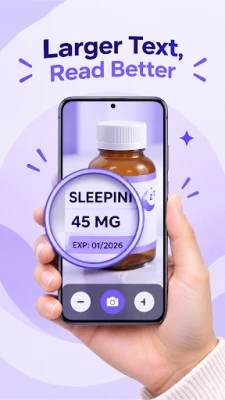
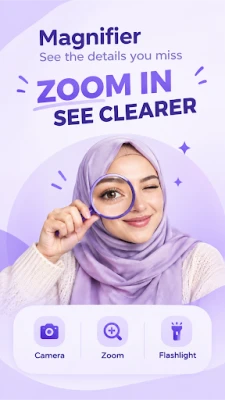
Magnifier is a simple and practical camera magnifying tool that helps you view small text, labels, objects, and details more clearly using your phone's camera.
Whether you are reading small print, checking a label, viewing details in low light, or simply need a closer look at something nearby, Magnifier provides convenient controls for everyday use.
FEATURES
Camera Magnifier
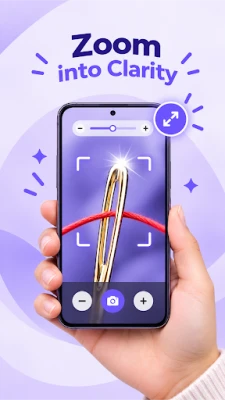
Use your phone's camera to enlarge text, objects, labels, and other details directly on your screen.
Adjustable Zoom
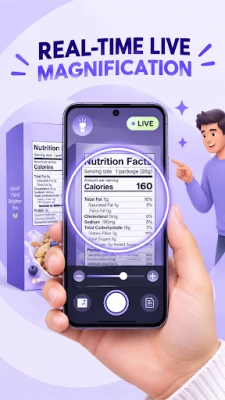
Control the magnification level to find a comfortable view for different objects and reading situations.
Flashlight
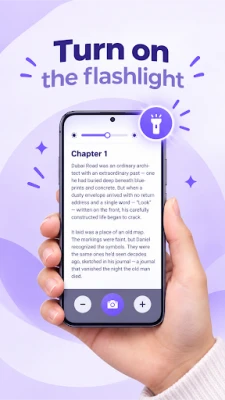
Use the phone's flashlight when additional light is needed in darker environments. Availability and brightness may depend on your device.
Brightness Controls
Adjust the viewing brightness to make the magnified image more comfortable to see in different lighting conditions.
Freeze and Capture
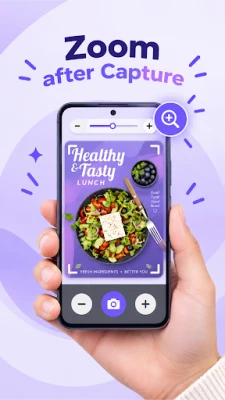
Freeze the camera view when you want to examine a detail without continuously holding the phone in position. Capture images when supported by your device.
Save and Share
Save captured magnified images to your device and share them using compatible apps.
Simple Controls
Designed with straightforward controls so you can quickly access magnification and other useful tools without unnecessary complexity.
EVERYDAY USES
Magnifier can be useful when you need a closer view of:
• Small printed text and labels
• Product packaging and instructions
• Menus and signs
• Serial numbers and small markings
• Crafts and hobbies
• Small objects and details
• Items in dimly lit areas
• Other nearby details that are difficult to view
HOW IT WORKS
1. Open Magnifier and allow camera access when requested.
2. Point your phone's camera toward the item you want to view.
3. Adjust the zoom level using the available controls.
4. Use the flashlight when additional lighting is needed.
5. Freeze or capture the view when you want to examine or save a detail.
CAMERA PERMISSION
Magnifier requires camera access to provide its core magnification feature. The camera is used to display the live view that you want to enlarge. Only grant permissions that you are comfortable providing.
DEVICE COMPATIBILITY
Magnification quality, available zoom levels, flashlight controls, image quality, and some features may vary depending on your phone's camera hardware and Android device.
Magnifier is designed as an everyday visual assistance tool for viewing small details. It is not a medical device and should not be used as a substitute for professional medical or vision care.
Use Magnifier whenever you need a convenient way to get a closer look at small text and everyday details.
Privacy Policy:
https://sites.google.com/view/noortech02/home?pli=1&authuser=0
FEATURES
Camera Magnifier
Use your phone's camera to enlarge text, objects, labels, and other details directly on your screen.
Adjustable Zoom
Control the magnification level to find a comfortable view for different objects and reading situations.
Flashlight
Use the phone's flashlight when additional light is needed in darker environments. Availability and brightness may depend on your device.
Brightness Controls
Adjust the viewing brightness to make the magnified image more comfortable to see in different lighting conditions.
Freeze and Capture
Freeze the camera view when you want to examine a detail without continuously holding the phone in position. Capture images when supported by your device.
Save and Share
Save captured magnified images to your device and share them using compatible apps.
Simple Controls
Designed with straightforward controls so you can quickly access magnification and other useful tools without unnecessary complexity.
EVERYDAY USES
Magnifier can be useful when you need a closer view of:
• Small printed text and labels
• Product packaging and instructions
• Menus and signs
• Serial numbers and small markings
• Crafts and hobbies
• Small objects and details
• Items in dimly lit areas
• Other nearby details that are difficult to view
HOW IT WORKS
1. Open Magnifier and allow camera access when requested.
2. Point your phone's camera toward the item you want to view.
3. Adjust the zoom level using the available controls.
4. Use the flashlight when additional lighting is needed.
5. Freeze or capture the view when you want to examine or save a detail.
CAMERA PERMISSION
Magnifier requires camera access to provide its core magnification feature. The camera is used to display the live view that you want to enlarge. Only grant permissions that you are comfortable providing.
DEVICE COMPATIBILITY
Magnification quality, available zoom levels, flashlight controls, image quality, and some features may vary depending on your phone's camera hardware and Android device.
Magnifier is designed as an everyday visual assistance tool for viewing small details. It is not a medical device and should not be used as a substitute for professional medical or vision care.
Use Magnifier whenever you need a convenient way to get a closer look at small text and everyday details.
Privacy Policy:
https://sites.google.com/view/noortech02/home?pli=1&authuser=0
Rate the App
Add Comment & Review
User Reviews
Based on 0 reviews
No reviews added yet.
Comments will not be approved to be posted if they are SPAM, abusive, off-topic, use profanity, contain a personal attack, or promote hate of any kind.













More »

Popular Apps

phpFoxPHPFOX LLC

Moon Chai StoryOlha Dobel

World War Heroes — WW2 PvP FPSAzur Interactive Games Limited

Govee LiteGovee

Viking Clan: RagnarokKano Games

Build World AdventureExplore city in cube world

AvSeaAvionics Electronics Geeks!

Vikings: War of ClansPlarium LLC

Asphalt 9: LegendsGameloft SE

Dawn of Zombies: Survival GameRoyal Ark
More »
Editor's Choice

Grim Soul: Dark Survival RPGBrickworks Games Ltd

Craft of Survival - Gladiators101XP LIMITED

Last Shelter: SurvivalLong Tech Network Limited
Dawn of Zombies: Survival GameRoyal Ark

Merge Survival : WastelandStickyHands Inc.

AoD Vikings: Valhalla GameRoboBot Studio
Viking Clan: RagnarokKano Games
Vikings: War of ClansPlarium LLC
Asphalt 9: LegendsGameloft SE

Modern Tanks: War Tank GamesXDEVS LTD