



Latest Version
Update
January 09, 2026
January 09, 2026
Developer
LDDeveloper
LDDeveloper
Categories
Photography
Photography
Platforms
Android
Android
Downloads
0
0
License
Free
Free
Package Name
com.ldk.gifmaker
com.ldk.gifmaker
Report
Report a Problem
Report a Problem
More About GIF Maker, Video To GIF Editor
GIF Maker – Simple & Powerful GIF Editor
GIF Maker is the most intuitive GIF Editor that makes it easy to create high-quality GIFs. Whether you need a Video to GIF converter or a professional GIF Creator, our app turns your favorite moments into stunning animations instantly.
Quickly turn clips into loops using the Video To GIF feature, or use the GIF Creator to combine multiple photos and screen recordings. This GIF Maker also allows you to convert GIF to Video, GIF to Images, and compress files for easy sharing.
✨ Create GIFs Your Way
• Video to GIF Maker – Choose any video and convert it into a smooth, looping GIF. Perfect for highlights, reactions, or memorable moments.
• Advanced Video to GIF Options – Trim your video first, adjust playback speed, apply filters, and more — all before turning it into a GIF.
• Photo to GIF – Select multiple images and create animation sequences.
• Screen Recording to GIF – Turn your screen actions into useful and shareable GIF tutorials.
• GIF to Video / GIF to Image – Convert back when you want video format or still frames.
🎨 Complete GIF Editing Toolkit
Fine-tune every detail with easy controls:
• Trim / Cut – Keep only the part you want before or after converting Video to GIF.
• Frame Management – Use the GIF Editor to add, remove, duplicate, or reorder frames.
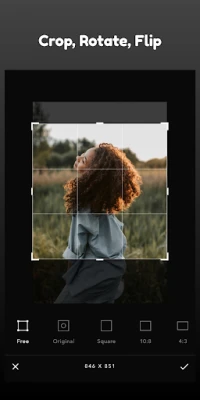
• Crop & Resize – Fit your GIF to any ratio or size.
• Playback Speed – Make animations slower or faster.
• Color Adjustment – Brightness, contrast, warmth, saturation.
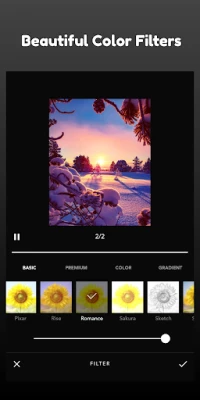
• Color Filters – Create mood and style instantly.
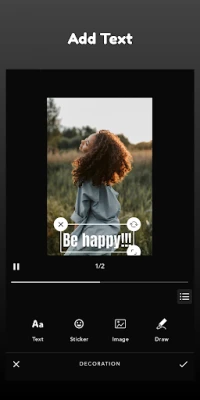
• Text, Stickers & Image Overlays – Add captions, emojis, memes, and decorations.
• Rotate & Flip – Fix or transform orientation.
• Reverse – Make your GIF play backward for fun effects.
• GIF Compression – Reduce file size while keeping visual quality.
💾 Flexible Export & Sharing
Export your final result as:
• GIF – For easy sharing and reactions.
• MP4 Video – When you need full compatibility.
Choose high resolution for quality or compress to share faster.
Great for posting on social networks, chats, and communities.
🎯 Easy for Beginners, Powerful for Creators
The Ultimate GIF Maker & Editor Designed to be smooth and simple to use. The workflow is straightforward and fast, making the Video to GIF process quick even for long videos. You can create a basic GIF in seconds or take your time to customize everything — you decide.
Quickly turn clips into loops using the Video To GIF feature, or use the GIF Creator to combine multiple photos and screen recordings. This GIF Maker also allows you to convert GIF to Video, GIF to Images, and compress files for easy sharing.
✨ Create GIFs Your Way
• Video to GIF Maker – Choose any video and convert it into a smooth, looping GIF. Perfect for highlights, reactions, or memorable moments.
• Advanced Video to GIF Options – Trim your video first, adjust playback speed, apply filters, and more — all before turning it into a GIF.
• Photo to GIF – Select multiple images and create animation sequences.
• Screen Recording to GIF – Turn your screen actions into useful and shareable GIF tutorials.
• GIF to Video / GIF to Image – Convert back when you want video format or still frames.
🎨 Complete GIF Editing Toolkit
Fine-tune every detail with easy controls:
• Trim / Cut – Keep only the part you want before or after converting Video to GIF.
• Frame Management – Use the GIF Editor to add, remove, duplicate, or reorder frames.
• Crop & Resize – Fit your GIF to any ratio or size.
• Playback Speed – Make animations slower or faster.
• Color Adjustment – Brightness, contrast, warmth, saturation.
• Color Filters – Create mood and style instantly.
• Text, Stickers & Image Overlays – Add captions, emojis, memes, and decorations.
• Rotate & Flip – Fix or transform orientation.
• Reverse – Make your GIF play backward for fun effects.
• GIF Compression – Reduce file size while keeping visual quality.
💾 Flexible Export & Sharing
Export your final result as:
• GIF – For easy sharing and reactions.
• MP4 Video – When you need full compatibility.
Choose high resolution for quality or compress to share faster.
Great for posting on social networks, chats, and communities.
🎯 Easy for Beginners, Powerful for Creators
The Ultimate GIF Maker & Editor Designed to be smooth and simple to use. The workflow is straightforward and fast, making the Video to GIF process quick even for long videos. You can create a basic GIF in seconds or take your time to customize everything — you decide.
Rate the App
Add Comment & Review
User Reviews
Based on 0 reviews
No reviews added yet.
Comments will not be approved to be posted if they are SPAM, abusive, off-topic, use profanity, contain a personal attack, or promote hate of any kind.









More »

Popular Apps

phpFoxPHPFOX LLC

Moon Chai StoryOlha Dobel

World War Heroes — WW2 PvP FPSAzur Interactive Games Limited

Govee LiteGovee

Viking Clan: RagnarokKano Games

Build World AdventureExplore city in cube world

Vikings: War of ClansPlarium LLC

AvSeaAvionics Electronics Geeks!

Asphalt 9: LegendsGameloft SE

Dawn of Zombies: Survival GameRoyal Ark
More »
Editor's Choice

Grim Soul: Dark Survival RPGBrickworks Games Ltd

Craft of Survival - Gladiators101XP LIMITED

Last Shelter: SurvivalLong Tech Network Limited
Dawn of Zombies: Survival GameRoyal Ark

Merge Survival : WastelandStickyHands Inc.

AoD Vikings: Valhalla GameRoboBot Studio
Viking Clan: RagnarokKano Games
Vikings: War of ClansPlarium LLC
Asphalt 9: LegendsGameloft SE

Modern Tanks: War Tank GamesXDEVS LTD