
Latest Version
Update
April 16, 2026
April 16, 2026
Developer
PArt Studio
PArt Studio
Categories
Photography
Photography
Platforms
Android
Android
Downloads
0
0
License
Free
Free
Package Name
com.clockvault.hidephotovideo
com.clockvault.hidephotovideo
Report
Report a Problem
Report a Problem
More About Clock Vault - Gallery Lock
Smart privacy protection for your personal photos, videos & files
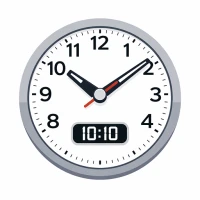
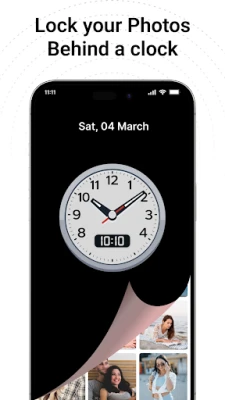
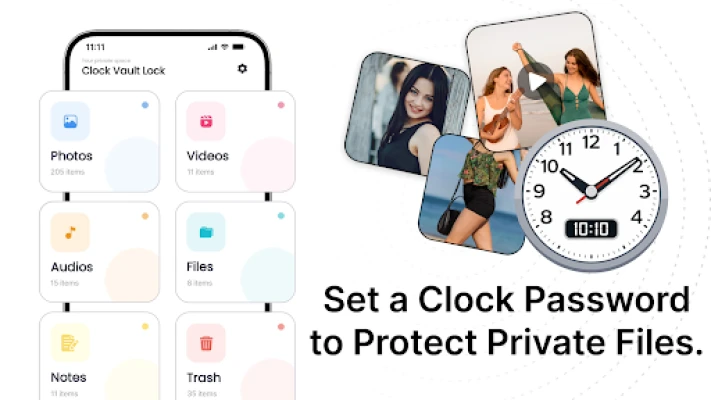
Keep your private memories secure and hidden with Clock Vault - Gallery Lock, a powerful privacy app designed to protect your personal media behind a fully functional clock interface. Only you know the secret time password — others see just a normal clock.
🛡️ Why Choose Clock Vault?
Your private content deserves real protection. This app combines security, simplicity, and smart disguise to ensure your files stay hidden and safe.
⭐ Clock Vault - Gallery Lock Features
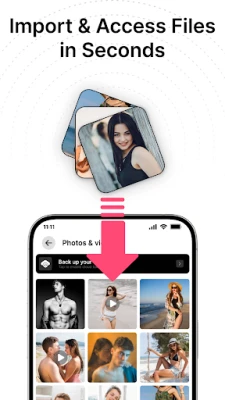
📸 Hide Photos Instantly
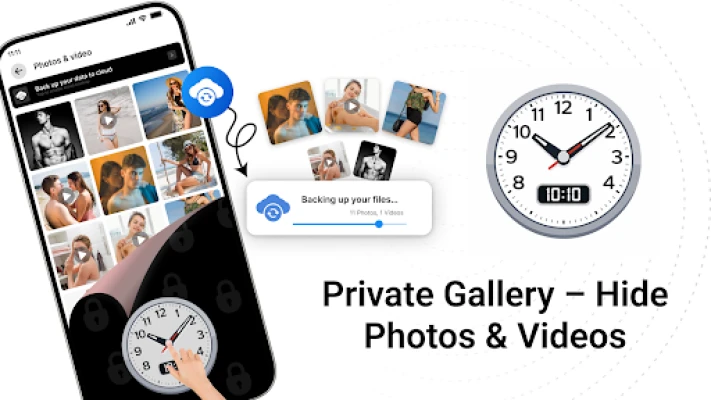
Move your personal images from your gallery into a secure vault in seconds. Built-in viewer lets you zoom, crop, and rotate images easily.
🎥 Secure Video Locker
Protect your videos in multiple formats. Watch them anytime using the in-app player or your preferred external player.
📁 Organized Albums
Create folders, customize album covers, and manage your hidden files in a clean and structured way.
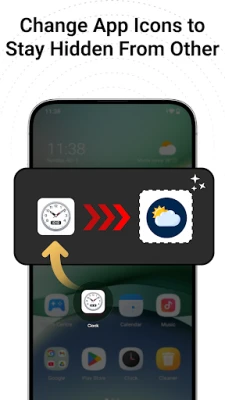
🎭 Disguised App Icon
Keep your vault invisible by changing the app icon to look like a clock, calculator, weather app, and more.
🔐 Intruder Detection
Capture photos of anyone trying to access your vault without permission.
▶️ Built-in Media Player
Enjoy seamless playback of your hidden videos without leaving the app.
👆 Fingerprint Unlock
Quick and secure access with fingerprint support (on compatible devices).
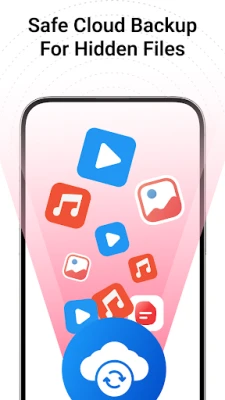
☁️ Cloud Backup
Safely store your important files online and restore them anytime on a new device.
⚠️ Only files uploaded to the cloud can be recovered.
🔑 How Clock Vault Works
Set Your Password
1. Open the app clock resets to 00:00
2. Move clock hands to your secret time
3. Confirm the same time again
4. Vault unlocked 🎉
Unlock the Vault
1. Tap the center of the clock
2. Set your saved time password
3. Tap again to access your private files
❓ Forgot Password?
Set the clock to 12:59 and tap the center button to access recovery options.
⚠️ Important Notes
* Your files are stored locally unless you enable cloud backup
* Always backup before uninstalling or switching devices
* Files not backed up may be permanently lost
🔐 Your Privacy, Your Control
With Clock Vault - Gallery Lock, your personal files stay truly private hidden in plain sight.
🛡️ Why Choose Clock Vault?
Your private content deserves real protection. This app combines security, simplicity, and smart disguise to ensure your files stay hidden and safe.
⭐ Clock Vault - Gallery Lock Features
📸 Hide Photos Instantly
Move your personal images from your gallery into a secure vault in seconds. Built-in viewer lets you zoom, crop, and rotate images easily.
🎥 Secure Video Locker
Protect your videos in multiple formats. Watch them anytime using the in-app player or your preferred external player.
📁 Organized Albums
Create folders, customize album covers, and manage your hidden files in a clean and structured way.
🎭 Disguised App Icon
Keep your vault invisible by changing the app icon to look like a clock, calculator, weather app, and more.
🔐 Intruder Detection
Capture photos of anyone trying to access your vault without permission.
▶️ Built-in Media Player
Enjoy seamless playback of your hidden videos without leaving the app.
👆 Fingerprint Unlock
Quick and secure access with fingerprint support (on compatible devices).
☁️ Cloud Backup
Safely store your important files online and restore them anytime on a new device.
⚠️ Only files uploaded to the cloud can be recovered.
🔑 How Clock Vault Works
Set Your Password
1. Open the app clock resets to 00:00
2. Move clock hands to your secret time
3. Confirm the same time again
4. Vault unlocked 🎉
Unlock the Vault
1. Tap the center of the clock
2. Set your saved time password
3. Tap again to access your private files
❓ Forgot Password?
Set the clock to 12:59 and tap the center button to access recovery options.
⚠️ Important Notes
* Your files are stored locally unless you enable cloud backup
* Always backup before uninstalling or switching devices
* Files not backed up may be permanently lost
🔐 Your Privacy, Your Control
With Clock Vault - Gallery Lock, your personal files stay truly private hidden in plain sight.
Rate the App
Add Comment & Review
User Reviews
Based on 0 reviews
No reviews added yet.
Comments will not be approved to be posted if they are SPAM, abusive, off-topic, use profanity, contain a personal attack, or promote hate of any kind.












More »

Popular Apps

phpFoxPHPFOX LLC

Moon Chai StoryOlha Dobel

World War Heroes — WW2 PvP FPSAzur Interactive Games Limited

Govee LiteGovee

Viking Clan: RagnarokKano Games

Build World AdventureExplore city in cube world

Vikings: War of ClansPlarium LLC

AvSeaAvionics Electronics Geeks!

Asphalt 9: LegendsGameloft SE

Dawn of Zombies: Survival GameRoyal Ark
More »
Editor's Choice

Grim Soul: Dark Survival RPGBrickworks Games Ltd

Craft of Survival - Gladiators101XP LIMITED

Last Shelter: SurvivalLong Tech Network Limited
Dawn of Zombies: Survival GameRoyal Ark

Merge Survival : WastelandStickyHands Inc.

AoD Vikings: Valhalla GameRoboBot Studio
Viking Clan: RagnarokKano Games
Vikings: War of ClansPlarium LLC
Asphalt 9: LegendsGameloft SE

Modern Tanks: War Tank GamesXDEVS LTD