
Latest Version
Update
September 14, 2026
September 14, 2026
Developer
Remote Wave
Remote Wave
Categories
Tools
Tools
Platforms
Android
Android
Downloads
0
0
License
Free
Free
Package Name
chromecasttvcast.com
chromecasttvcast.com
Report
Report a Problem
Report a Problem
More About Chromecast TV Cast
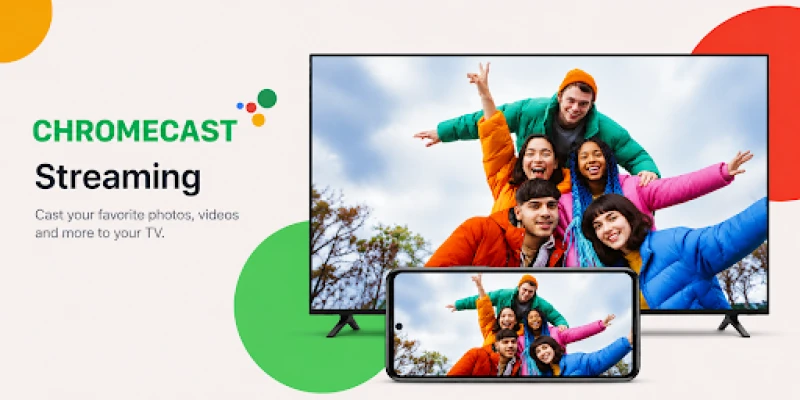
Cast to TV from your phone in seconds. Chromecast TV Cast lets you stream videos, photos and music from your Android phone to Chromecast, Google TV, Android TV and any smart TV with Chromecast built-in — and mirror your phone screen to the big screen too.
⭐ Cast Videos, Mirror Your Screen, Watch on the Big Screen ⭐
No cables, no file transfers, no complicated setup. Connect over Wi-Fi, pick your TV, and your movies, holiday photos, playlists and web videos appear on the TV instantly.
🔥 KEY FEATURES
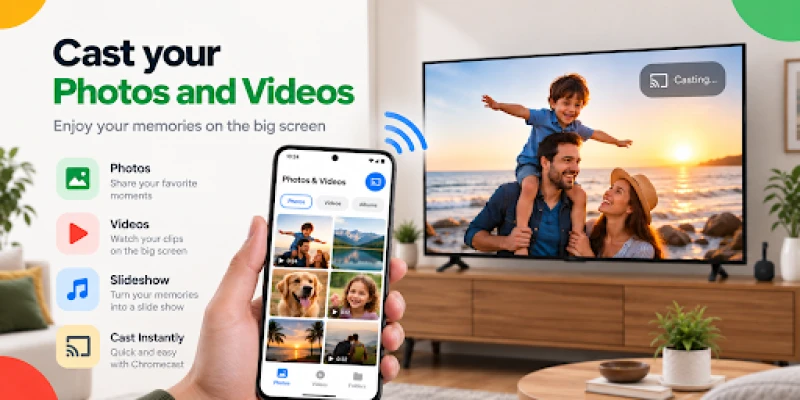
🎬 Cast Videos, Photos & Music
Stream movies, home videos, photo albums and songs straight from your phone gallery to your TV. Perfect for movie nights and sharing memories with the whole family.
📱 Screen Mirroring
Mirror your Android screen to the TV to share apps, games, presentations, video calls and browsing with everyone in the room.
🌐 Web Video Cast
Use the built-in browser to open any website, find a video and cast it to your TV with one tap. Watch online videos on the big screen instead of a small phone display.
💬 Subtitles Support
Load SRT subtitle files with your videos so you never miss a line of dialogue.
🎮 Full Playback Control
Play, pause, seek, skip and adjust the volume from your phone — it works like a remote for everything you cast.
📂 Playlists & Queue
Line up videos, songs or photos and play them back to back. Start a photo slideshow on the TV and enjoy it hands-free.
⚡ Auto Device Discovery
Open the app and your TV or streaming device shows up automatically. Tap to connect — no pairing codes, no setup wizard.
📺 WORKS WITH
✓ Chromecast (all generations, including Chromecast with Google TV) and Google TV Streamer
✓ Google TV and Android TV devices
✓ Smart TVs with Google Cast (Chromecast built-in) from Sony, TCL, Hisense, Philips, Sharp, Panasonic, Skyworth, Vizio, Toshiba, Xiaomi and more
🚀 HOW TO CAST TO TV
1. Connect your phone and your TV or streaming device to the same Wi-Fi network.
2. Open the app and select your TV from the device list.
3. Choose a video, photo, song or website — it plays on your TV right away.
🎞️ SUPPORTED FORMATS
Video: MP4, MKV, MOV, WebM and more · Audio: MP3, AAC, WAV, FLAC · Photos: JPG, PNG, GIF, WebP
🌟 WHY USERS LOVE THIS CAST APP
✓ Cast from phone to TV wirelessly — no HDMI cable needed
✓ Screen mirroring and media casting in one app
✓ Clean, easy-to-use interface
✓ Lightweight and battery-friendly
✓ Free to download and use
📲 DOWNLOAD NOW
Whether you want to cast to TV, mirror your screen, share photos on the big screen or watch web videos on your smart TV, this is the only cast app you need. Download Chromecast TV Cast & Mirroring today and turn your phone into a wireless media player for your TV.
❓ FREQUENTLY ASKED QUESTIONS
Q: Do I need the same Wi-Fi network?
A: Yes. Your phone and your TV must be connected to the same Wi-Fi network.
Q: Can I cast Netflix, Disney+ or Prime Video?
A: No. DRM-protected content from streaming apps cannot be mirrored or cast. Use the cast button inside those apps instead.
Q: Is screen mirroring good for games?
A: Screen mirroring has a small delay, so it is best for photos, apps, presentations and video calls rather than fast-paced games.
Q: Does it work with Samsung, LG or Roku TVs?
A: This app is built for Chromecast devices and TVs with Google Cast built in. Samsung Tizen, LG webOS and Roku TVs are not supported.
⚠️ DISCLAIMER
This is an independent, third-party casting application and is not affiliated with, endorsed by, sponsored by, or otherwise associated with Google LLC, Chromecast, Google TV, Android TV, or any TV manufacturer mentioned in this listing. All product names, logos, trademarks and registered trademarks are the property of their respective owners and are used for identification and compatibility purposes only.
Compatibility and feature availability may vary depending on your TV model, firmware version and smartphone capabilities.
No cables, no file transfers, no complicated setup. Connect over Wi-Fi, pick your TV, and your movies, holiday photos, playlists and web videos appear on the TV instantly.
🔥 KEY FEATURES
🎬 Cast Videos, Photos & Music
Stream movies, home videos, photo albums and songs straight from your phone gallery to your TV. Perfect for movie nights and sharing memories with the whole family.
📱 Screen Mirroring
Mirror your Android screen to the TV to share apps, games, presentations, video calls and browsing with everyone in the room.
🌐 Web Video Cast
Use the built-in browser to open any website, find a video and cast it to your TV with one tap. Watch online videos on the big screen instead of a small phone display.
💬 Subtitles Support
Load SRT subtitle files with your videos so you never miss a line of dialogue.
🎮 Full Playback Control
Play, pause, seek, skip and adjust the volume from your phone — it works like a remote for everything you cast.
📂 Playlists & Queue
Line up videos, songs or photos and play them back to back. Start a photo slideshow on the TV and enjoy it hands-free.
⚡ Auto Device Discovery
Open the app and your TV or streaming device shows up automatically. Tap to connect — no pairing codes, no setup wizard.
📺 WORKS WITH
✓ Chromecast (all generations, including Chromecast with Google TV) and Google TV Streamer
✓ Google TV and Android TV devices
✓ Smart TVs with Google Cast (Chromecast built-in) from Sony, TCL, Hisense, Philips, Sharp, Panasonic, Skyworth, Vizio, Toshiba, Xiaomi and more
🚀 HOW TO CAST TO TV
1. Connect your phone and your TV or streaming device to the same Wi-Fi network.
2. Open the app and select your TV from the device list.
3. Choose a video, photo, song or website — it plays on your TV right away.
🎞️ SUPPORTED FORMATS
Video: MP4, MKV, MOV, WebM and more · Audio: MP3, AAC, WAV, FLAC · Photos: JPG, PNG, GIF, WebP
🌟 WHY USERS LOVE THIS CAST APP
✓ Cast from phone to TV wirelessly — no HDMI cable needed
✓ Screen mirroring and media casting in one app
✓ Clean, easy-to-use interface
✓ Lightweight and battery-friendly
✓ Free to download and use
📲 DOWNLOAD NOW
Whether you want to cast to TV, mirror your screen, share photos on the big screen or watch web videos on your smart TV, this is the only cast app you need. Download Chromecast TV Cast & Mirroring today and turn your phone into a wireless media player for your TV.
❓ FREQUENTLY ASKED QUESTIONS
Q: Do I need the same Wi-Fi network?
A: Yes. Your phone and your TV must be connected to the same Wi-Fi network.
Q: Can I cast Netflix, Disney+ or Prime Video?
A: No. DRM-protected content from streaming apps cannot be mirrored or cast. Use the cast button inside those apps instead.
Q: Is screen mirroring good for games?
A: Screen mirroring has a small delay, so it is best for photos, apps, presentations and video calls rather than fast-paced games.
Q: Does it work with Samsung, LG or Roku TVs?
A: This app is built for Chromecast devices and TVs with Google Cast built in. Samsung Tizen, LG webOS and Roku TVs are not supported.
⚠️ DISCLAIMER
This is an independent, third-party casting application and is not affiliated with, endorsed by, sponsored by, or otherwise associated with Google LLC, Chromecast, Google TV, Android TV, or any TV manufacturer mentioned in this listing. All product names, logos, trademarks and registered trademarks are the property of their respective owners and are used for identification and compatibility purposes only.
Compatibility and feature availability may vary depending on your TV model, firmware version and smartphone capabilities.
Rate the App
Add Comment & Review
User Reviews
Based on 0 reviews
No reviews added yet.
Comments will not be approved to be posted if they are SPAM, abusive, off-topic, use profanity, contain a personal attack, or promote hate of any kind.





More »

Popular Apps

phpFoxPHPFOX LLC

Moon Chai StoryOlha Dobel

World War Heroes — WW2 PvP FPSAzur Interactive Games Limited

Govee LiteGovee

Viking Clan: RagnarokKano Games

Build World AdventureExplore city in cube world

Vikings: War of ClansPlarium LLC

Asphalt 9: LegendsGameloft SE

AvSeaAvionics Electronics Geeks!

Submarine Car Diving SimulatorSwim with dolphins & penguins
More »
Editor's Choice

Grim Soul: Dark Survival RPGBrickworks Games Ltd

Craft of Survival - Gladiators101XP LIMITED

Last Shelter: SurvivalLong Tech Network Limited

Dawn of Zombies: Survival GameRoyal Ark

Merge Survival : WastelandStickyHands Inc.

AoD Vikings: Valhalla GameRoboBot Studio
Viking Clan: RagnarokKano Games
Vikings: War of ClansPlarium LLC
Asphalt 9: LegendsGameloft SE

Modern Tanks: War Tank GamesXDEVS LTD