
Latest Version
Version
1.1.43
1.1.43
Update
May 21, 2026
May 21, 2026
Developer
NKD Security Labs
NKD Security Labs
Categories
Video Players
Video Players
Platforms
Android
Android
Downloads
22
22
License
Free
Free
Package Name
com.nkd.backgroundvideorecorder
com.nkd.backgroundvideorecorder
Report
Report a Problem
Report a Problem
More About BVR Background Video Recorder
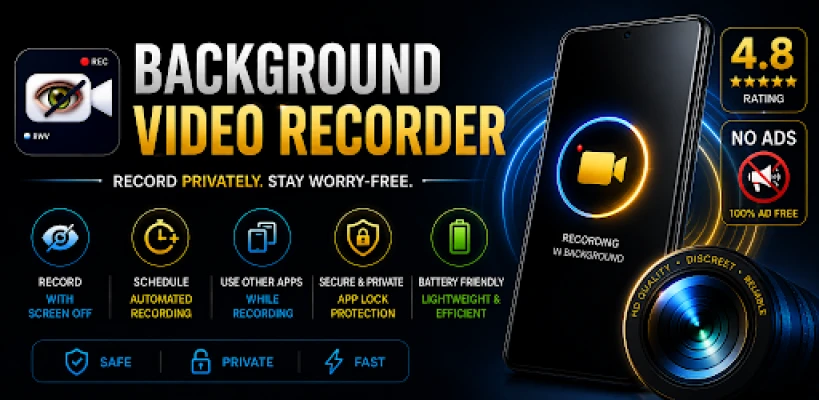
Background Video Recorder (BVR) is a smart, lightweight close camera preview app designed to record video securely in the background. Whether the screen is off or you are using other apps, capture moments privately and without interruptions. From ensuring personal safety to recording important notes, BVR provides simple, one-tap background recording that is both silent and discreet.
Why Users Love NKD BVR
Clean UI - Simple, fast, and easy to navigate.
Completely Free Now - All features are available at no cost.
No Ads - A clean interface with no annoying interruptions or pop-ups.
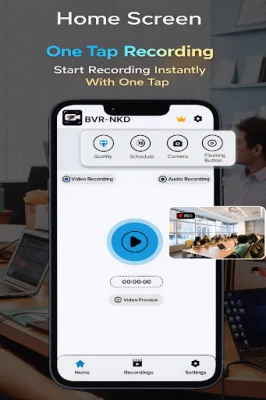
One-Tap Start - Start recording instantly with a 1-click video recorder setup.
Saves Battery - Highly optimized for long-duration recording.
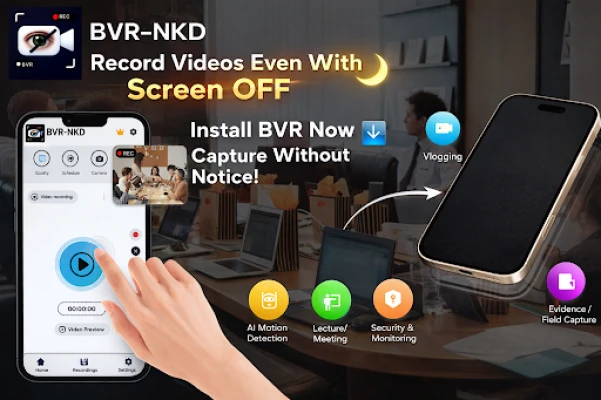
Record with screen off - Continue recording safely even when your device is locked.
Floating button & widgets- Start recording directly from the home screen without opening the app.
Saves battery.
Reliable for long recordings.
Key Video Features:
- One tap BVR with smart auto save on low battery or storage. This is secure & silent.
- Automatically secures your footage when device space hits 500MB, preventing file corruption.
- Instant auto-save when battery drops to 5% to protect your recording from sudden shutdowns.
- Record video while using other apps or when the screen is locked.
- No shutter sounds, no flash, and no preview screen for distraction-free recording.
- No limits on duration or the number of videos.
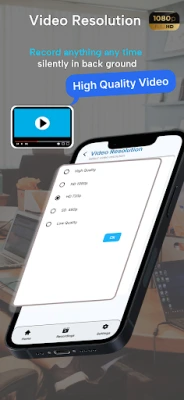
- Supports Full HD and 4K recording with advanced camera features.
- Silent recording with no preview. Smart auto-save & discreet mode.
- Secure background recorder, Record off-screen with one-tap & no shutter sound.
- Discreet recording, records silently in the background with no visual indicators.
- Camera selection, you can choose camera front or back.
Background Voice Recorder(Record only Audio)
- High-quality background voice recorder to capture audio secretly.
- Record lectures, meetings, or voice notes with the screen locked.
- Keep voice and video recordings organized in separate folders.
🔐 app lock for privacy
Secure your recording files with password or PIN lock.
📂 easy file management
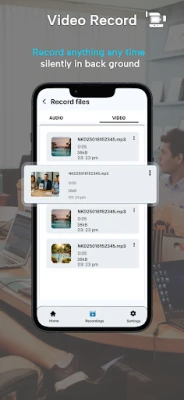
View, share, delete, or manage your recorded background videos inside the app.
🛡️📹 Secure video recorder
- This app provide secure video recording save all your data at your phone storage.
🚀 ONE-TAP INSTANT RECORDING
• 1-Click Start: Launch recording instantly with a single tap.
• Floating Button: Start recording from any screen without opening the app.
• Quick Start: No camera preview or shutter sound for total discretion.
🛡️ SMART & SECURE PROTECTION
• Low Storage Auto-Save: Automatically saves your video when storage hits 500MB to prevent file loss.
• Low Battery Guard: Saves recordings instantly when battery drops to 5%—never lose a file to a sudden shutdown.
• Total Privacy: No preview screen, no flash, and no shutter sound.
Your videos stay ONLY on your device. No cloud upload. No tracking. No data sharing. You have full control over your files.
📱 MULTITASKING & BACKGROUND MODE
• Off-Screen Recording: Keep recording even when the screen is locked or the phone is in your pocket.
• Background Activity: Record video or audio while using other apps like social media or maps.
• Unlimited Duration: No limits on video length or the number of recordings.
📌 How to Use
Open the BVR app
Grant camera & storage permissions
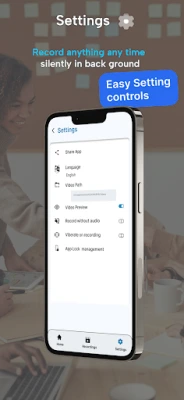
Choose camera, quality & preview settings
Tap the record button
Turn OFF screen or switch apps — recording continues
Check all saved recordings in the gallery inside the app
Clean UI - Simple, fast, and easy to navigate.
Completely Free Now - All features are available at no cost.
No Ads - A clean interface with no annoying interruptions or pop-ups.
One-Tap Start - Start recording instantly with a 1-click video recorder setup.
Saves Battery - Highly optimized for long-duration recording.
Record with screen off - Continue recording safely even when your device is locked.
Floating button & widgets- Start recording directly from the home screen without opening the app.
Saves battery.
Reliable for long recordings.
Key Video Features:
- One tap BVR with smart auto save on low battery or storage. This is secure & silent.
- Automatically secures your footage when device space hits 500MB, preventing file corruption.
- Instant auto-save when battery drops to 5% to protect your recording from sudden shutdowns.
- Record video while using other apps or when the screen is locked.
- No shutter sounds, no flash, and no preview screen for distraction-free recording.
- No limits on duration or the number of videos.
- Supports Full HD and 4K recording with advanced camera features.
- Silent recording with no preview. Smart auto-save & discreet mode.
- Secure background recorder, Record off-screen with one-tap & no shutter sound.
- Discreet recording, records silently in the background with no visual indicators.
- Camera selection, you can choose camera front or back.
Background Voice Recorder(Record only Audio)
- High-quality background voice recorder to capture audio secretly.
- Record lectures, meetings, or voice notes with the screen locked.
- Keep voice and video recordings organized in separate folders.
🔐 app lock for privacy
Secure your recording files with password or PIN lock.
📂 easy file management
View, share, delete, or manage your recorded background videos inside the app.
🛡️📹 Secure video recorder
- This app provide secure video recording save all your data at your phone storage.
🚀 ONE-TAP INSTANT RECORDING
• 1-Click Start: Launch recording instantly with a single tap.
• Floating Button: Start recording from any screen without opening the app.
• Quick Start: No camera preview or shutter sound for total discretion.
🛡️ SMART & SECURE PROTECTION
• Low Storage Auto-Save: Automatically saves your video when storage hits 500MB to prevent file loss.
• Low Battery Guard: Saves recordings instantly when battery drops to 5%—never lose a file to a sudden shutdown.
• Total Privacy: No preview screen, no flash, and no shutter sound.
Your videos stay ONLY on your device. No cloud upload. No tracking. No data sharing. You have full control over your files.
📱 MULTITASKING & BACKGROUND MODE
• Off-Screen Recording: Keep recording even when the screen is locked or the phone is in your pocket.
• Background Activity: Record video or audio while using other apps like social media or maps.
• Unlimited Duration: No limits on video length or the number of recordings.
📌 How to Use
Open the BVR app
Grant camera & storage permissions
Choose camera, quality & preview settings
Tap the record button
Turn OFF screen or switch apps — recording continues
Check all saved recordings in the gallery inside the app
Rate the App
Add Comment & Review
User Reviews
Based on 0 reviews
No reviews added yet.
Comments will not be approved to be posted if they are SPAM, abusive, off-topic, use profanity, contain a personal attack, or promote hate of any kind.













More »

Popular Apps

phpFoxPHPFOX LLC

Moon Chai StoryOlha Dobel

World War Heroes — WW2 PvP FPSAzur Interactive Games Limited

Govee LiteGovee

Viking Clan: RagnarokKano Games

Build World AdventureExplore city in cube world

Vikings: War of ClansPlarium LLC

Asphalt 9: LegendsGameloft SE

Submarine Car Diving SimulatorSwim with dolphins & penguins

Dawn of Zombies: Survival GameRoyal Ark
More »
Editor's Choice

Grim Soul: Dark Survival RPGBrickworks Games Ltd

Craft of Survival - Gladiators101XP LIMITED

Last Shelter: SurvivalLong Tech Network Limited
Dawn of Zombies: Survival GameRoyal Ark

Merge Survival : WastelandStickyHands Inc.

AoD Vikings: Valhalla GameRoboBot Studio
Viking Clan: RagnarokKano Games
Vikings: War of ClansPlarium LLC
Asphalt 9: LegendsGameloft SE

Modern Tanks: War Tank GamesXDEVS LTD