Latest Version
Update
July 29, 2026
July 29, 2026
Developer
Byte Buddies
Byte Buddies
Categories
Tools
Tools
Platforms
Android
Android
Downloads
0
0
License
Free
Free
Package Name
com.bytebuddies.bluetoothhotcold
com.bytebuddies.bluetoothhotcold
Report
Report a Problem
Report a Problem
More About Bluetooth Finder: HotCold
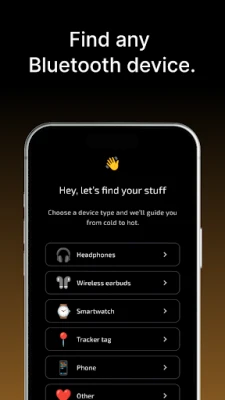
Bluetooth Finder: HotCold helps you find lost Bluetooth devices nearby using signal strength — earbuds, headphones, smartwatches, fitness bands, speakers, phones, tracker tags, and other BLE accessories.
Lost your earbuds, headphones, watch, fitness band, tracker, or speaker? Open the app, scan nearby Bluetooth and BLE devices, choose the device you want to find, and follow the HotCold signal indicator. When the Bluetooth signal gets stronger, you are likely getting closer. When it gets weaker, move around and try another direction.
HotCold can help find many nearby Bluetooth devices when they are powered on and broadcasting — AirPods, Galaxy Buds, Beats, Bose, JBL, Sony headphones, Fitbit bands, Garmin watches, Galaxy Watch devices, Amazfit, Mi Band, Xiaomi Band, Bluetooth speakers, phones, tablets, Tile, Chipolo, SmartTag, possible AirTags, Find My-compatible accessories, tracker tags, and other Bluetooth accessories.
Use HotCold as a Bluetooth finder, BLE scanner, earbuds finder, headphones finder, smartwatch finder, fitness band finder, tracker scanner, and signal-strength finder for nearby devices.
MAIN FEATURES
• Scan nearby Bluetooth devices
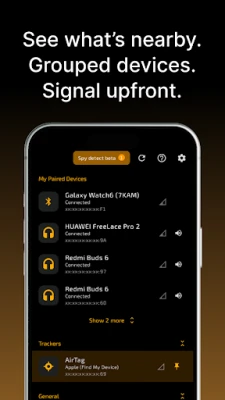
See nearby Bluetooth and BLE devices in one list.
• HotCold Find Mode
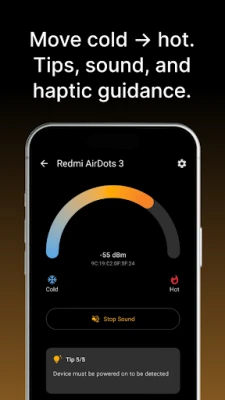
Track one selected device with a clear hot/cold Bluetooth signal indicator.
• Signal strength guidance
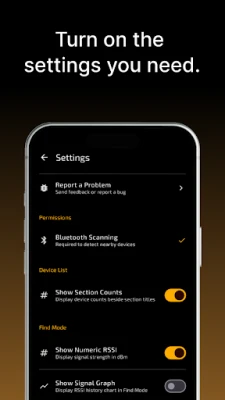
Use Bluetooth RSSI, signal bars, optional numeric RSSI, and a signal graph to understand whether the device is getting closer or farther away.
• Haptic guidance
Your phone can vibrate faster as the signal gets stronger, so you can search without staring at the screen.
• Optional sound guidance
Enable beeps that speed up as you get closer.
• Search and filter
Quickly search for device names such as AirPods, Galaxy Buds, Fitbit, Garmin, Galaxy Watch, Tile, Chipolo, SmartTag, AirTag, earbuds, headphones, watch, speaker, phone, tracker, and other Bluetooth devices.
• Pin a device
Keep one device easy to follow while nearby scan results continue changing.
• Freeze the list
Stabilize the device list in busy places so results do not jump while you are choosing a device.
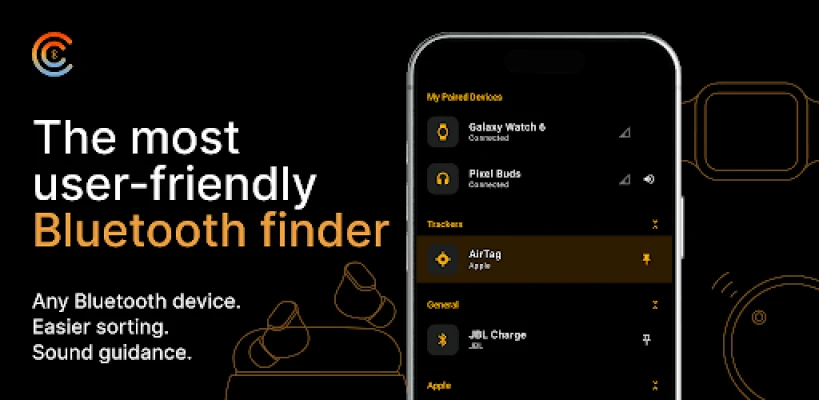
• My Paired Devices
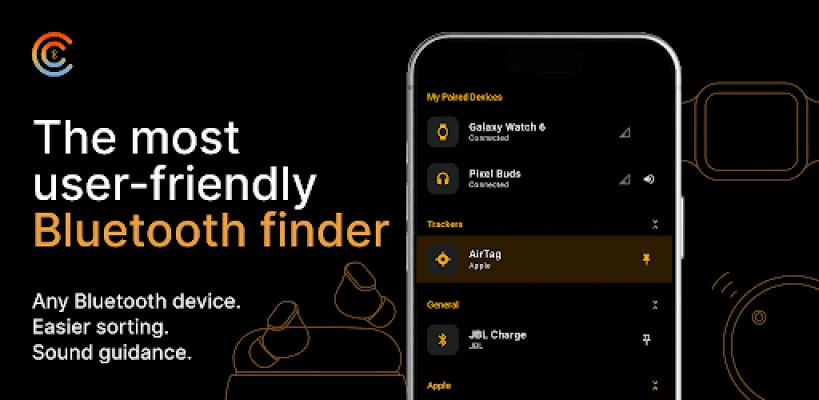
See known paired Bluetooth devices separately from newly detected nearby devices.
• Better device list
View meaningful names when available, Bluetooth IDs, manufacturer/type grouping, and signal strength.
• Auto-sort by signal
Sort nearby devices by signal strength to help spot the closest devices first.
• Tracker badges
The app can highlight possible tracker-like devices, including compatible AirTags, SmartTags, Tile, Chipolo, Find My accessories, and similar Bluetooth trackers when they are detectable nearby.
• Built-in tips and FAQ
Get practical tips for finding earbuds, headphones, trackers, phones, watches, fitness bands, speakers, and other Bluetooth devices.
GOOD FOR FINDING
• Lost earbuds and AirPods
• Galaxy Buds and wireless earbuds
• Bluetooth headphones
• Smartwatches and Galaxy Watch devices
• Fitbit bands and fitness trackers
• Garmin watches
• Amazfit, Mi Band, and Xiaomi Band devices
• Bluetooth speakers
• Phones and tablets nearby
• Tile, Chipolo, SmartTag, and tracker tags
• Possible AirTags and Find My-compatible accessories when detectable
• Nearby Bluetooth and BLE devices
IMPORTANT LIMITATIONS
Bluetooth Finder: HotCold does not show an exact GPS location. It is a nearby Bluetooth signal finder, not a GPS tracker.
The app can only detect a device when it is nearby, powered on, has battery, and is broadcasting Bluetooth or BLE signals.
Bluetooth signal strength is approximate. Walls, furniture, bags, pockets, people, interference, and phone orientation can affect the signal.
Tracker badges are helpful clues, not proof of a specific brand or tracker type. Some Apple Find My-compatible devices and other Bluetooth accessories can look similar during scanning.
PRIVACY
No account is required. Core Bluetooth scan results and saved device data stay on your device for finder features.
HotCold can help find many nearby Bluetooth devices when they are powered on and broadcasting — AirPods, Galaxy Buds, Beats, Bose, JBL, Sony headphones, Fitbit bands, Garmin watches, Galaxy Watch devices, Amazfit, Mi Band, Xiaomi Band, Bluetooth speakers, phones, tablets, Tile, Chipolo, SmartTag, possible AirTags, Find My-compatible accessories, tracker tags, and other Bluetooth accessories.
Use HotCold as a Bluetooth finder, BLE scanner, earbuds finder, headphones finder, smartwatch finder, fitness band finder, tracker scanner, and signal-strength finder for nearby devices.
MAIN FEATURES
• Scan nearby Bluetooth devices
See nearby Bluetooth and BLE devices in one list.
• HotCold Find Mode
Track one selected device with a clear hot/cold Bluetooth signal indicator.
• Signal strength guidance
Use Bluetooth RSSI, signal bars, optional numeric RSSI, and a signal graph to understand whether the device is getting closer or farther away.
• Haptic guidance
Your phone can vibrate faster as the signal gets stronger, so you can search without staring at the screen.
• Optional sound guidance
Enable beeps that speed up as you get closer.
• Search and filter
Quickly search for device names such as AirPods, Galaxy Buds, Fitbit, Garmin, Galaxy Watch, Tile, Chipolo, SmartTag, AirTag, earbuds, headphones, watch, speaker, phone, tracker, and other Bluetooth devices.
• Pin a device
Keep one device easy to follow while nearby scan results continue changing.
• Freeze the list
Stabilize the device list in busy places so results do not jump while you are choosing a device.
• My Paired Devices
See known paired Bluetooth devices separately from newly detected nearby devices.
• Better device list
View meaningful names when available, Bluetooth IDs, manufacturer/type grouping, and signal strength.
• Auto-sort by signal
Sort nearby devices by signal strength to help spot the closest devices first.
• Tracker badges
The app can highlight possible tracker-like devices, including compatible AirTags, SmartTags, Tile, Chipolo, Find My accessories, and similar Bluetooth trackers when they are detectable nearby.
• Built-in tips and FAQ
Get practical tips for finding earbuds, headphones, trackers, phones, watches, fitness bands, speakers, and other Bluetooth devices.
GOOD FOR FINDING
• Lost earbuds and AirPods
• Galaxy Buds and wireless earbuds
• Bluetooth headphones
• Smartwatches and Galaxy Watch devices
• Fitbit bands and fitness trackers
• Garmin watches
• Amazfit, Mi Band, and Xiaomi Band devices
• Bluetooth speakers
• Phones and tablets nearby
• Tile, Chipolo, SmartTag, and tracker tags
• Possible AirTags and Find My-compatible accessories when detectable
• Nearby Bluetooth and BLE devices
IMPORTANT LIMITATIONS
Bluetooth Finder: HotCold does not show an exact GPS location. It is a nearby Bluetooth signal finder, not a GPS tracker.
The app can only detect a device when it is nearby, powered on, has battery, and is broadcasting Bluetooth or BLE signals.
Bluetooth signal strength is approximate. Walls, furniture, bags, pockets, people, interference, and phone orientation can affect the signal.
Tracker badges are helpful clues, not proof of a specific brand or tracker type. Some Apple Find My-compatible devices and other Bluetooth accessories can look similar during scanning.
PRIVACY
No account is required. Core Bluetooth scan results and saved device data stay on your device for finder features.
Rate the App
Add Comment & Review
User Reviews
Based on 0 reviews
No reviews added yet.
Comments will not be approved to be posted if they are SPAM, abusive, off-topic, use profanity, contain a personal attack, or promote hate of any kind.






More »

Popular Apps

phpFoxPHPFOX LLC

Moon Chai StoryOlha Dobel

World War Heroes — WW2 PvP FPSAzur Interactive Games Limited

Govee LiteGovee

Build World AdventureExplore city in cube world

Viking Clan: RagnarokKano Games

Vikings: War of ClansPlarium LLC

Asphalt 9: LegendsGameloft SE

Submarine Car Diving SimulatorSwim with dolphins & penguins

Dawn of Zombies: Survival GameRoyal Ark
More »
Editor's Choice

Grim Soul: Dark Survival RPGBrickworks Games Ltd

Craft of Survival - Gladiators101XP LIMITED

Last Shelter: SurvivalLong Tech Network Limited
Dawn of Zombies: Survival GameRoyal Ark

Merge Survival : WastelandStickyHands Inc.

AoD Vikings: Valhalla GameRoboBot Studio
Viking Clan: RagnarokKano Games
Vikings: War of ClansPlarium LLC
Asphalt 9: LegendsGameloft SE

Modern Tanks: War Tank GamesXDEVS LTD