Latest Version
Update
November 26, 2026
Developer
The Overlord
Categories
Personalization
Platforms
Android
Downloads
0
License
Free
Package Name
com.mizuiro.animelivewallpaper
Report
Report a Problem
More About Anime Live Wallpaper 4K Moving
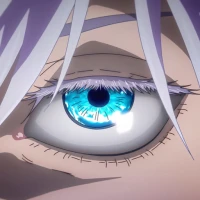
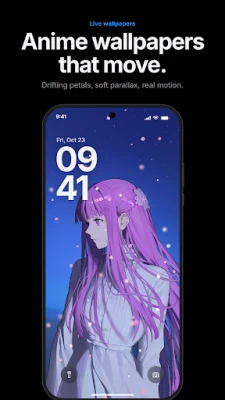
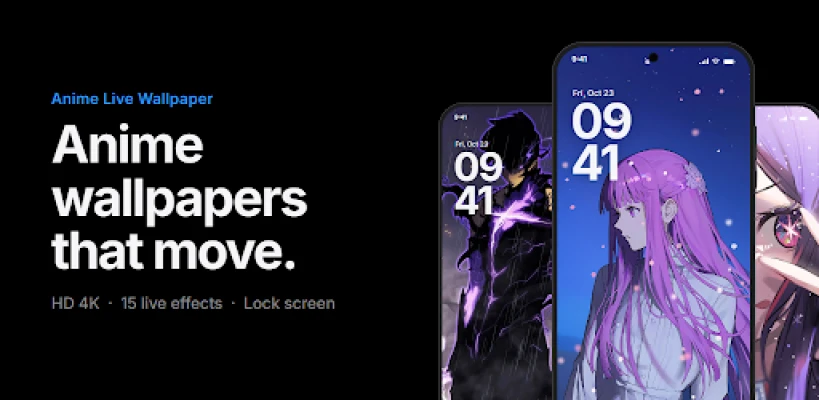
Anime live wallpaper 4K for Android: turn your lock screen and home screen into moving anime art. Looping video wallpapers, falling sakura petals, rain and snow, and a gentle 3D-style parallax tilt, all in sharp HD and 4K portrait backgrounds made for phones.
Anime Live Wallpaper 4K gives you an animated anime wallpaper in a few taps: pick a background, add an effect, crop it to your screen and set it. Simple, fast and light on battery.
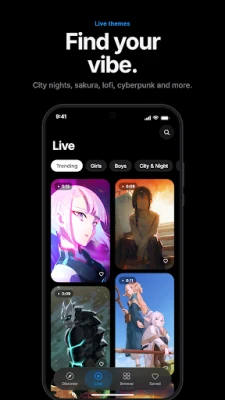
LIVE ANIME VIDEO WALLPAPERS • Looping anime video wallpapers for Android, cropped to your exact screen ratio so nothing is stretched • Live themes to browse: City & Night, Sky & Stars, Rain & Snow, Sakura, Lofi & Cozy, Fantasy, Cyberpunk and Nature • Works on your home screen and your lock screen
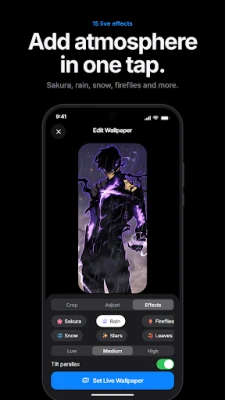
15 LIVE EFFECTS FOR ANY ANIME WALLPAPER • Sakura petals, snow, rain, stars, fireflies, falling leaves, bubbles, embers, floating hearts, mist, sunbeams, storm, sparkles, meteors and butterflies • Add an effect to a still wallpaper to make your own animated anime wallpaper • Tilt your phone for a 3D-style parallax effect with a slow breathing zoom • Preview every effect before you apply it, at low, medium or high intensity
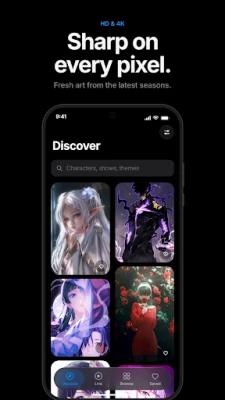
HD & 4K ANIME BACKGROUNDS • Portrait anime art in HD and 4K, sharp on AMOLED and OLED screens • A Discover feed that keeps loading new wallpapers as you scroll • Browse by genre and by anime series, or search for any character, show or theme • Save your favorites and find them again any time
AESTHETIC, DARK AND COZY MOODS From dark aesthetic anime wallpaper and neon city nights to rainy windows, sakura skies and cozy lofi rooms: find a look that fits your phone and your mood. Looking for a sakura live wallpaper, a rain live wallpaper or an anime parallax wallpaper? Pick one of the themes above and add the matching effect.
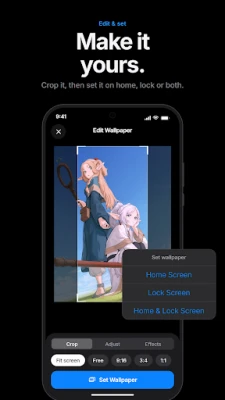
EDIT BEFORE YOU SET • Crop to fit your screen, or choose a freeform crop or a ratio such as 9:16 or 3:4 • Adjust brightness, contrast, saturation, hue and blur • Set it as your home screen, lock screen or both, or save it to your gallery
DESIGNED FOR EVERYDAY USE • Clean, minimal design that keeps the focus on the art • Family-friendly filter in Settings to hide suggestive art • Effects and parallax pause whenever the wallpaper is not on screen, to save battery
ADS AND PURCHASES The app is supported by ads. Before you set a wallpaper you can choose to watch a short video, or remove ads for good with a one-time purchase.
HOW TO USE
Open a wallpaper from Discover, Live, Browse or search.
Tap Set Wallpaper.
Crop, adjust and add an effect, then apply it. For live video wallpapers, confirm the preview that Android shows, then tap Set wallpaper.
NOTE This is an unofficial fan app and is not affiliated with any anime studio, publisher or rights holder. All artwork belongs to its respective creators. If you are a rights holder and want something removed, please contact us and we will act promptly.
Give your phone screen some life with moving anime art.
Rate the App
Add Comment & Review
User Reviews
Based on 0 reviews
No reviews added yet.
Comments will not be approved to be posted if they are SPAM, abusive, off-topic, use profanity, contain a personal attack, or promote hate of any kind.




More »

Popular Apps
phpFoxPHPFOX LLC
Moon Chai StoryOlha Dobel

World War Heroes — WW2 PvP FPSAzur Interactive Games Limited
Govee LiteGovee

AvSeaAvionics Electronics Geeks!
Viking Clan: RagnarokKano Games
Vikings: War of ClansPlarium LLC
Build World AdventureExplore city in cube world

Asphalt 9: LegendsGameloft SE
Dawn of Zombies: Survival GameRoyal Ark
More »
Editor's Choice
Grim Soul: Dark Survival RPGBrickworks Games Ltd
Craft of Survival - Gladiators101XP LIMITED
Last Shelter: SurvivalLong Tech Network Limited
Dawn of Zombies: Survival GameRoyal Ark
Merge Survival : WastelandStickyHands Inc.
AoD Vikings: Valhalla GameRoboBot Studio
Viking Clan: RagnarokKano Games
Vikings: War of ClansPlarium LLC
Asphalt 9: LegendsGameloft SE
Modern Tanks: War Tank GamesXDEVS LTD