
Latest Version
Update
September 17, 2026
September 17, 2026
Developer
OQ Watchfaces
OQ Watchfaces
Categories
Personalization
Personalization
Platforms
Android
Android
Downloads
0
0
License
$1.49
$1.49
Package Name
com.watchfacestudio.ab25
com.watchfacestudio.ab25
Report
Report a Problem
Report a Problem
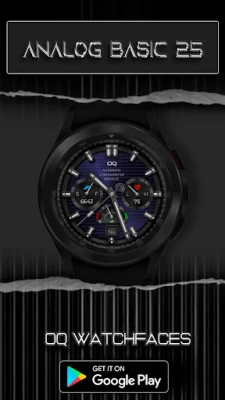
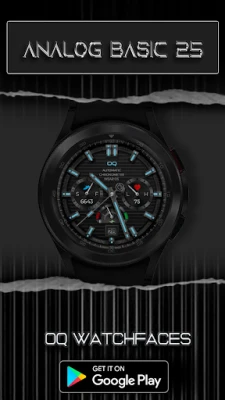
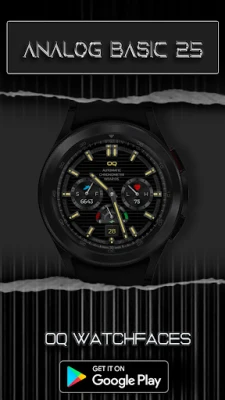
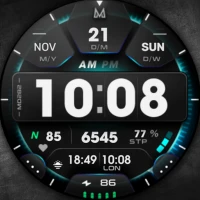
More About Analog Basic 25 Wear OS 5+
=======================================================
NOTICE: READ THIS ALWAYS BEFORE AND AFTER DOWNLOADING OUR WATCH FACE TO AVOID ANY SITUATION YOU DON'T LIKE.
=======================================================
This watch face for WEAR OS has been made in Samsung Galaxy Watch face studio which is still evolving and has been tested on Samsung Watch 4 Classic , Samsung Watch 5 Pro, and Samsung Watch Ultra. It also supports other Wear OS 5+ devices. Some feature experience can be slightly different on other watches.
b.An effort also has been made to make a brief INSTALL GUIDE which is an image added with screen previews .It is the last image in previews of this watch face for newbie android Wear OS users or those who do not know how to install the watch face to your connected device. So it is requested to also make an effort and read it before posting cannot install statements
c. DO NOT PAY TWICE FROM WATCH PLAY STORE . See & Read The Install Guide attached as an Image with Phone Play store Preview images of this watch face again. See 3 x methods 100 percent working to install both phone app and watch app .
This watch face for WEAR OS 5+ has following features:-
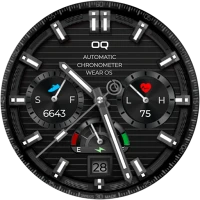
1. Tap at writing just below OQ log to open watch settings menu.
2. Tap at minutes index bar at 3 o Clock to open watch phone app.
3. Tap at minutes index bar at 9 o Clock to open watch messages app.
4. Tap On Heart Icon or Bpm Text to open Heart Rate Counter to take a reading.
5. Tap at date text to open watch calendar menu.
6. Tap in center of Watch Battery indicator above the date text to open watch battery settings menu.
7. 4 x Customizable Corner Complications are available to user in the customization menu for main display beside the chronometers. You can also turn them off on main display. They are switched off on AOD for better battery optimization.Also 2 x complications invisible shortcuts for you to place shortcut of your favorite apps.
8. Seconds Movement Style can be changed as well from customization menu.
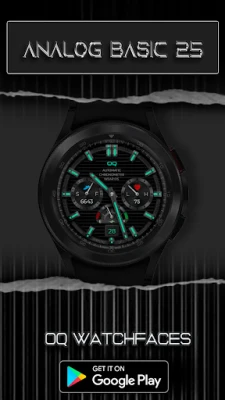
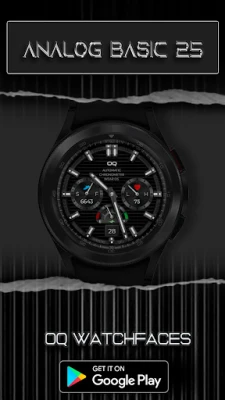
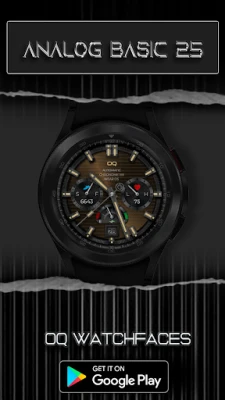
9. 7 x Background Styles for main display including default are available in customization menu.
10. Dim Modes for Main and AoD separately available also in customization menu.
=======================================================
This watch face for WEAR OS has been made in Samsung Galaxy Watch face studio which is still evolving and has been tested on Samsung Watch 4 Classic , Samsung Watch 5 Pro, and Samsung Watch Ultra. It also supports other Wear OS 5+ devices. Some feature experience can be slightly different on other watches.
b.An effort also has been made to make a brief INSTALL GUIDE which is an image added with screen previews .It is the last image in previews of this watch face for newbie android Wear OS users or those who do not know how to install the watch face to your connected device. So it is requested to also make an effort and read it before posting cannot install statements
c. DO NOT PAY TWICE FROM WATCH PLAY STORE . See & Read The Install Guide attached as an Image with Phone Play store Preview images of this watch face again. See 3 x methods 100 percent working to install both phone app and watch app .
This watch face for WEAR OS 5+ has following features:-
1. Tap at writing just below OQ log to open watch settings menu.
2. Tap at minutes index bar at 3 o Clock to open watch phone app.
3. Tap at minutes index bar at 9 o Clock to open watch messages app.
4. Tap On Heart Icon or Bpm Text to open Heart Rate Counter to take a reading.
5. Tap at date text to open watch calendar menu.
6. Tap in center of Watch Battery indicator above the date text to open watch battery settings menu.
7. 4 x Customizable Corner Complications are available to user in the customization menu for main display beside the chronometers. You can also turn them off on main display. They are switched off on AOD for better battery optimization.Also 2 x complications invisible shortcuts for you to place shortcut of your favorite apps.
8. Seconds Movement Style can be changed as well from customization menu.
9. 7 x Background Styles for main display including default are available in customization menu.
10. Dim Modes for Main and AoD separately available also in customization menu.
Rate the App
Add Comment & Review
User Reviews
Based on 0 reviews
No reviews added yet.
Comments will not be approved to be posted if they are SPAM, abusive, off-topic, use profanity, contain a personal attack, or promote hate of any kind.












More »

Popular Apps

phpFoxPHPFOX LLC

Moon Chai StoryOlha Dobel

World War Heroes — WW2 PvP FPSAzur Interactive Games Limited

Govee LiteGovee

AvSeaAvionics Electronics Geeks!

Viking Clan: RagnarokKano Games

Build World AdventureExplore city in cube world

Vikings: War of ClansPlarium LLC

Asphalt 9: LegendsGameloft SE

Dawn of Zombies: Survival GameRoyal Ark
More »
Editor's Choice

Grim Soul: Dark Survival RPGBrickworks Games Ltd

Craft of Survival - Gladiators101XP LIMITED

Last Shelter: SurvivalLong Tech Network Limited
Dawn of Zombies: Survival GameRoyal Ark

Merge Survival : WastelandStickyHands Inc.

AoD Vikings: Valhalla GameRoboBot Studio
Viking Clan: RagnarokKano Games
Vikings: War of ClansPlarium LLC
Asphalt 9: LegendsGameloft SE

Modern Tanks: War Tank GamesXDEVS LTD