


Latest Version
Update
November 04, 2026
November 04, 2026
Developer
Aurora Inc.
Aurora Inc.
Categories
Video Players
Video Players
Platforms
Android
Android
Downloads
0
0
License
Free
Free
Package Name
com.binghuo.videodownloader
com.binghuo.videodownloader
Report
Report a Problem
Report a Problem
More About All Video Downloader & Player
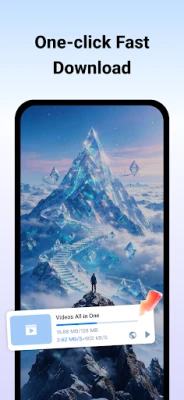
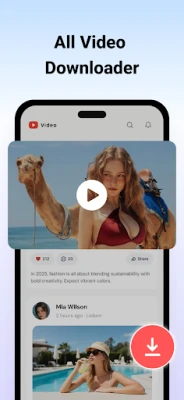
All Video Downloader saves videos from the web onto your phone, then plays them offline. Open a page in the built-in browser, and the app detects videos for you. Pick a quality and download with one tap.
Built-in browser
• Search or paste a link
• Open any website
• Multiple tabs, bookmarks, history, copy link, and desktop site
• Block ads while you browse, and clear cache, history, or cookies
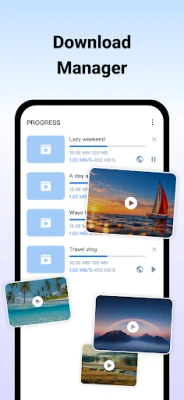
Download manager
• Detect videos on the page and choose a quality
• Download several videos at the same time
• Pause, resume, or stop one download or all of them
• Keep downloading in the background and check progress in the notification
• Download on Wi-Fi only, choose where files are saved, and sync them to your gallery
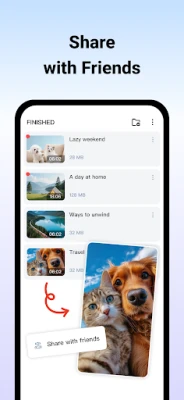
• Rename, share, or delete finished videos
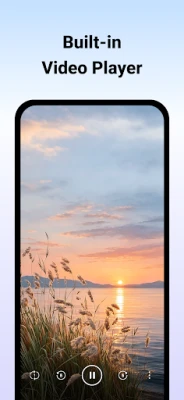
Offline player
• Play saved videos without opening another app
• Pause, seek, mute, change speed, and auto-rotate
• Lock the controls, or cast to a TV on the same Wi-Fi
How to download
1. Go to a website, or paste a URL
2. Play the video
3. Tap the download button and choose a quality
4. Open Finished and watch it anytime
Make it yours
• Light, dark, or follow the system theme
• Switch the app language
Please get permission from the owner before you download, share, or reuse a video. You are responsible for how you use downloaded files.
• Search or paste a link
• Open any website
• Multiple tabs, bookmarks, history, copy link, and desktop site
• Block ads while you browse, and clear cache, history, or cookies
Download manager
• Detect videos on the page and choose a quality
• Download several videos at the same time
• Pause, resume, or stop one download or all of them
• Keep downloading in the background and check progress in the notification
• Download on Wi-Fi only, choose where files are saved, and sync them to your gallery
• Rename, share, or delete finished videos
Offline player
• Play saved videos without opening another app
• Pause, seek, mute, change speed, and auto-rotate
• Lock the controls, or cast to a TV on the same Wi-Fi
How to download
1. Go to a website, or paste a URL
2. Play the video
3. Tap the download button and choose a quality
4. Open Finished and watch it anytime
Make it yours
• Light, dark, or follow the system theme
• Switch the app language
Please get permission from the owner before you download, share, or reuse a video. You are responsible for how you use downloaded files.
Rate the App
Add Comment & Review
User Reviews
Based on 0 reviews
No reviews added yet.
Comments will not be approved to be posted if they are SPAM, abusive, off-topic, use profanity, contain a personal attack, or promote hate of any kind.















More »

Popular Apps

phpFoxPHPFOX LLC

Moon Chai StoryOlha Dobel

World War Heroes — WW2 PvP FPSAzur Interactive Games Limited

Govee LiteGovee

AvSeaAvionics Electronics Geeks!

Viking Clan: RagnarokKano Games

Vikings: War of ClansPlarium LLC

Build World AdventureExplore city in cube world

Asphalt 9: LegendsGameloft SE

Dawn of Zombies: Survival GameRoyal Ark
More »
Editor's Choice

Grim Soul: Dark Survival RPGBrickworks Games Ltd

Craft of Survival - Gladiators101XP LIMITED

Last Shelter: SurvivalLong Tech Network Limited
Dawn of Zombies: Survival GameRoyal Ark

Merge Survival : WastelandStickyHands Inc.

AoD Vikings: Valhalla GameRoboBot Studio
Viking Clan: RagnarokKano Games
Vikings: War of ClansPlarium LLC
Asphalt 9: LegendsGameloft SE

Modern Tanks: War Tank GamesXDEVS LTD