

Latest Version
Update
July 03, 2026
July 03, 2026
Developer
chilledcow
chilledcow
Categories
Tools
Tools
Platforms
Android
Android
Downloads
0
0
License
Free
Free
Package Name
com.screenmirror
com.screenmirror
Report
Report a Problem
Report a Problem
More About Aircast: Cast & Mirror to TV
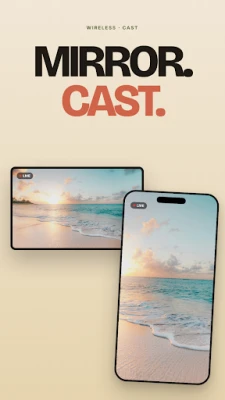
Mirror and cast your phone to any Smart TV. No cables. No setup. No fuss.
Aircast turns your Android phone into a wireless display. Stream videos, photos, games, presentations, and your full screen to a Smart TV over Wi-Fi in seconds.
WHY AIRCAST
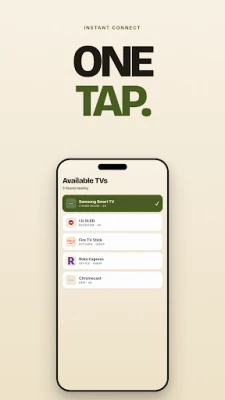
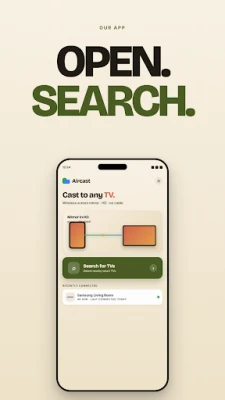
• One-tap screen mirroring. Tap Search for TVs, pick your TV, and you're on the big screen.
• Works wirelessly. No HDMI cable, no dongle, no extra hardware.
• Free. No subscription, no in-app purchases for core mirroring.
• No account. No sign-up, no email, no login. Open the app and connect.
• In your language. Aircast is fully translated into 15 languages including English, Español, Português, हिन्दी, العربية, 中文, 日本語. Pick on first launch, change from the home screen any time.
• Light and dark themes built in.
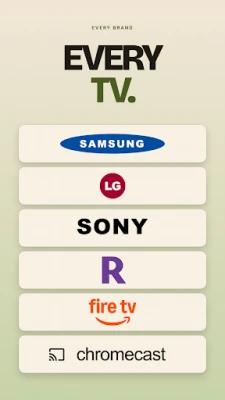
• Setup guide for your TV. Brand-specific instructions for Samsung, LG, Sony, Roku, Fire TV, Hisense, TCL, Mi TV, Vizio, and Panasonic.
• Hotspot fallback. No home Wi-Fi? Aircast shows you how to mirror through your phone's hotspot.
WORKS WITH
Aircast supports Android 7.0 and above and any TV that speaks Miracast or Wireless Display, including:
Smart TVs:
• Samsung Smart TV (Tizen)
• LG Smart TV (webOS)
• Sony Bravia
• Hisense Smart TV
• TCL Smart TV
• Vizio Smart TV (SmartCast)
• Panasonic Smart TV
• Xiaomi Mi TV and Redmi TV
• Philips Smart TV
• Sharp Smart TV
Streaming sticks and devices:
• Roku
• Amazon Fire TV
• Google Chromecast (Miracast-compatible)
• Android TV boxes
• NVIDIA Shield
• Apple TV (with a Miracast adapter)
HOW TO MIRROR YOUR PHONE TO TV
1. Connect your phone and TV to the same Wi-Fi network. No Wi-Fi at home? Turn on your phone's hotspot and connect your TV to it. The full guide is inside the app.
2. Enable Wireless Display on your TV. The in-app guide shows the exact menu path for your brand.
3. Open Aircast, tap Search for TVs, choose your TV, confirm on the TV. Done.
PERFECT FOR
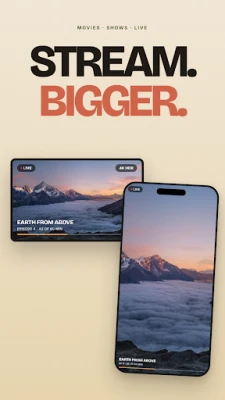
• Streaming videos and movies on a bigger screen
• Casting YouTube, Netflix, Prime Video, Disney+ from phone to TV
• Sharing presentations, slides, and documents at work
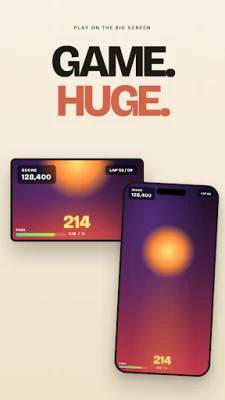
• Mirroring mobile games on TV with friends
• Showing recipes and tutorials in the kitchen
• Family photo and video viewing on the living-room TV
• Following workout videos on a bigger screen
• Browsing the web on TV from your phone
QUICK ANSWERS
Do I need Wi-Fi to mirror my phone to TV?
Yes, both your phone and TV need to be on the same network. If you don't have home Wi-Fi, the in-app guide shows you how to use your phone's hotspot as the network instead.
Does this work without an HDMI cable?
Yes. Aircast is wireless. No cables, no dongles.
Will it work with my Samsung, LG, or Roku TV?
Yes. Any Smart TV that supports Miracast, Wireless Display, or Screen Mirroring works. The in-app guide gives you the exact menu path for ten major brands.
Is Aircast really free?
Yes. Core screen mirroring is free with no subscription.
Does Aircast collect my data?
No. Mirroring happens directly between your phone and TV over your local network. Your screen content never leaves your home.
PRIVACY
Aircast does not collect, store, or transmit your screen content, files, or personal data. All mirroring traffic is local: phone to TV, over your own Wi-Fi.
Get Aircast and turn any Smart TV into a free, wireless phone display.
WHY AIRCAST
• One-tap screen mirroring. Tap Search for TVs, pick your TV, and you're on the big screen.
• Works wirelessly. No HDMI cable, no dongle, no extra hardware.
• Free. No subscription, no in-app purchases for core mirroring.
• No account. No sign-up, no email, no login. Open the app and connect.
• In your language. Aircast is fully translated into 15 languages including English, Español, Português, हिन्दी, العربية, 中文, 日本語. Pick on first launch, change from the home screen any time.
• Light and dark themes built in.
• Setup guide for your TV. Brand-specific instructions for Samsung, LG, Sony, Roku, Fire TV, Hisense, TCL, Mi TV, Vizio, and Panasonic.
• Hotspot fallback. No home Wi-Fi? Aircast shows you how to mirror through your phone's hotspot.
WORKS WITH
Aircast supports Android 7.0 and above and any TV that speaks Miracast or Wireless Display, including:
Smart TVs:
• Samsung Smart TV (Tizen)
• LG Smart TV (webOS)
• Sony Bravia
• Hisense Smart TV
• TCL Smart TV
• Vizio Smart TV (SmartCast)
• Panasonic Smart TV
• Xiaomi Mi TV and Redmi TV
• Philips Smart TV
• Sharp Smart TV
Streaming sticks and devices:
• Roku
• Amazon Fire TV
• Google Chromecast (Miracast-compatible)
• Android TV boxes
• NVIDIA Shield
• Apple TV (with a Miracast adapter)
HOW TO MIRROR YOUR PHONE TO TV
1. Connect your phone and TV to the same Wi-Fi network. No Wi-Fi at home? Turn on your phone's hotspot and connect your TV to it. The full guide is inside the app.
2. Enable Wireless Display on your TV. The in-app guide shows the exact menu path for your brand.
3. Open Aircast, tap Search for TVs, choose your TV, confirm on the TV. Done.
PERFECT FOR
• Streaming videos and movies on a bigger screen
• Casting YouTube, Netflix, Prime Video, Disney+ from phone to TV
• Sharing presentations, slides, and documents at work
• Mirroring mobile games on TV with friends
• Showing recipes and tutorials in the kitchen
• Family photo and video viewing on the living-room TV
• Following workout videos on a bigger screen
• Browsing the web on TV from your phone
QUICK ANSWERS
Do I need Wi-Fi to mirror my phone to TV?
Yes, both your phone and TV need to be on the same network. If you don't have home Wi-Fi, the in-app guide shows you how to use your phone's hotspot as the network instead.
Does this work without an HDMI cable?
Yes. Aircast is wireless. No cables, no dongles.
Will it work with my Samsung, LG, or Roku TV?
Yes. Any Smart TV that supports Miracast, Wireless Display, or Screen Mirroring works. The in-app guide gives you the exact menu path for ten major brands.
Is Aircast really free?
Yes. Core screen mirroring is free with no subscription.
Does Aircast collect my data?
No. Mirroring happens directly between your phone and TV over your local network. Your screen content never leaves your home.
PRIVACY
Aircast does not collect, store, or transmit your screen content, files, or personal data. All mirroring traffic is local: phone to TV, over your own Wi-Fi.
Get Aircast and turn any Smart TV into a free, wireless phone display.
Rate the App
Add Comment & Review
User Reviews
Based on 0 reviews
No reviews added yet.
Comments will not be approved to be posted if they are SPAM, abusive, off-topic, use profanity, contain a personal attack, or promote hate of any kind.










More »

Popular Apps

phpFoxPHPFOX LLC

Moon Chai StoryOlha Dobel

World War Heroes — WW2 PvP FPSAzur Interactive Games Limited

Govee LiteGovee

Build World AdventureExplore city in cube world

Viking Clan: RagnarokKano Games

Vikings: War of ClansPlarium LLC

Asphalt 9: LegendsGameloft SE

Submarine Car Diving SimulatorSwim with dolphins & penguins

Dawn of Zombies: Survival GameRoyal Ark
More »
Editor's Choice

Grim Soul: Dark Survival RPGBrickworks Games Ltd

Craft of Survival - Gladiators101XP LIMITED

Last Shelter: SurvivalLong Tech Network Limited
Dawn of Zombies: Survival GameRoyal Ark

Merge Survival : WastelandStickyHands Inc.

AoD Vikings: Valhalla GameRoboBot Studio
Viking Clan: RagnarokKano Games
Vikings: War of ClansPlarium LLC
Asphalt 9: LegendsGameloft SE

Modern Tanks: War Tank GamesXDEVS LTD