

Latest Version
Update
November 29, 2026
Developer
BebraSoft AI
Categories
Tools
Platforms
Android
Downloads
0
License
Free
Package Name
com.bebrasoftai.cleaner
Report
Report a Problem
More About AI Cleaner - Storage Cleanup
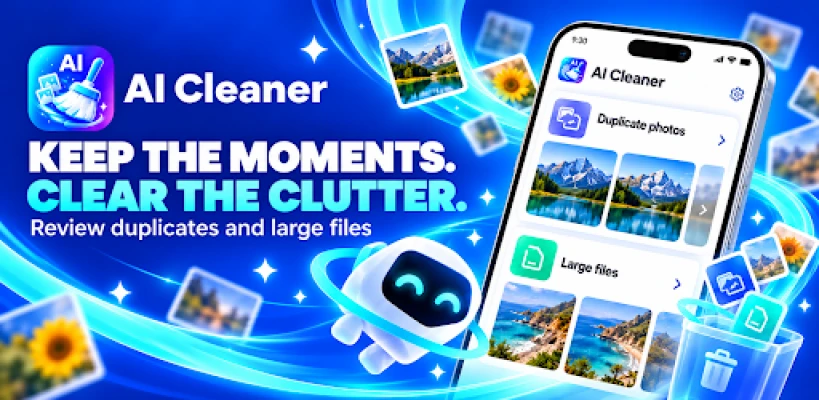
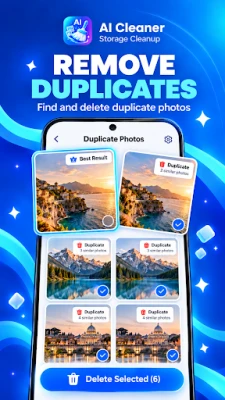
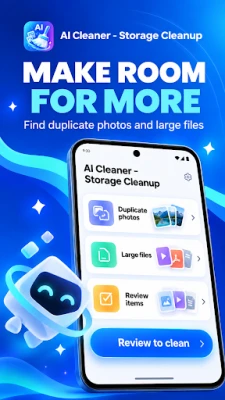
AI Cleaner - Storage Cleanup helps manage phone storage. AI-assisted photo scanning highlights duplicate photos and similar images. Review blurry photos, screenshots, large files, old media, and apps by size or last use—then choose what to delete.
📸 AI photo cleaner & storage scan
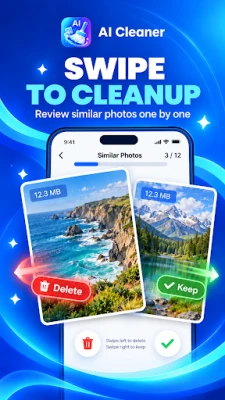
Run an AI photo scan to review duplicate photos and similar shots in one place. Exact duplicate files match byte for byte; the oldest copy is suggested to keep, while extra copies are selected for review. For similar photos, the sharpest photo is suggested, and blurry photos are listed for cleanup—you decide what to keep or remove.
🧹 Storage cleanup: find large files & free space
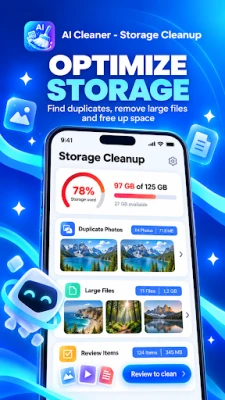
Run a quick scan to browse screenshots, large files, and older media with size and date details to free up space. Check photos, videos, and audio before deleting anything. Sort files by size or date to locate items you may no longer need, then select the ones you want to remove. Use the size and date filters to narrow results when reviewing old or large media. Screenshots appear as a separate category, so you can find and review them without mixing them with everyday photos. File sizes shown are the actual sizes.
🗑 You stay in control
Nothing is deleted without confirmation. Media removal uses Android’s own confirmation dialog, and you can choose to move supported files to the trash and restore them later from Recently deleted. For lists and folders, review the selection before confirming. No automatic deletion runs in the background.
🖼 Compress photos
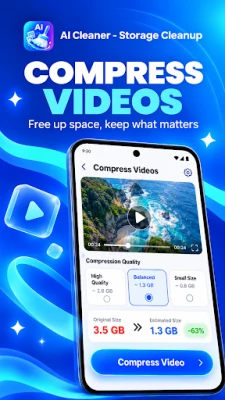
Save smaller copies of photos to reduce their file size. Review the result and decide whether to keep the original or remove it yourself. Compression is optional, so you can keep full-size photos when image detail matters and use smaller copies when you need to save space or share files.
📱 Review apps by size and use
See installed and unused apps sorted by storage size and last use for easy cleanup. Open Android app settings for any unused app you choose to uninstall and free space. You make the decision in Android’s system screen; the cleaner does not close apps or remove another app’s data.
📂 Clean a folder you choose
Select a folder using Android’s system folder picker to review empty folders and leftover APK installer files. Choose what to remove and confirm the action. The app works with the media and folders you select; it does not need access to every file on your phone.
🧰 More storage tools
Clear this cleaner’s own cache or open Android’s storage screen to review system-recommended options. Other apps’ caches can only be managed through Android settings, so the app opens the relevant system screen instead of claiming to clear them for you.
🔋 Check battery information
View battery charge, temperature, and health as reported by Android. This is information for reference; it does not cool the phone, boost performance, or extend battery life.
🔒 Private, on-device cleanup
Photo and file scans happen on your phone. Your personal media is not uploaded to a server, and no account or sign-in is needed. The app uses Android’s media access and the folders you choose, rather than requesting access to all files. You can review what was found before taking action.
✨ A simple way to organize phone storage
Use this AI photo scan to review duplicate photos, similar images, large files, unused apps, and blurry photos. Run a storage cleanup on a chosen folder, compress photos to free space, or open Android storage settings.
The app is free to use with ads. A one-time in-app purchase removes all ads; every feature is available without a subscription.
Download AI Cleaner - Storage Cleanup to scan large files, duplicate or similar photos, and unused apps to free storage space.
Rate the App
Add Comment & Review
User Reviews
Based on 0 reviews
No reviews added yet.
Comments will not be approved to be posted if they are SPAM, abusive, off-topic, use profanity, contain a personal attack, or promote hate of any kind.












More »

Popular Apps

phpFoxPHPFOX LLC

Moon Chai StoryOlha Dobel

World War Heroes — WW2 PvP FPSAzur Interactive Games Limited

Govee LiteGovee

AvSeaAvionics Electronics Geeks!

Viking Clan: RagnarokKano Games

Vikings: War of ClansPlarium LLC

Build World AdventureExplore city in cube world

Asphalt 9: LegendsGameloft SE
Dawn of Zombies: Survival GameRoyal Ark
More »
Editor's Choice

Grim Soul: Dark Survival RPGBrickworks Games Ltd

Craft of Survival - Gladiators101XP LIMITED

Last Shelter: SurvivalLong Tech Network Limited
Dawn of Zombies: Survival GameRoyal Ark

Merge Survival : WastelandStickyHands Inc.

AoD Vikings: Valhalla GameRoboBot Studio
Viking Clan: RagnarokKano Games
Vikings: War of ClansPlarium LLC
Asphalt 9: LegendsGameloft SE

Modern Tanks: War Tank GamesXDEVS LTD