

Latest Version
Version
4.4
4.4
Update
April 24, 2026
April 24, 2026
Developer
Seyfi Can Zeyrek
Seyfi Can Zeyrek
Categories
ART & Design
ART & Design
Platforms
Android
Android
Downloads
0
0
License
Free
Free
Package Name
com.scz.cineflux
com.scz.cineflux
Report
Report a Problem
Report a Problem
More About Soranova - AI Video Maker
What is Soranova?
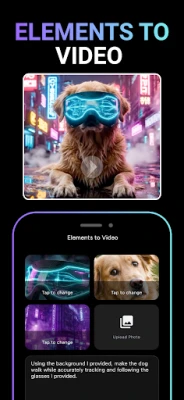
Soranova is a mobile AI studio for people who publish on short-form platforms and want one place to go from idea to finished clip. Turn a written idea into motion, bring a still photo to life, shape a hook-friendly edit, and add music that matches mood and genre—without juggling five different tools.
Who it is for
• Creators building YouTube Shorts, Instagram Reels, TikTok-style vertical video, and quick social promos
• Small teams and solo makers who need dependable export and readable captions
• Anyone exploring AI-assisted visuals alongside music and image experiments
Video creation that matches how people search
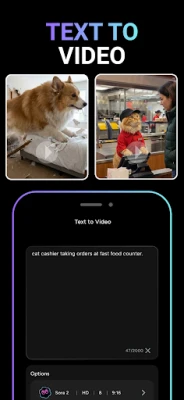
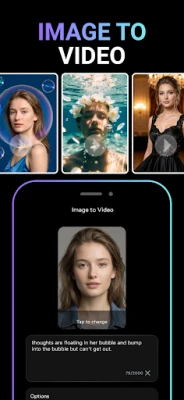
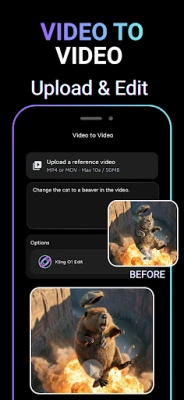
Start from text and let the app suggest structure for a short scene. Use photo-to-motion workflows when you already have a key visual. Combine clips, refine pacing, and keep everything in a vertical-friendly frame when your platform expects it. The experience is built around the same phrases people type in the store: AI video maker, text-to-video style generation, image-to-video motion, and social media video packaging.
Editing building blocks
• Multi-layer thinking: stack visuals, text, and timing decisions without losing the story beat
• Captions and speech-to-text style assistance for talking-head and voiceover workflows
• Green screen and chroma-style separation when you want a clean subject on a new backdrop
• Picture-in-picture and split layouts for reactions, tutorials, and before-and-after reveals
• Speed changes, jump cuts, and beat-aware rhythm when music drives the edit
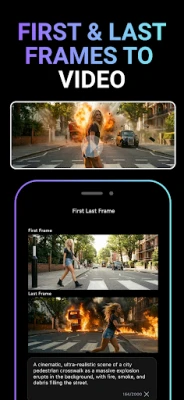
• Keyframe-friendly motion when you need a start pose and an end pose to interpolate between
• Export paths that respect platform norms, including crisp vertical masters and high-resolution output when your device allows
Music and sound
Generate backing tracks that follow a theme you describe, explore genre and mood combinations, and experiment with vocal textures including solo, duet, and choir-style layers. Use extracted audio from existing clips when you are remixing, and keep voice enhancement in mind for noisy environments. Soranova is positioned next to searches like AI music generator, subtitle generator, and voice-focused video tools—without promising unrealistic instant fame.
Image tools beside video
Experiment with text-to-image prompts for thumbnails and cover art. Try interior-style visual concepts when you are staging a room idea. Explore tattoo-style concept art when you want a bold visual anchor. Use image-to-image adjustments when you already have a base photo. These modules complement the core video maker rather than replacing a full desktop design suite.
Effects and style
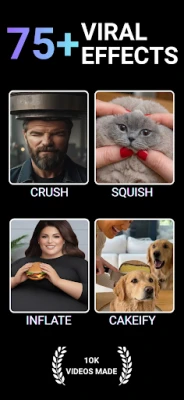
Add cinematic filters, glitch and retro treatments, polaroid-inspired looks, and stylized fantasy or anime-inspired visuals when the brief calls for it. ASMR-style gentle motion and immersive audio beds can suit calm content. Luxury and Y2K-inspired aesthetics are available as creative directions—not as guarantees of performance. The goal is expressive range, not a single generic filter pack.
Workflow reliability (what reviewers asked for elsewhere)
Many creator apps struggle with timeline sync, export stalls, and confusing project save flows. Soranova emphasizes clear draft and export steps, preview before share, and stable handling of longer projects when your device has headroom. If something fails, your project should remain recoverable from drafts rather than disappearing after hours of work.
Use cases by intent
• Faceless channels that rely on script-led visuals and consistent pacing
• Product clips and short explainers that need a clear hook in the first seconds
• Travel diaries, fitness reels, meme edits, and birthday or event montages
• Tutorials and screen-led demos when you combine captured footage with overlays
Sharing
When you are ready, move drafts to export and share to the destinations your audience uses. The app is designed around vertical-first delivery, readable subtitles, and audio that stays intelligible a
Who it is for
• Creators building YouTube Shorts, Instagram Reels, TikTok-style vertical video, and quick social promos
• Small teams and solo makers who need dependable export and readable captions
• Anyone exploring AI-assisted visuals alongside music and image experiments
Video creation that matches how people search
Start from text and let the app suggest structure for a short scene. Use photo-to-motion workflows when you already have a key visual. Combine clips, refine pacing, and keep everything in a vertical-friendly frame when your platform expects it. The experience is built around the same phrases people type in the store: AI video maker, text-to-video style generation, image-to-video motion, and social media video packaging.
Editing building blocks
• Multi-layer thinking: stack visuals, text, and timing decisions without losing the story beat
• Captions and speech-to-text style assistance for talking-head and voiceover workflows
• Green screen and chroma-style separation when you want a clean subject on a new backdrop
• Picture-in-picture and split layouts for reactions, tutorials, and before-and-after reveals
• Speed changes, jump cuts, and beat-aware rhythm when music drives the edit
• Keyframe-friendly motion when you need a start pose and an end pose to interpolate between
• Export paths that respect platform norms, including crisp vertical masters and high-resolution output when your device allows
Music and sound
Generate backing tracks that follow a theme you describe, explore genre and mood combinations, and experiment with vocal textures including solo, duet, and choir-style layers. Use extracted audio from existing clips when you are remixing, and keep voice enhancement in mind for noisy environments. Soranova is positioned next to searches like AI music generator, subtitle generator, and voice-focused video tools—without promising unrealistic instant fame.
Image tools beside video
Experiment with text-to-image prompts for thumbnails and cover art. Try interior-style visual concepts when you are staging a room idea. Explore tattoo-style concept art when you want a bold visual anchor. Use image-to-image adjustments when you already have a base photo. These modules complement the core video maker rather than replacing a full desktop design suite.
Effects and style
Add cinematic filters, glitch and retro treatments, polaroid-inspired looks, and stylized fantasy or anime-inspired visuals when the brief calls for it. ASMR-style gentle motion and immersive audio beds can suit calm content. Luxury and Y2K-inspired aesthetics are available as creative directions—not as guarantees of performance. The goal is expressive range, not a single generic filter pack.
Workflow reliability (what reviewers asked for elsewhere)
Many creator apps struggle with timeline sync, export stalls, and confusing project save flows. Soranova emphasizes clear draft and export steps, preview before share, and stable handling of longer projects when your device has headroom. If something fails, your project should remain recoverable from drafts rather than disappearing after hours of work.
Use cases by intent
• Faceless channels that rely on script-led visuals and consistent pacing
• Product clips and short explainers that need a clear hook in the first seconds
• Travel diaries, fitness reels, meme edits, and birthday or event montages
• Tutorials and screen-led demos when you combine captured footage with overlays
Sharing
When you are ready, move drafts to export and share to the destinations your audience uses. The app is designed around vertical-first delivery, readable subtitles, and audio that stays intelligible a
Rate the App
Add Comment & Review
User Reviews
Based on 0 reviews
No reviews added yet.
Comments will not be approved to be posted if they are SPAM, abusive, off-topic, use profanity, contain a personal attack, or promote hate of any kind.
![[Imshine] Cute cat and mint](http://apkstore.app/images/17769849128749216.webp)









More »

Popular Apps

phpFoxPHPFOX LLC

Moon Chai StoryOlha Dobel

World War Heroes — WW2 PvP FPSAzur Interactive Games Limited

Govee LiteGovee

Build World AdventureExplore city in cube world

Viking Clan: RagnarokKano Games

Vikings: War of ClansPlarium LLC

Submarine Car Diving SimulatorSwim with dolphins & penguins

Asphalt 9: LegendsGameloft SE

Dawn of Zombies: Survival GameRoyal Ark
More »
Editor's Choice

Grim Soul: Dark Survival RPGBrickworks Games Ltd

Craft of Survival - Gladiators101XP LIMITED

Last Shelter: SurvivalLong Tech Network Limited
Dawn of Zombies: Survival GameRoyal Ark

Merge Survival : WastelandStickyHands Inc.

AoD Vikings: Valhalla GameRoboBot Studio
Viking Clan: RagnarokKano Games
Vikings: War of ClansPlarium LLC
Asphalt 9: LegendsGameloft SE

Modern Tanks: War Tank GamesXDEVS LTD