

Latest Version
Update
July 22, 2026
July 22, 2026
Developer
ColorOS
ColorOS
Categories
Tools
Tools
Platforms
Android
Android
Downloads
0
0
License
Free
Free
Package Name
com.oplus.screenrecorder
com.oplus.screenrecorder
Report
Report a Problem
Report a Problem
More About Screen recording
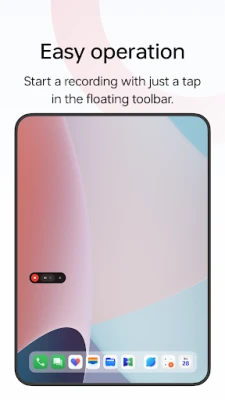
Screen recording is a tool provided by OPPO that lets you conveniently record your screen.
Multiple ways to open this tool
- Bring up the Smart Sidebar from the screen edge and tap "Screen recording".
- Swipe down from the top of the screen to bring up Quick Settings and tap "Screen recording".
- Swipe down in an empty area on the Home screen, search for "Screen recording" and tap the icon of this tool.
- Open a game in Game Space, swipe from the upper-left corner of the screen to the lower-right corner, and choose "Screen recording" from the menu.
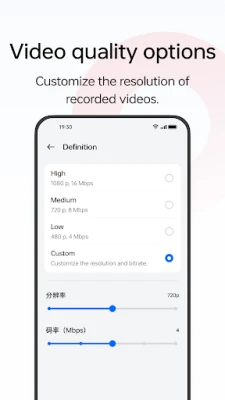
Various video quality options
- Choose the definition, frame rate, and coding format you want to record with.
Useful settings
- You can record the system sound, external sound through the microphone, or both at once.
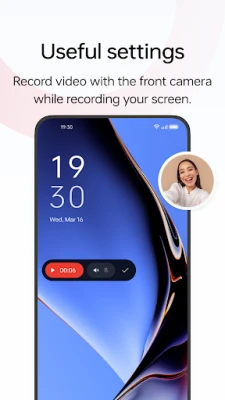
- You can record video with the front camera while simultaneously recording your screen.
- Screen touches can also be recorded.
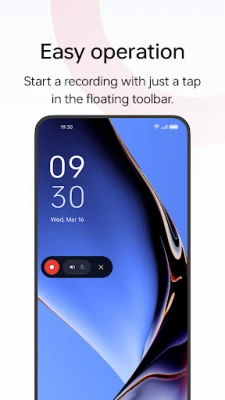
- You can pause or resume a recording by tapping the button on the recorder toolbar.
Share your recordings
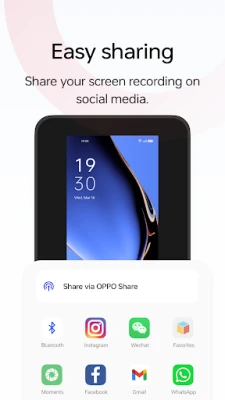
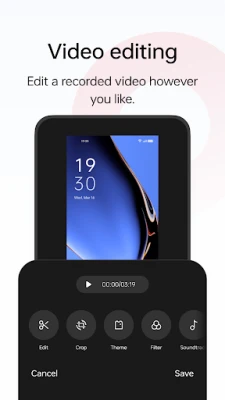
- When a recording is complete, a floating window will appear. You can tap "Share" under the window to share it or tap the window itself to edit the video before sharing.
- Bring up the Smart Sidebar from the screen edge and tap "Screen recording".
- Swipe down from the top of the screen to bring up Quick Settings and tap "Screen recording".
- Swipe down in an empty area on the Home screen, search for "Screen recording" and tap the icon of this tool.
- Open a game in Game Space, swipe from the upper-left corner of the screen to the lower-right corner, and choose "Screen recording" from the menu.
Various video quality options
- Choose the definition, frame rate, and coding format you want to record with.
Useful settings
- You can record the system sound, external sound through the microphone, or both at once.
- You can record video with the front camera while simultaneously recording your screen.
- Screen touches can also be recorded.
- You can pause or resume a recording by tapping the button on the recorder toolbar.
Share your recordings
- When a recording is complete, a floating window will appear. You can tap "Share" under the window to share it or tap the window itself to edit the video before sharing.
Rate the App
Add Comment & Review
User Reviews
Based on 0 reviews
No reviews added yet.
Comments will not be approved to be posted if they are SPAM, abusive, off-topic, use profanity, contain a personal attack, or promote hate of any kind.









More »

Popular Apps

phpFoxPHPFOX LLC

Moon Chai StoryOlha Dobel

World War Heroes — WW2 PvP FPSAzur Interactive Games Limited

Govee LiteGovee

Build World AdventureExplore city in cube world

Viking Clan: RagnarokKano Games

Vikings: War of ClansPlarium LLC

Asphalt 9: LegendsGameloft SE

Submarine Car Diving SimulatorSwim with dolphins & penguins

Dawn of Zombies: Survival GameRoyal Ark
More »
Editor's Choice

Grim Soul: Dark Survival RPGBrickworks Games Ltd

Craft of Survival - Gladiators101XP LIMITED

Last Shelter: SurvivalLong Tech Network Limited
Dawn of Zombies: Survival GameRoyal Ark

Merge Survival : WastelandStickyHands Inc.

AoD Vikings: Valhalla GameRoboBot Studio
Viking Clan: RagnarokKano Games
Vikings: War of ClansPlarium LLC
Asphalt 9: LegendsGameloft SE

Modern Tanks: War Tank GamesXDEVS LTD