
Latest Version
Update
October 20, 2026
October 20, 2026
Developer
Useful apps and tools
Useful apps and tools
Categories
Tools
Tools
Platforms
Android
Android
Downloads
0
0
License
Free
Free
Package Name
com.calculatorwebtools.scientificcalculator
com.calculatorwebtools.scientificcalculator
Report
Report a Problem
Report a Problem
More About Scientific Calculator FX-991EX
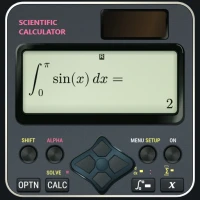
Solve equations, explore graphs, perform arithmetic operations, and tackle advanced calculus using our Casio-Styled Scientific Calculator FX-991EX. From fractions and complex numbers to matrices, statistics, and double/ triple integration, access the tools you need for everyday calculations and engineering coursework. Developed from my engineering experience, this app brings scientific calculations, dedicated modes, and 2D/3D graphing together in a familiar calculator-style interface with a natural math display.
Let’s delve into some of the features of the calculator:
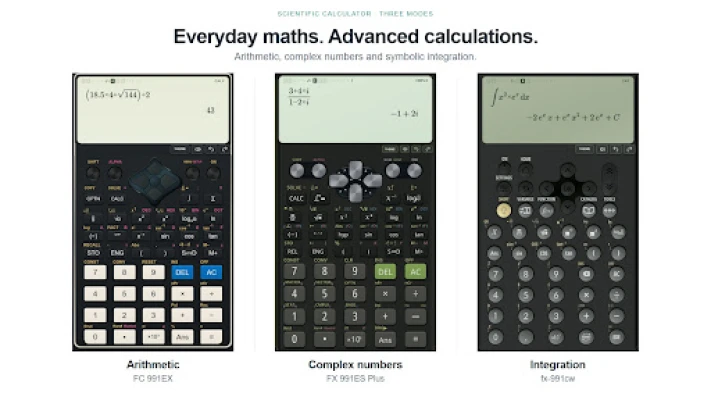
1. Scientific Calculations: This calculator can easily perform basic scientific calculations such as fractions, powers, roots, logarithms, trigonometric and hyperbolic functions, and complex numbers.
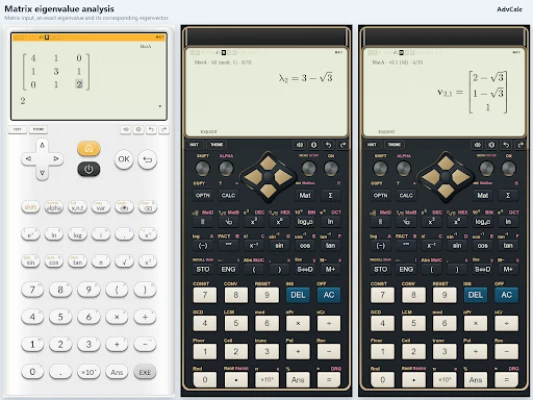
2. Matrices and vectors: This calculator supports matrices and vectors. Each function has its own modes to perform the required calculation. It supports basic matrix and vector arithmetic operations, including transpose, inverse, magnitude, three-vector operations, and many more.
3. Statistics: This calculator is designed to take input in discrete, repetitive, and grouped data. From the input data, it can calculate basic statistics such as mean, median, mode, standard deviation, variance, linear regression, and advanced regression such as quadratic regression, cubic regression, log/exponential regression, and more.
4. Functions, equations, and polynomials: These features include table generation by inputting functions with variables, similar to the FX-991EX, solution of two/three variables simultaneous equations, and calculating the roots of polynomials.
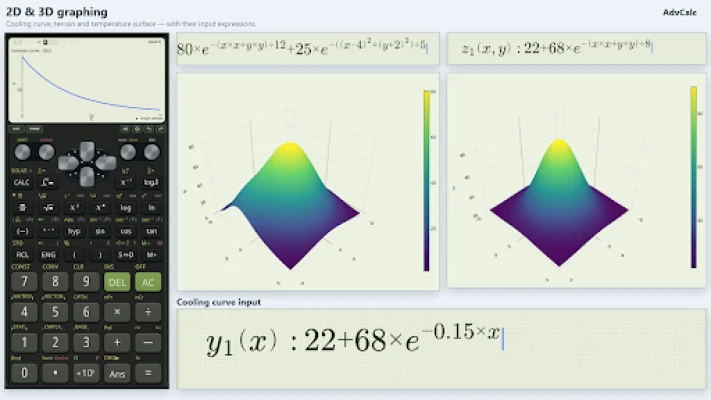
5. Calculus and Graphing: For calculus, separate limit, derivative, and integration modes are given inside the calculator. For differentiation, the calculator supports ordinary derivatives, partial derivatives, implicit/parametric derivatives, and more. For integration, this calculator can perform double and triple integration. It can also provide 2D graphs of linear, polynomial, trigonometric, logarithmic, and exponential functions, with and without domain restrictions.
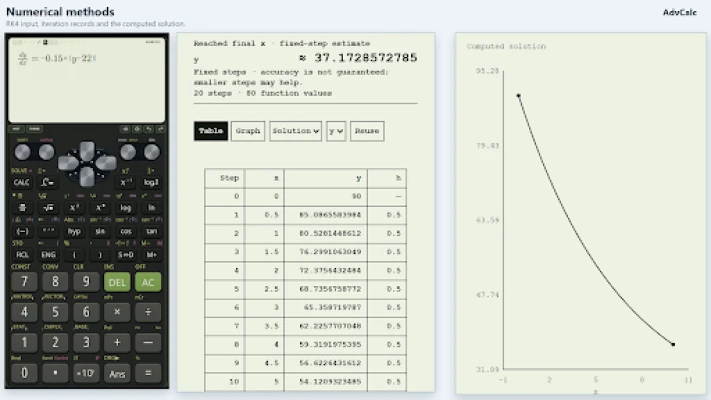
6. Numerical Methods: Solve nonlinear equations using Bisection, Newton–Raphson, Secant and Brent’s method. Perform numerical integration, differentiation and interpolation, and solve ordinary differential equations. Review iteration tables, convergence information and accuracy settings in a dedicated Numerical Methods mode.
7. Transforms and Series: Calculate Laplace and inverse Laplace transforms, Fourier transforms, Fourier series and Z-transforms. Analyze discrete signals using DFT and FFT and expand supported functions into Taylor and Maclaurin series. Dedicated inputs and mathematical results help with engineering mathematics, differential equations and signal-processing coursework.
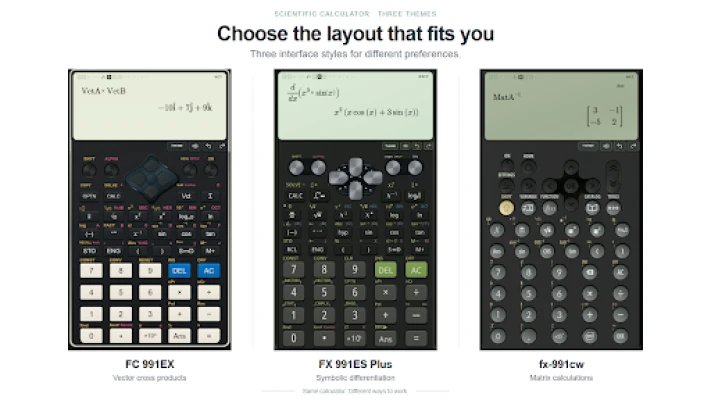
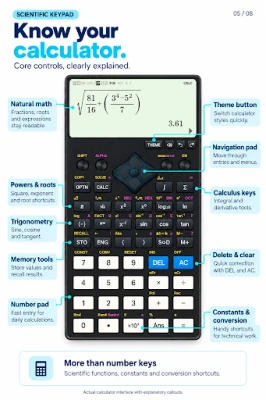
8. User Interface: This calculator interface is inspired by the FX-991EX, FX-991CW and FX-991EX Plus. The “Options” key is available in every mode to find the required operation. Each calculation and result is displayed on its own natural math display, along with history button for calculation history. The calculator also includes many themes, including designs from classic calculators like Classic MS, and Classic IIS. Similarly, other Casio-styled themes are:
1. Scientific Calculator FC991EX
2. Scientific Calculator Fx991ES Plus
3. Ti-84 Plus CE Python
4. Scientific Calculator Fx991ES plus and many more
We can’t wait for you to try many other features. If you have any questions, feedback, or a calculation to report, please contact us via email: [email protected]
1. Scientific Calculations: This calculator can easily perform basic scientific calculations such as fractions, powers, roots, logarithms, trigonometric and hyperbolic functions, and complex numbers.
2. Matrices and vectors: This calculator supports matrices and vectors. Each function has its own modes to perform the required calculation. It supports basic matrix and vector arithmetic operations, including transpose, inverse, magnitude, three-vector operations, and many more.
3. Statistics: This calculator is designed to take input in discrete, repetitive, and grouped data. From the input data, it can calculate basic statistics such as mean, median, mode, standard deviation, variance, linear regression, and advanced regression such as quadratic regression, cubic regression, log/exponential regression, and more.
4. Functions, equations, and polynomials: These features include table generation by inputting functions with variables, similar to the FX-991EX, solution of two/three variables simultaneous equations, and calculating the roots of polynomials.
5. Calculus and Graphing: For calculus, separate limit, derivative, and integration modes are given inside the calculator. For differentiation, the calculator supports ordinary derivatives, partial derivatives, implicit/parametric derivatives, and more. For integration, this calculator can perform double and triple integration. It can also provide 2D graphs of linear, polynomial, trigonometric, logarithmic, and exponential functions, with and without domain restrictions.
6. Numerical Methods: Solve nonlinear equations using Bisection, Newton–Raphson, Secant and Brent’s method. Perform numerical integration, differentiation and interpolation, and solve ordinary differential equations. Review iteration tables, convergence information and accuracy settings in a dedicated Numerical Methods mode.
7. Transforms and Series: Calculate Laplace and inverse Laplace transforms, Fourier transforms, Fourier series and Z-transforms. Analyze discrete signals using DFT and FFT and expand supported functions into Taylor and Maclaurin series. Dedicated inputs and mathematical results help with engineering mathematics, differential equations and signal-processing coursework.
8. User Interface: This calculator interface is inspired by the FX-991EX, FX-991CW and FX-991EX Plus. The “Options” key is available in every mode to find the required operation. Each calculation and result is displayed on its own natural math display, along with history button for calculation history. The calculator also includes many themes, including designs from classic calculators like Classic MS, and Classic IIS. Similarly, other Casio-styled themes are:
1. Scientific Calculator FC991EX
2. Scientific Calculator Fx991ES Plus
3. Ti-84 Plus CE Python
4. Scientific Calculator Fx991ES plus and many more
We can’t wait for you to try many other features. If you have any questions, feedback, or a calculation to report, please contact us via email: [email protected]
Rate the App
Add Comment & Review
User Reviews
Based on 0 reviews
No reviews added yet.
Comments will not be approved to be posted if they are SPAM, abusive, off-topic, use profanity, contain a personal attack, or promote hate of any kind.















More »

Popular Apps

phpFoxPHPFOX LLC

Moon Chai StoryOlha Dobel

World War Heroes — WW2 PvP FPSAzur Interactive Games Limited

Govee LiteGovee

AvSeaAvionics Electronics Geeks!

Viking Clan: RagnarokKano Games

Build World AdventureExplore city in cube world

Vikings: War of ClansPlarium LLC

Asphalt 9: LegendsGameloft SE

Dawn of Zombies: Survival GameRoyal Ark
More »
Editor's Choice

Grim Soul: Dark Survival RPGBrickworks Games Ltd

Craft of Survival - Gladiators101XP LIMITED

Last Shelter: SurvivalLong Tech Network Limited
Dawn of Zombies: Survival GameRoyal Ark

Merge Survival : WastelandStickyHands Inc.

AoD Vikings: Valhalla GameRoboBot Studio
Viking Clan: RagnarokKano Games
Vikings: War of ClansPlarium LLC
Asphalt 9: LegendsGameloft SE

Modern Tanks: War Tank GamesXDEVS LTD