Latest Version
Update
June 22, 2026
June 22, 2026
Developer
Big Ocean Studio
Big Ocean Studio
Categories
Tools
Tools
Platforms
Android
Android
Downloads
0
0
License
Free
Free
Package Name
com.roku.remote.tvremotecontrol
com.roku.remote.tvremotecontrol
Report
Report a Problem
Report a Problem
More About Roku Tv Remote Control
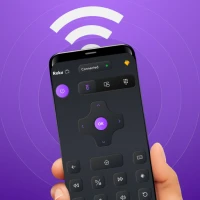
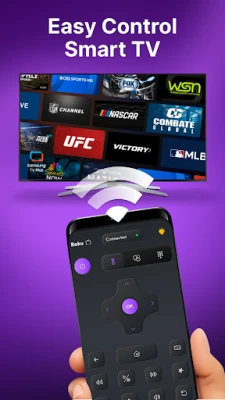
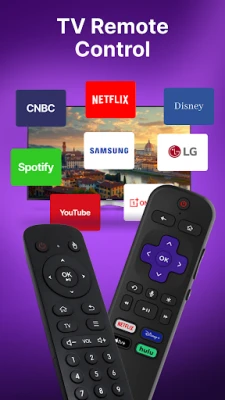
Roku Remote control is a mobile TV remote control app made for Roku TVs & streaming devices. This TV remote application lets you use your phone as a remote control to turn the TV on or off, adjust volume, browse and stream content, and open channels. It gives the same features as a physical TV remote.
The universal Roku TV Remote App works with many Roku devices, including Roku Express, Roku Express+, Roku Streaming Stick, Roku Streaming Stick+, Roku Premiere, Roku Premiere+, and Roku Ultra.
It is also compatible with Roku TVs from popular brands such as TCL, Hisense, Philips, Sharp, Insignia, Hitachi, Element, RCA, and Onn.
All-in-One Remote Control for TV
Get the complete universal tv remote control experience:
▸ Volume Up / Down
▸ Channel navigation
▸ Power On / Off
▸ Mute / Unmute
▸ Menu access
▸ Playback controls (Play / Pause / Stop)
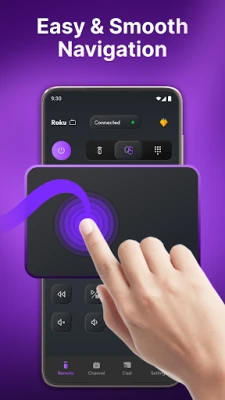
▸ Touchpad navigation
A Handy TV Remote for Daily Use:
Enjoy smooth navigation, fast response, and all the buttons you need. Roku TV remote control app works as a reliable TV remote replacement that runs smoothly for everyday use.
Quick Connection:
When your phone and TV are on the same Wi-Fi network, the app finds your Roku TV automatically and connects in seconds. No codes and no setup needed — just open the app and start using it.
Easy Touch Navigation:
Use simple swipe gestures to browse channels and apps. Scrolling, selecting, and switching apps is faster and easier than using a regular TV remote.
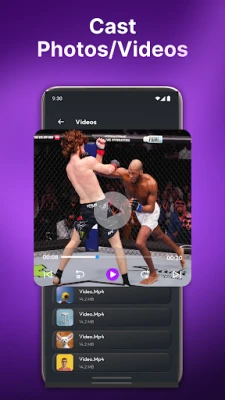
Cast Photos, Videos, and Music:
Share videos, photos, and music from your phone to your TV with just a few taps. Enjoy your content on a bigger screen at home.
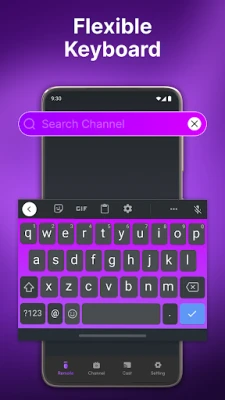
Fast Typing with Smart Keyboard:
Typing with a normal Tv remote control is slow. This Roku TV remote control app gives you a full keyboard on your phone to search movies, enter passwords, and type names easily.
Quick Access to Favorite Channels:
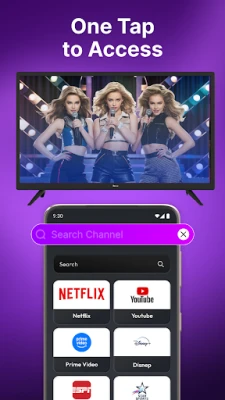
Open Netflix, YouTube, Hulu, Disney+, Max, Prime Video, and other apps with one tap. Create shortcuts so your favorite channels are always easy to find.
How to Get Started:
Step 1: Connect your phone and TV to the same Wi-Fi network
Step 2: Open the app and choose your TV
Step 3: Tap to connect and start controlling your TV
Disclaimer:
This app is independently developed and is not affiliated with Roku, Inc. All trademarks and brand names belong to their respective owners.
It is also compatible with Roku TVs from popular brands such as TCL, Hisense, Philips, Sharp, Insignia, Hitachi, Element, RCA, and Onn.
All-in-One Remote Control for TV
Get the complete universal tv remote control experience:
▸ Volume Up / Down
▸ Channel navigation
▸ Power On / Off
▸ Mute / Unmute
▸ Menu access
▸ Playback controls (Play / Pause / Stop)
▸ Touchpad navigation
A Handy TV Remote for Daily Use:
Enjoy smooth navigation, fast response, and all the buttons you need. Roku TV remote control app works as a reliable TV remote replacement that runs smoothly for everyday use.
Quick Connection:
When your phone and TV are on the same Wi-Fi network, the app finds your Roku TV automatically and connects in seconds. No codes and no setup needed — just open the app and start using it.
Easy Touch Navigation:
Use simple swipe gestures to browse channels and apps. Scrolling, selecting, and switching apps is faster and easier than using a regular TV remote.
Cast Photos, Videos, and Music:
Share videos, photos, and music from your phone to your TV with just a few taps. Enjoy your content on a bigger screen at home.
Fast Typing with Smart Keyboard:
Typing with a normal Tv remote control is slow. This Roku TV remote control app gives you a full keyboard on your phone to search movies, enter passwords, and type names easily.
Quick Access to Favorite Channels:
Open Netflix, YouTube, Hulu, Disney+, Max, Prime Video, and other apps with one tap. Create shortcuts so your favorite channels are always easy to find.
How to Get Started:
Step 1: Connect your phone and TV to the same Wi-Fi network
Step 2: Open the app and choose your TV
Step 3: Tap to connect and start controlling your TV
Disclaimer:
This app is independently developed and is not affiliated with Roku, Inc. All trademarks and brand names belong to their respective owners.
Rate the App
Add Comment & Review
User Reviews
Based on 0 reviews
No reviews added yet.
Comments will not be approved to be posted if they are SPAM, abusive, off-topic, use profanity, contain a personal attack, or promote hate of any kind.



More »

Popular Apps

phpFoxPHPFOX LLC

Moon Chai StoryOlha Dobel

World War Heroes — WW2 PvP FPSAzur Interactive Games Limited

Govee LiteGovee

Build World AdventureExplore city in cube world

Viking Clan: RagnarokKano Games

Vikings: War of ClansPlarium LLC

Asphalt 9: LegendsGameloft SE

Submarine Car Diving SimulatorSwim with dolphins & penguins

Dawn of Zombies: Survival GameRoyal Ark
More »
Editor's Choice

Grim Soul: Dark Survival RPGBrickworks Games Ltd

Craft of Survival - Gladiators101XP LIMITED

Last Shelter: SurvivalLong Tech Network Limited
Dawn of Zombies: Survival GameRoyal Ark

Merge Survival : WastelandStickyHands Inc.

AoD Vikings: Valhalla GameRoboBot Studio
Viking Clan: RagnarokKano Games
Vikings: War of ClansPlarium LLC
Asphalt 9: LegendsGameloft SE

Modern Tanks: War Tank GamesXDEVS LTD