

Latest Version
Update
April 23, 2026
April 23, 2026
Developer
Muzammil Khan Store
Muzammil Khan Store
Categories
Business
Business
Platforms
Android
Android
Downloads
0
0
License
Free
Free
Package Name
com.posapp.pointofsaleapp.easykhatabook
com.posapp.pointofsaleapp.easykhatabook
Report
Report a Problem
Report a Problem
More About POS App: Sales & Purchase
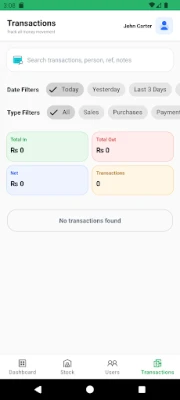
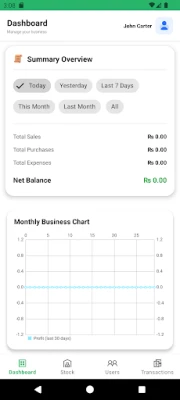
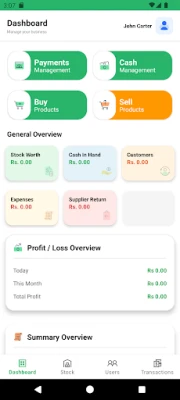
POS App: Sales & Purchase is a smart offline POS, billing, and inventory management app built for shops, retail stores, small businesses, wholesalers, and general business use. Manage sales, purchase, stock, customers, suppliers, payments, expenses, cash flow, and invoices from one simple Android app.
Run your business with a fast and easy point of sale (POS) system that works even without internet. Create bills, track products, manage purchase entries, monitor customer balances, record supplier dues, and keep your daily business records organized in one place. Current Play Store competitors in this category heavily emphasize offline billing, inventory, stock control, customer management, and fast checkout, so these are the strongest discovery themes for your app category.
Key features:
• Offline POS app for daily business use
• Fast billing and invoice generation
• Manage sales and purchase records
• Track inventory and stock movement
• Add and manage products with rates and quantity
• Keep customer and supplier ledgers
• Record receive payments and send payments
• Manage expenses and cash in hand
• View business summaries and reports
• Save profile details, business name, logo, and branding for invoices
• Optional Google login for backup-related features
• Continue using the app fully offline without login
This app is useful for retail shops, kiryana stores, wholesalers, traders, general stores, mobile shops, small businesses, and anyone who needs a lightweight POS billing and inventory app on Android. Offline-first wording is especially common among current POS and inventory listings, which makes it helpful both for discovery and for setting user expectations.
With POS App: Sales & Purchase, you can:
• Create sale invoices quickly
• Record purchase invoices and product stock updates
• Manage customer dues and supplier balances
• Track business cash entries and cash deductions
• Store business profile details for invoice branding
• Use the app offline anytime
• Optionally sign in with Google to support backup and restore workflows
Offline usage:
The app is designed for offline business management. You can use the app without signing in. Your main records can stay on your device for day-to-day offline use. If you choose Google login, it is used only for authentication and backup-related purposes, so you can restore your data later. This matches how many current offline POS apps position local-first use with optional account features
Key features:
• Offline POS app for daily business use
• Fast billing and invoice generation
• Manage sales and purchase records
• Track inventory and stock movement
• Add and manage products with rates and quantity
• Keep customer and supplier ledgers
• Record receive payments and send payments
• Manage expenses and cash in hand
• View business summaries and reports
• Save profile details, business name, logo, and branding for invoices
• Optional Google login for backup-related features
• Continue using the app fully offline without login
This app is useful for retail shops, kiryana stores, wholesalers, traders, general stores, mobile shops, small businesses, and anyone who needs a lightweight POS billing and inventory app on Android. Offline-first wording is especially common among current POS and inventory listings, which makes it helpful both for discovery and for setting user expectations.
With POS App: Sales & Purchase, you can:
• Create sale invoices quickly
• Record purchase invoices and product stock updates
• Manage customer dues and supplier balances
• Track business cash entries and cash deductions
• Store business profile details for invoice branding
• Use the app offline anytime
• Optionally sign in with Google to support backup and restore workflows
Offline usage:
The app is designed for offline business management. You can use the app without signing in. Your main records can stay on your device for day-to-day offline use. If you choose Google login, it is used only for authentication and backup-related purposes, so you can restore your data later. This matches how many current offline POS apps position local-first use with optional account features
Rate the App
Add Comment & Review
User Reviews
Based on 0 reviews
No reviews added yet.
Comments will not be approved to be posted if they are SPAM, abusive, off-topic, use profanity, contain a personal attack, or promote hate of any kind.





More »

Popular Apps

phpFoxPHPFOX LLC

Moon Chai StoryOlha Dobel

World War Heroes — WW2 PvP FPSAzur Interactive Games Limited

Govee LiteGovee

Build World AdventureExplore city in cube world

Viking Clan: RagnarokKano Games

Vikings: War of ClansPlarium LLC

Submarine Car Diving SimulatorSwim with dolphins & penguins

Asphalt 9: LegendsGameloft SE

Dawn of Zombies: Survival GameRoyal Ark
More »
Editor's Choice

Grim Soul: Dark Survival RPGBrickworks Games Ltd

Craft of Survival - Gladiators101XP LIMITED

Last Shelter: SurvivalLong Tech Network Limited
Dawn of Zombies: Survival GameRoyal Ark

Merge Survival : WastelandStickyHands Inc.

AoD Vikings: Valhalla GameRoboBot Studio
Viking Clan: RagnarokKano Games
Vikings: War of ClansPlarium LLC
Asphalt 9: LegendsGameloft SE

Modern Tanks: War Tank GamesXDEVS LTD