

Latest Version
Update
April 22, 2026
April 22, 2026
Developer
DIGITAL HUB IT SOLUTION
DIGITAL HUB IT SOLUTION
Categories
Productivity
Productivity
Platforms
Android
Android
Downloads
0
0
License
Free
Free
Package Name
com.digitalhub.bulksend
com.digitalhub.bulksend
Report
Report a Problem
Report a Problem
More About Bulk Send & Auto Contacts Save
Bulk Messaging WA, SMS & CRM Tool
A professional Customer Relationship Management (CRM) and business automation solution designed for businesses, sales teams, and individuals who need automated messaging, smart follow-ups, and advanced contact organization.
This app is a powerful Enterprise CRM tool that helps streamline business communication. It automatically logs business calls, saves contact history, manages cloud-based messaging, and fully automates client follow-ups securely.
🚀 MAIN FEATURES
📱 Multi-Channel Bulk Messaging Send messages efficiently using supported messaging apps or official cloud integrations. • Official Meta Cloud API integration for secure WA business messaging • Multiple smart sending modes and template management
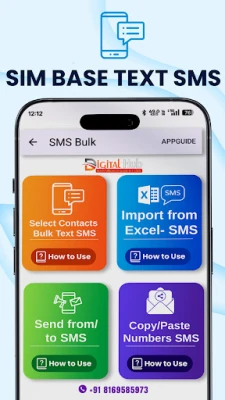
⚙️ Automated SMS Dispatch Manage your client communications by scheduling automated SMS to selected CRM contacts. • Custom message content and dynamic variables • Controlled and automated sending intervals
📧 Email CRM Campaigns A built-in email CRM integrated with SendGrid. • Compose and schedule mass email outreach • Track Sent, Delivered, and Opened statuses in real-time
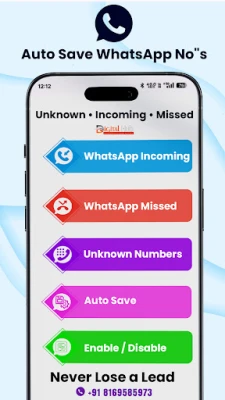
📥 Auto Contact Saver & Lead Generation Automatically save new numbers from selected sources inside the app to build your CRM database natively.
🔍 Save Unknown Numbers Automatically detect and store numbers not currently in your contacts list for future business follow-ups.
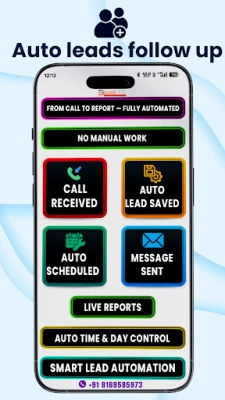
⏰ Auto Follow-up System Automate reminders and follow-ups by scheduling them for specific dates and times.
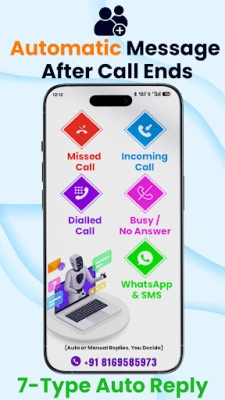
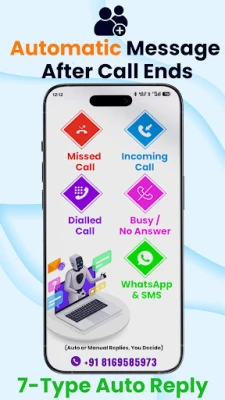
📞 Auto Reply After Calls Automate your text replies by sending predefined SMS after completed outgoing or incoming calls.
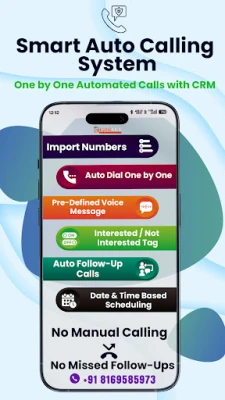
☎️ Auto Dialer Streamline outbound calls with an automated business workflow, delegating directly to your system phone.
📊 Excel Import & Export Import contact lists from spreadsheet files and export backups.
🛡️ Backup & Restore Securely back up and restore your contact database locally.
📋 PERMISSIONS EXPLAINED
Permissions are requested only when a CRM feature requiring them is actively used by the user.
Core Permissions • SEND_SMS – Required under the Enterprise CRM exception to schedule and dispatch business follow-up messages on behalf of the user. • READ_CALL_LOG – Required under the Enterprise CRM exception to automatically identify, display, and save business contacts and leads from call history without requiring manual data entry. • CALL_PHONE – Required only when initiating calls from the Auto Dialer. • READ_CONTACTS / WRITE_CONTACTS – Required for core CRM contact management. • READ_PHONE_STATE – Required to detect when a call finishes so the Auto Reply system can trigger automatically.
Optional Permissions • RECORD_AUDIO – Used only during live screen-sharing support sessions.
♿ ACCESSIBILITY SERVICE DISCLOSURE
AccessibilityService is used only to assist with on-screen number detection and contact-saving automation when enabled by the user.
The service does NOT: • Read message content or access private conversations • Record audio or collect personal data • Track app usage
This feature is optional and can be disabled at any time in system settings.
⚠️ IMPORTANT NOTICE This app is an independent CRM tool. It is not affiliated with, endorsed by, or sponsored by WhatsApp or Meta. WhatsApp is a registered trademark of Meta Platforms, Inc.
🔒 PRIVACY • All data is stored locally on your device or via your connected APIs. • No personal data is sold, shared, or collected in the background. • Users control all permissions.
This app is a powerful Enterprise CRM tool that helps streamline business communication. It automatically logs business calls, saves contact history, manages cloud-based messaging, and fully automates client follow-ups securely.
🚀 MAIN FEATURES
📱 Multi-Channel Bulk Messaging Send messages efficiently using supported messaging apps or official cloud integrations. • Official Meta Cloud API integration for secure WA business messaging • Multiple smart sending modes and template management
⚙️ Automated SMS Dispatch Manage your client communications by scheduling automated SMS to selected CRM contacts. • Custom message content and dynamic variables • Controlled and automated sending intervals
📧 Email CRM Campaigns A built-in email CRM integrated with SendGrid. • Compose and schedule mass email outreach • Track Sent, Delivered, and Opened statuses in real-time
📥 Auto Contact Saver & Lead Generation Automatically save new numbers from selected sources inside the app to build your CRM database natively.
🔍 Save Unknown Numbers Automatically detect and store numbers not currently in your contacts list for future business follow-ups.
⏰ Auto Follow-up System Automate reminders and follow-ups by scheduling them for specific dates and times.
📞 Auto Reply After Calls Automate your text replies by sending predefined SMS after completed outgoing or incoming calls.
☎️ Auto Dialer Streamline outbound calls with an automated business workflow, delegating directly to your system phone.
📊 Excel Import & Export Import contact lists from spreadsheet files and export backups.
🛡️ Backup & Restore Securely back up and restore your contact database locally.
📋 PERMISSIONS EXPLAINED
Permissions are requested only when a CRM feature requiring them is actively used by the user.
Core Permissions • SEND_SMS – Required under the Enterprise CRM exception to schedule and dispatch business follow-up messages on behalf of the user. • READ_CALL_LOG – Required under the Enterprise CRM exception to automatically identify, display, and save business contacts and leads from call history without requiring manual data entry. • CALL_PHONE – Required only when initiating calls from the Auto Dialer. • READ_CONTACTS / WRITE_CONTACTS – Required for core CRM contact management. • READ_PHONE_STATE – Required to detect when a call finishes so the Auto Reply system can trigger automatically.
Optional Permissions • RECORD_AUDIO – Used only during live screen-sharing support sessions.
♿ ACCESSIBILITY SERVICE DISCLOSURE
AccessibilityService is used only to assist with on-screen number detection and contact-saving automation when enabled by the user.
The service does NOT: • Read message content or access private conversations • Record audio or collect personal data • Track app usage
This feature is optional and can be disabled at any time in system settings.
⚠️ IMPORTANT NOTICE This app is an independent CRM tool. It is not affiliated with, endorsed by, or sponsored by WhatsApp or Meta. WhatsApp is a registered trademark of Meta Platforms, Inc.
🔒 PRIVACY • All data is stored locally on your device or via your connected APIs. • No personal data is sold, shared, or collected in the background. • Users control all permissions.
Rate the App
Add Comment & Review
User Reviews
Based on 0 reviews
No reviews added yet.
Comments will not be approved to be posted if they are SPAM, abusive, off-topic, use profanity, contain a personal attack, or promote hate of any kind.



More »

Popular Apps

phpFoxPHPFOX LLC

Moon Chai StoryOlha Dobel

World War Heroes — WW2 PvP FPSAzur Interactive Games Limited

Govee LiteGovee

Build World AdventureExplore city in cube world

Viking Clan: RagnarokKano Games

Vikings: War of ClansPlarium LLC

Asphalt 9: LegendsGameloft SE

Submarine Car Diving SimulatorSwim with dolphins & penguins

Dawn of Zombies: Survival GameRoyal Ark
More »
Editor's Choice

Grim Soul: Dark Survival RPGBrickworks Games Ltd

Craft of Survival - Gladiators101XP LIMITED

Last Shelter: SurvivalLong Tech Network Limited
Dawn of Zombies: Survival GameRoyal Ark

Merge Survival : WastelandStickyHands Inc.

AoD Vikings: Valhalla GameRoboBot Studio
Viking Clan: RagnarokKano Games
Vikings: War of ClansPlarium LLC
Asphalt 9: LegendsGameloft SE

Modern Tanks: War Tank GamesXDEVS LTD