
Latest Version
Update
November 17, 2026
November 17, 2026
Developer
Quint Tech
Quint Tech
Categories
Personalization
Personalization
Platforms
Android
Android
Downloads
0
0
License
Free
Free
Package Name
com.cool.fonts.symbol.keyboard.custom.fancy.text.editor.emojis
com.cool.fonts.symbol.keyboard.custom.fancy.text.editor.emojis
Report
Report a Problem
Report a Problem
More About AI Keyboard: Fonts & Emojis
Type faster and smarter with an AI keyboard that helps you write, reply and express yourself in any app. [App Name] puts an AI writing assistant right inside your keyboard, so you never have to copy and paste between apps.
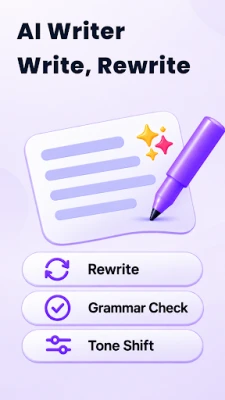
AI WRITING ASSISTANT
• AI reply: get a ready-to-send answer to a message or email in one tap
• AI rewrite: make any text shorter, longer, friendlier or more professional
• Grammar and spelling fix: clean up typos and awkward sentences as you type
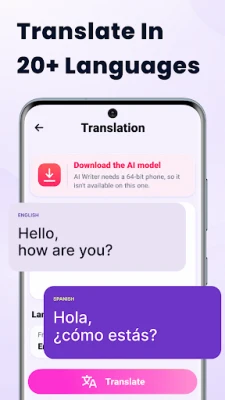
• AI translate: write in another language without leaving the chat
Whether you are answering a work email, writing a caption or chatting with friends, this AI keyboard helps you find the right words quickly.
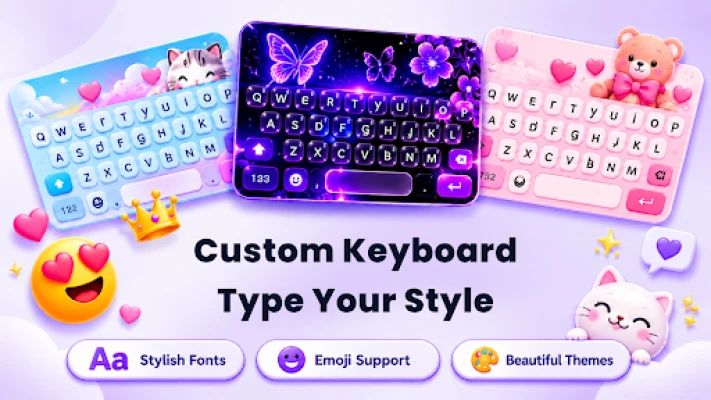
EMOJI, FONTS AND STYLE
• Large emoji library with quick search
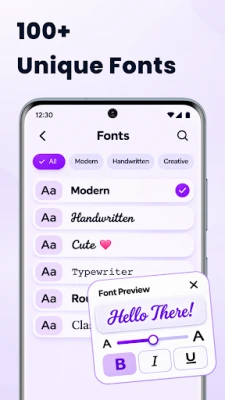
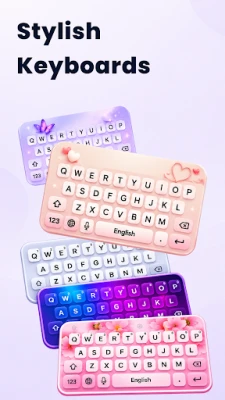
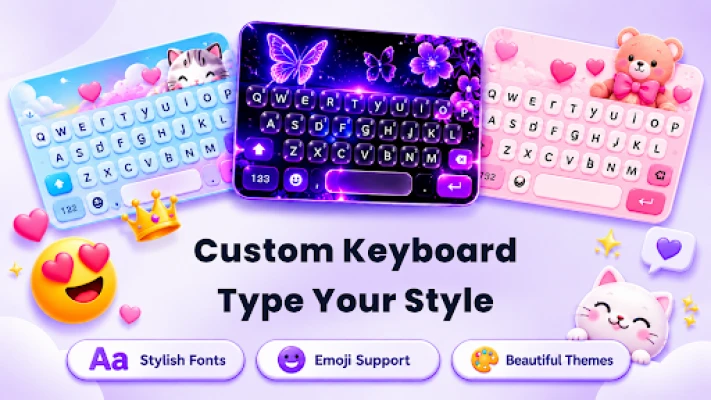
• Stylish fonts for bios, captions, usernames and gaming names
• Keyboard themes and wallpapers to match your style
• Keypress sounds for a more fun typing experience
TYPING BASICS YOU EXPECT
• Fast, accurate typing with smart suggestions
• Multiple languages and layouts
• Works in messaging, social media, email and notes apps
HOW TO GET STARTED
1. Download and open the app.
2. Tap "Enable keyboard" and select it as your input method.
3. Open any app, tap the AI button on the keyboard toolbar and start writing.
WHY CHOOSE AN AI KEYBOARD?
Typing on a phone is slow and messages are easy to get wrong. An AI keyboard saves time by suggesting replies, fixing mistakes and adjusting your tone while you type. You stay in the app you are already using, and the result still sounds like you.
PRIVACY
Your privacy matters. [Explain here, in plain words, what text is sent to the AI service, when it is sent, and whether it is stored.] Read our full privacy policy in the app and on our store page.
PREMIUM
[App Name] is free to use with ads. Upgrade to Premium for more AI requests, no ads and extra themes. Subscriptions can be managed or cancelled anytime in Google Play.
SUPPORT
Questions or feedback? Contact us from the app's settings. We read every message and use it to improve the keyboard.
Download the AI keyboard today and make every message faster, clearer and more fun to write.
• AI reply: get a ready-to-send answer to a message or email in one tap
• AI rewrite: make any text shorter, longer, friendlier or more professional
• Grammar and spelling fix: clean up typos and awkward sentences as you type
• AI translate: write in another language without leaving the chat
Whether you are answering a work email, writing a caption or chatting with friends, this AI keyboard helps you find the right words quickly.
EMOJI, FONTS AND STYLE
• Large emoji library with quick search
• Stylish fonts for bios, captions, usernames and gaming names
• Keyboard themes and wallpapers to match your style
• Keypress sounds for a more fun typing experience
TYPING BASICS YOU EXPECT
• Fast, accurate typing with smart suggestions
• Multiple languages and layouts
• Works in messaging, social media, email and notes apps
HOW TO GET STARTED
1. Download and open the app.
2. Tap "Enable keyboard" and select it as your input method.
3. Open any app, tap the AI button on the keyboard toolbar and start writing.
WHY CHOOSE AN AI KEYBOARD?
Typing on a phone is slow and messages are easy to get wrong. An AI keyboard saves time by suggesting replies, fixing mistakes and adjusting your tone while you type. You stay in the app you are already using, and the result still sounds like you.
PRIVACY
Your privacy matters. [Explain here, in plain words, what text is sent to the AI service, when it is sent, and whether it is stored.] Read our full privacy policy in the app and on our store page.
PREMIUM
[App Name] is free to use with ads. Upgrade to Premium for more AI requests, no ads and extra themes. Subscriptions can be managed or cancelled anytime in Google Play.
SUPPORT
Questions or feedback? Contact us from the app's settings. We read every message and use it to improve the keyboard.
Download the AI keyboard today and make every message faster, clearer and more fun to write.
Rate the App
Add Comment & Review
User Reviews
Based on 0 reviews
No reviews added yet.
Comments will not be approved to be posted if they are SPAM, abusive, off-topic, use profanity, contain a personal attack, or promote hate of any kind.




More »

Popular Apps

phpFoxPHPFOX LLC

Moon Chai StoryOlha Dobel

World War Heroes — WW2 PvP FPSAzur Interactive Games Limited

Govee LiteGovee

AvSeaAvionics Electronics Geeks!

Viking Clan: RagnarokKano Games

Vikings: War of ClansPlarium LLC

Build World AdventureExplore city in cube world

Asphalt 9: LegendsGameloft SE

Dawn of Zombies: Survival GameRoyal Ark
More »
Editor's Choice

Grim Soul: Dark Survival RPGBrickworks Games Ltd

Craft of Survival - Gladiators101XP LIMITED

Last Shelter: SurvivalLong Tech Network Limited
Dawn of Zombies: Survival GameRoyal Ark

Merge Survival : WastelandStickyHands Inc.

AoD Vikings: Valhalla GameRoboBot Studio
Viking Clan: RagnarokKano Games
Vikings: War of ClansPlarium LLC
Asphalt 9: LegendsGameloft SE

Modern Tanks: War Tank GamesXDEVS LTD